Quick answer
Eight smart locks currently work with Apple HomeKit. Three support Apple Home Key (Schlage Encode Plus, Aqara U100, Level Lock+). Four have native HomeKit built in without needing extra hardware. The remaining locks require a hub, bridge, or module for HomeKit connectivity.
This is a complete compatibility reference for every smart lock that works with Apple HomeKit in 2026. Unlike a ranked review, this page is designed for quick lookups: which locks support HomeKit, how they connect, whether they support Apple Home Key, and what additional hardware you might need.
We have tested all eight locks listed here with HomeKit on iOS 18 and macOS Sequoia. Each entry includes the HomeKit connection method, protocol support, and any caveats you should know before buying.
HomeKit compatibility quick reference
| Lock | HomeKit Method | Home Key | Thread | Matter | Remote Access |
|---|---|---|---|---|---|
| Schlage Encode Plus | Native | Yes | No | No | Built-in Wi-Fi |
| Aqara U100 | Native | Yes | Yes | Yes | Thread border router |
| Level Lock+ | Native | Yes | Yes | No | Thread border router |
| Yale Assure Lock 2 | Native | No | No | Yes | Built-in Wi-Fi (with module) |
| Schlage Sense | Native (Bluetooth only) | No | No | No | Apple TV / HomePod as proxy |
| August Wi-Fi Smart Lock | Via August Connect bridge | No | No | No | Built-in Wi-Fi (native app) |
| Aqara D100 | Via Aqara hub | No | No | No | Aqara hub (Wi-Fi connected) |
| Yale Assure Lock SL | Via Yale iM1 module | No | No | No | Apple TV / HomePod as proxy |
Full specifications comparison
| Product | Score | Price | Subscription |
|---|---|---|---|
| Schlage Encode Plus Best HomeKit Lock | 8.7 | US $288.15 / CA $330 | No |
| Aqara U100 Best Value HomeKit | 8.5 | US $139.99 / CA $190 | No |
| Yale Assure Lock 2 Widest Ecosystem | 8.3 | US $219.99 / CA $313 | No |
| Level Lock+ Best Invisible Design | 8 | US $219.99 / CA $330 | No |
| August Wi-Fi Smart Lock Budget Option | 7.5 | US $109.00 / CA $252 | No |
| Aqara D100 Hub Required | 7.3 | US $109.00 / CA $220 | No |
| Yale Assure Lock SL Key-Free Design | 7 | US $198.94 / CA $465 | No |
| Schlage Sense Legacy Pick | 6.8 | US $198.94 / CA $240 | No |
Native HomeKit with Apple Home Key
These locks connect directly to HomeKit and support tap-to-unlock with your iPhone or Apple Watch via Apple Home Key. They represent the best HomeKit experience available.
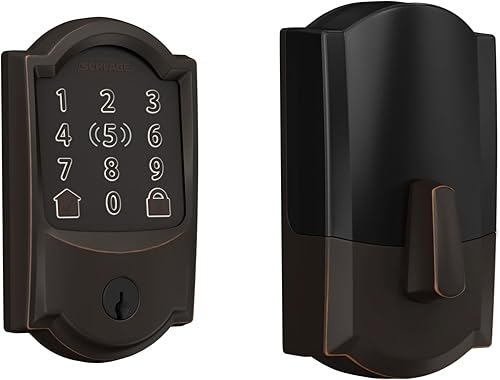
Schlage Encode Plus
$280–$330 | Wi-Fi + Bluetooth | ANSI Grade 1 | Built-in Wi-Fi
HomeKit details
The Schlage Encode Plus was the first smart lock to support Apple Home Key and remains one of the strongest HomeKit implementations available. HomeKit connectivity is native over Bluetooth for local control and Wi-Fi for remote access. Because Wi-Fi is built in, the Schlage Encode Plus does not require a HomePod or Apple TV for remote lock and unlock through HomeKit — it connects directly to your router. Apple Home Key lets you tap your iPhone or Apple Watch to the lock body, and it unlocks instantly without opening an app. The credential is stored in Apple Wallet and works even in power reserve mode on iPhone.
The lock carries ANSI/BHMA Grade 1 certification, the highest physical security rating for residential locks. Build quality is commercial-grade with a heavy, solid feel. The keypad is backlit and responsive. This is a full deadbolt replacement, so it will not work as a retrofit — you need to remove your existing deadbolt entirely.
The main HomeKit limitation is the lack of Matter and Thread support. The Schlage Encode Plus uses Wi-Fi and Bluetooth only, which means it cannot participate in a Thread mesh network and is not cross-platform via Matter. This is unlikely to matter for committed Apple households, but if you might switch ecosystems in the future, it is worth noting.
Pros
- + Apple Home Key — tap to unlock with iPhone or Apple Watch
- + Built-in Wi-Fi eliminates the need for any hub or bridge
- + ANSI Grade 1 — highest residential security rating
- + Reliable HomeKit performance with fast response times
- + Works with Alexa and Google Home in addition to HomeKit
Cons
- - No Matter or Thread — limited future-proofing
- - Most expensive lock on this list at $280–$330
- - Full deadbolt replacement required
- - Bulkier than competing locks
- - Wi-Fi drains batteries faster than Thread alternatives
Schlage Encode Plus
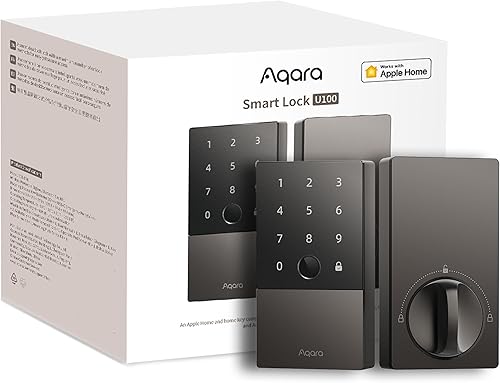
Aqara U100
$180–$200 | Bluetooth + Thread + Matter | Apple Home Key | Fingerprint reader | Retrofit
HomeKit details
The Aqara U100 pairs directly with HomeKit over Bluetooth during setup, then communicates over Thread for day-to-day operation if you have a Thread border router in your home (HomePod Mini, Apple TV 4K 2nd gen or later). Thread provides faster response times and better range than Bluetooth alone, and it enables remote access through your home hub without built-in Wi-Fi. Apple Home Key works identically to the Schlage Encode Plus — tap your iPhone or Apple Watch to unlock.
What makes the U100 exceptional for HomeKit users is the combination of Home Key, Thread, and Matter at under $200. It is also a retrofit lock, meaning it replaces only the interior thumbturn and leaves your existing exterior deadbolt hardware untouched. The built-in fingerprint reader adds another fast unlock method that does not require your phone at all. The fingerprint sensor reads in under a second and stores up to 50 fingerprints.
The main compatibility concern is deadbolt fitment. The U100 does not work with all deadbolt types, and Aqara provides a compatibility checker you should use before purchasing. It also lacks built-in Wi-Fi, so remote access via HomeKit depends on having a home hub acting as a Thread border router.
Pros
- + Apple Home Key at nearly half the price of Schlage Encode Plus
- + Thread and Matter support for future-proofing
- + Retrofit installation — no deadbolt replacement needed
- + Built-in fingerprint reader is fast and reliable
- + No hub required for basic Bluetooth operation
Cons
- - No built-in Wi-Fi — needs Thread border router for remote access
- - Limited deadbolt compatibility — check before buying
- - CR123A batteries are less common than AA
- - No SmartThings support
- - Shorter battery life than Wi-Fi alternatives
Aqara U100
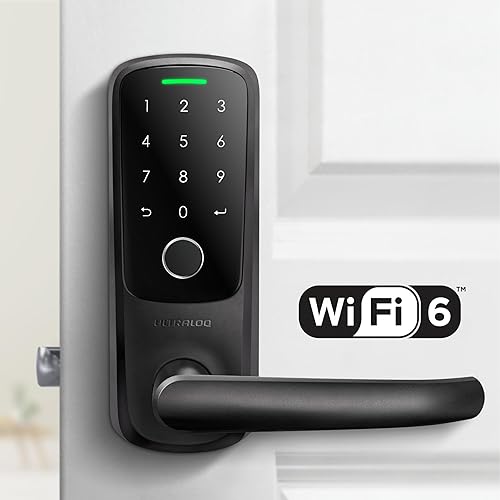
Level Lock+
$250–$330 | Bluetooth + Thread | Apple Home Key | Invisible design
HomeKit details
The Level Lock+ packs all of its electronics — motor, Bluetooth radio, Thread radio, battery — inside the deadbolt bolt itself. From the outside, your door looks like it has a completely standard deadbolt. There is no visible keypad, no exterior electronics, nothing to indicate this is a smart lock. It is the only HomeKit lock that is truly invisible.
HomeKit connectivity is native via Bluetooth and Thread. Apple Home Key support means you can tap your iPhone or Apple Watch to the lock face to unlock. Thread provides mesh networking for extended range and enables remote access through a Thread border router. Without a border router, the lock operates over Bluetooth only with a range of approximately 30 feet.
The trade-off for the invisible design is the complete absence of a keypad. There is no way to enter a code at the door. If your phone is dead and you do not have a physical key, you are locked out. The lock also does not support Alexa or Google Home — it is strictly an Apple and Matter device. For HomeKit households that value aesthetics above all else, nothing else compares.
Pros
- + Completely invisible — looks like a normal deadbolt
- + Apple Home Key support
- + Thread connectivity for reliable range extension
- + Excellent battery life (~12 months on a CR2 cell)
- + Award-winning industrial design
Cons
- - No keypad — no code entry option at all
- - No Alexa or Google Home support
- - Premium price for fewer visible features
- - Requires Thread border router for remote access
- - Specific deadbolt size requirements
Level Lock+
Native HomeKit without Apple Home Key
These locks have built-in HomeKit support and appear in the Apple Home app without extra hardware, but they do not support the tap-to-unlock Apple Home Key feature.
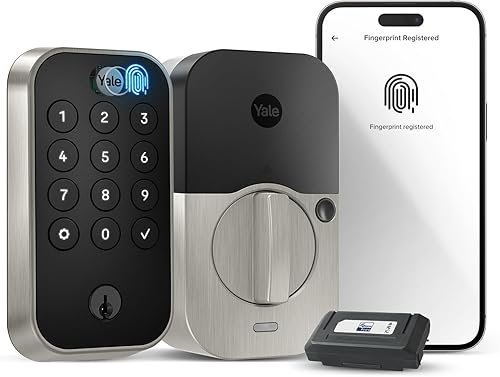
Yale Assure Lock 2
$200–$280 | Wi-Fi / Bluetooth / Matter (swappable modules) | No Apple Home Key
HomeKit details
The Yale Assure Lock 2 has native HomeKit support built into its firmware, regardless of which radio module you install. It connects to HomeKit over Bluetooth during setup, and the optional Wi-Fi module provides remote access. The swappable module design is the standout feature: buy the base lock, then slot in a Wi-Fi, Bluetooth, or Matter module depending on your needs. If you switch smart home platforms later, swap the module instead of replacing the entire lock.
This is the only lock on this list that supports HomeKit, Alexa, Google Home, and SmartThings simultaneously. For mixed-platform households, it is the clear winner. The lock comes in touchscreen and keypad variants, both available in multiple finishes. Yale's build quality is solid and the 12-month AA battery life is among the best in class.
The notable absence for HomeKit users is Apple Home Key. Despite full native HomeKit support, the Yale Assure Lock 2 does not support tap-to-unlock. You will need to use the app, a keypad code, or Siri to unlock. This is a meaningful gap compared to the Schlage Encode Plus and Aqara U100, particularly for users who want the fastest possible unlock experience.
Pros
- + Works with every major smart home ecosystem simultaneously
- + Swappable radio modules for future-proof flexibility
- + Native HomeKit without any additional hardware
- + Multiple style options (touchscreen, keypad, finishes)
- + Strong 12-month battery life on AA batteries
Cons
- - No Apple Home Key
- - Full deadbolt replacement required
- - No Thread support
- - Module adds cost beyond base lock price
- - Price varies significantly by configuration
Yale Assure Lock 2 (Wi-Fi module)
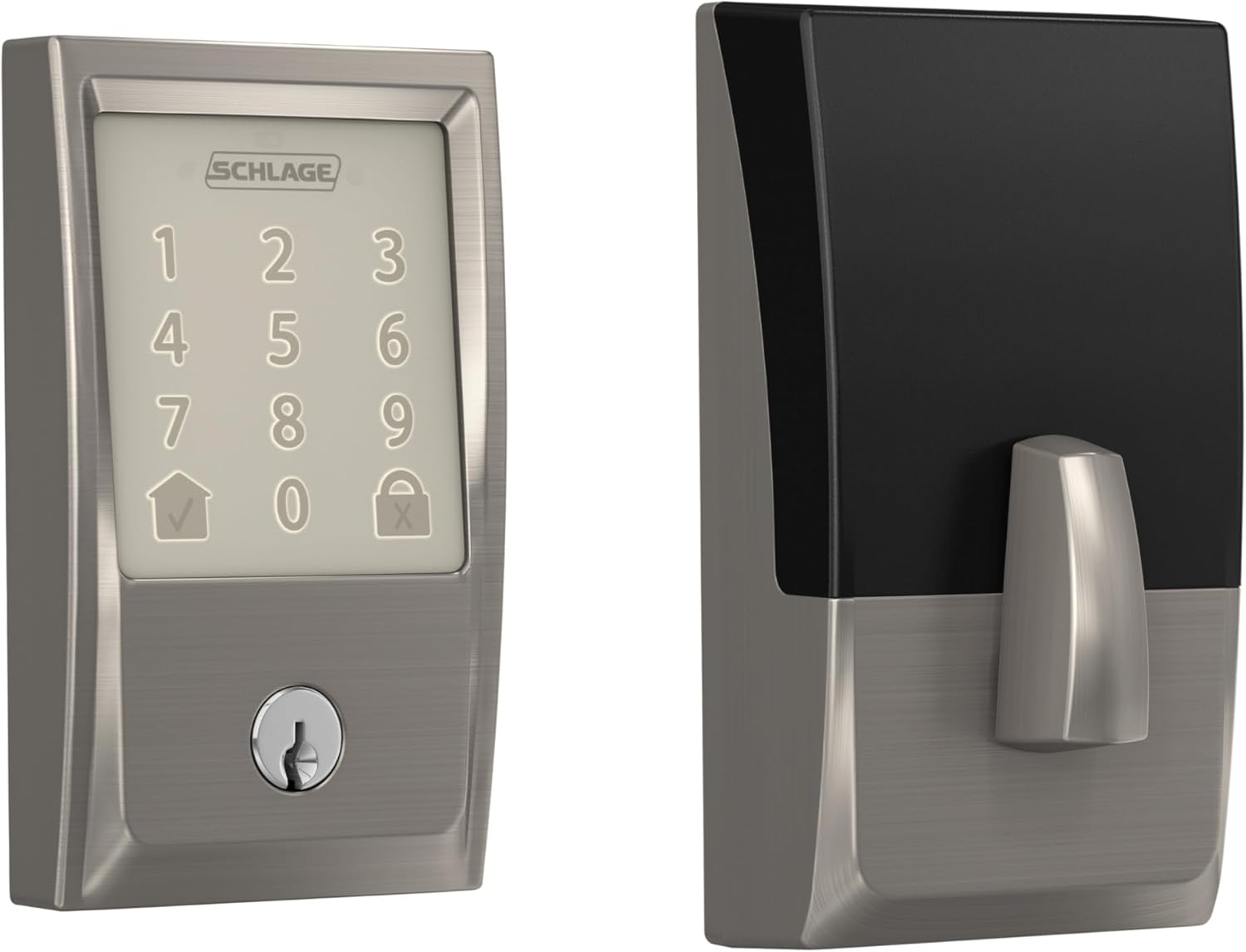
Schlage Sense
$170–$220 | Bluetooth only | Native HomeKit (Bluetooth range) | Predecessor to Encode Plus
HomeKit details
The Schlage Sense is the predecessor to the Encode Plus and was one of the first smart locks to ship with native HomeKit support. It connects to HomeKit exclusively over Bluetooth, which means its operating range is limited to approximately 30 feet from your iPhone. There is no built-in Wi-Fi, no Thread, and no Matter. Remote access is only possible if you have an Apple TV or HomePod acting as a HomeKit hub within Bluetooth range of the lock.
Despite its age, the Schlage Sense still works reliably with current versions of iOS and HomeKit. It carries Schlage's characteristic build quality with a solid keypad and sturdy construction. The lock supports up to 30 access codes and has a built-in alarm sensor that can detect door tampering.
The Schlage Sense is included on this list for completeness, but it is difficult to recommend for new purchases in 2026. The lack of Wi-Fi, Matter, Thread, and Apple Home Key puts it significantly behind the Schlage Encode Plus and Aqara U100. If you already own one and it works, there is no urgent need to upgrade. But if you are buying new, spend the extra $60-$100 for the Encode Plus or save money with the Aqara U100.
Pros
- + Native HomeKit support — no hub or bridge needed for local control
- + Schlage build quality and reliability
- + Lower price point than Encode Plus
- + Up to 30 access codes
- + Built-in alarm sensor for tamper detection
Cons
- - Bluetooth only — very limited range without a home hub
- - No Apple Home Key
- - No Wi-Fi, Matter, or Thread
- - No Alexa or Google Home support
- - Effectively a legacy product with no future updates expected
Schlage Sense
HomeKit via hub or bridge
These locks work with HomeKit but require additional hardware — a bridge, hub, or module — to make the connection. They add cost and complexity but are still viable HomeKit options.
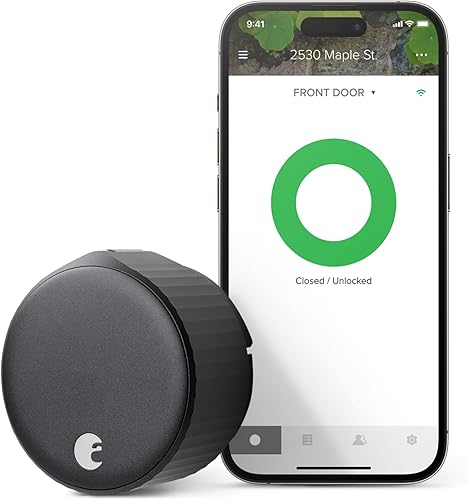
August Wi-Fi Smart Lock
$150–$180 | Wi-Fi + Bluetooth | HomeKit via August Connect bridge only | Retrofit
HomeKit details
The August Wi-Fi Smart Lock (4th generation) does not have native HomeKit support. To use it with Apple Home, you need the August Connect Wi-Fi Bridge, a separate plug-in device that costs approximately $40-$60. The bridge plugs into an outlet near your front door and translates between the August lock's Bluetooth signal and the HomeKit protocol over your Wi-Fi network.
Once the bridge is set up, the lock appears in the Apple Home app and supports basic lock/unlock control, automations, and Siri commands. However, there is no Apple Home Key support and never will be — the hardware does not support it. Response times through the bridge are noticeably slower than native HomeKit locks, typically taking 2-3 seconds compared to under 1 second for a direct Bluetooth connection.
The lock itself is an excellent retrofit option with built-in Wi-Fi for remote access through the August app (which works without the bridge). It replaces only the interior thumbturn, keeps your existing exterior hardware and keys, and installs in about 10 minutes. If you primarily use Alexa or Google Home and only need HomeKit as a secondary convenience, the August is a good budget option. But if HomeKit is your primary platform, spend the extra money on the Aqara U100 for a significantly better experience.
Pros
- + Most affordable lock on this list at $150–$180
- + Retrofit installation — exterior hardware unchanged
- + Built-in Wi-Fi for remote access via August app
- + Auto-lock and GPS-based auto-unlock features
- + Simple, compact design
Cons
- - HomeKit requires separate August Connect bridge ($40–$60 extra)
- - No Apple Home Key
- - Bridge adds a point of failure and slower response times
- - No Matter or Thread support
- - Shorter battery life (~6 months) due to Wi-Fi
August Wi-Fi Smart Lock (4th Gen)
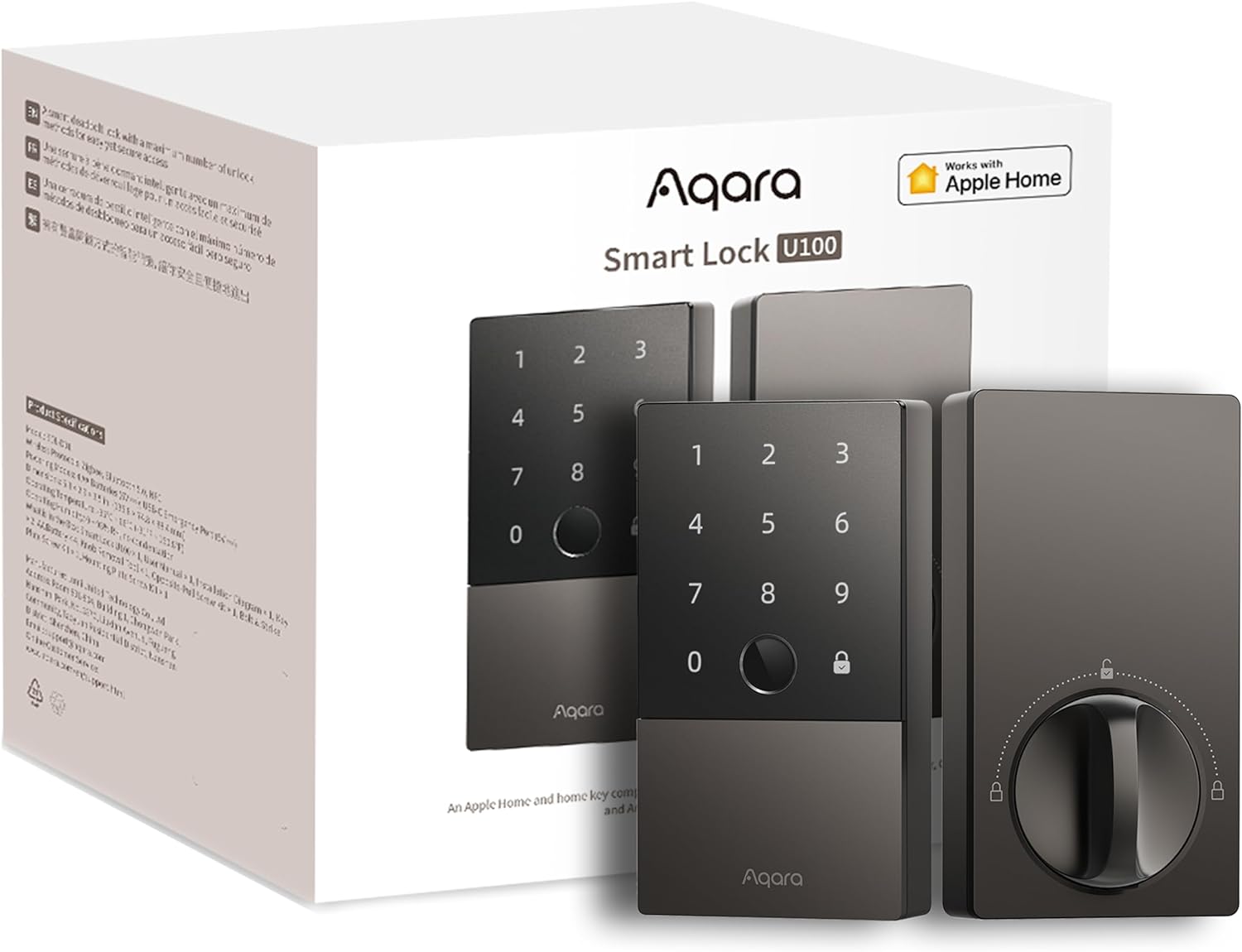
Aqara D100
$200–$250 | Zigbee (requires Aqara hub) | HomeKit via hub | Full replacement with handle and doorbell button
HomeKit details
The Aqara D100 connects to HomeKit through an Aqara Zigbee hub (such as the Aqara Hub M2 or Hub M3). The lock communicates with the hub over Zigbee, and the hub exposes the lock to HomeKit over your local network. Without an Aqara hub, the D100 has zero HomeKit functionality. If you already own an Aqara hub for other Aqara devices, this is a minor consideration. If you do not, budget an additional $50-$80 for the hub.
The D100 is a full door lock replacement — not just the deadbolt, but the entire handle assembly. This makes it one of the more involved installations on this list, but it also means you get an integrated handle and a built-in doorbell button on the exterior. The lock supports multiple unlock methods: keypad codes, fingerprint, NFC card, physical key, and app control. The rechargeable lithium battery lasts approximately 6 months and charges via USB-C.
HomeKit integration through the hub is functional but adds latency compared to native locks. Expect 1-2 seconds of delay for lock and unlock commands. There is no Apple Home Key support. The D100 is best suited for users who are already invested in the Aqara Zigbee ecosystem and want a full-featured door lock with doorbell integration. For HomeKit-first buyers, the Aqara U100 is a much better choice.
Pros
- + Full lock replacement with integrated handle
- + Built-in doorbell button on exterior
- + Multiple unlock methods including fingerprint and NFC card
- + Rechargeable battery with USB-C charging
- + Good value if you already own an Aqara hub
Cons
- - Requires Aqara hub for HomeKit — no standalone support
- - No Apple Home Key
- - Full door hardware replacement — complex installation
- - Hub adds $50–$80 if you do not already own one
- - Zigbee only — no Thread or Matter
Aqara D100
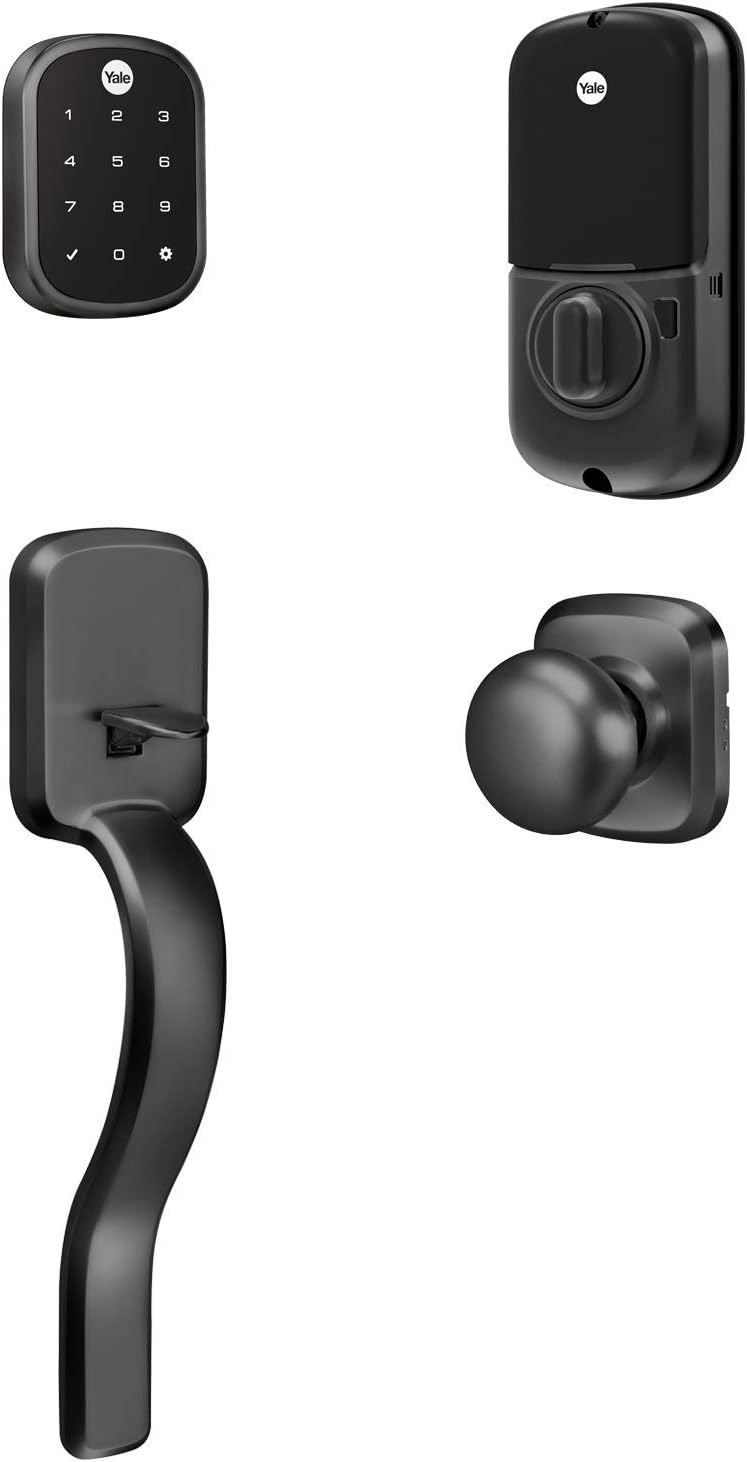
Yale Assure Lock SL
$180–$220 | Bluetooth (requires Yale iM1 module for HomeKit) | Touchscreen keypad | Key-free design
HomeKit details
The Yale Assure Lock SL gains HomeKit support through the Yale iM1 Network Module, a small circuit board that slots into the lock's interior. The iM1 module adds Bluetooth-based HomeKit connectivity to the lock. Without the module, the Assure Lock SL has no smart home connectivity at all — it functions as a standalone keypad lock. The iM1 module costs approximately $30-$50 and is often sold bundled with the lock.
Once the iM1 module is installed, the lock appears in the Apple Home app over Bluetooth. Remote access requires an Apple TV or HomePod acting as a home hub within Bluetooth range. There is no Wi-Fi option for the Assure Lock SL — the iM1 module is Bluetooth only. This makes remote access less reliable than locks with built-in Wi-Fi or Thread connectivity.
The Assure Lock SL's key-free design means there is no physical keyhole on the exterior. You unlock via the touchscreen keypad, the app, or Siri (within Bluetooth range). This is a double-edged sword: it provides a clean aesthetic and eliminates lock-picking as an attack vector, but it also means you have no physical backup if the electronics fail. The 9V emergency contact on the bottom of the exterior provides temporary power in a dead-battery scenario. For HomeKit users buying new in 2026, the Yale Assure Lock 2 is a better choice in almost every way — the SL is the previous generation.
Pros
- + Key-free design eliminates the exterior keyhole
- + Touchscreen keypad for code-based entry
- + iM1 module is relatively inexpensive to add HomeKit
- + Clean, modern exterior aesthetic
- + AA batteries provide approximately 12 months of life
Cons
- - Requires iM1 module for HomeKit — not included by default
- - Bluetooth only — limited range and no Wi-Fi
- - No Apple Home Key
- - Previous generation — Yale Assure Lock 2 is the successor
- - No physical key backup
Yale Assure Lock SL (with iM1 module)
Get the No-Subscription Smart Home Guide
The best smart home devices that work without monthly fees — locks, cameras, doorbells, and more. Free download.
No spam. Unsubscribe anytime.
How to choose the right HomeKit smart lock
If Apple Home Key matters to you
Only three locks support Apple Home Key: the Schlage Encode Plus, Aqara U100, and Level Lock+. Home Key adds tap-to-unlock convenience with your iPhone or Apple Watch, similar to using Apple Pay. If this is a priority, your decision comes down to budget (Aqara U100 at $180-$200), build quality (Schlage Encode Plus at $280-$330), or aesthetics (Level Lock+ at $250-$330).
If you want the simplest HomeKit setup
The Schlage Encode Plus has built-in Wi-Fi and native HomeKit, so it connects directly to your router without any hub, bridge, or module. Setup is scan-the-code-and-go. The Yale Assure Lock 2 with Wi-Fi module is a close second. Avoid the August Wi-Fi Smart Lock if simple HomeKit is the goal — the bridge requirement adds unnecessary complexity.
If you need a retrofit installation
The Aqara U100 and August Wi-Fi Smart Lock are your retrofit options. Both replace only the interior thumbturn. The Aqara U100 is the better HomeKit choice with native support and Apple Home Key. The August requires a separate bridge for HomeKit and does not support Home Key.
If you want maximum future-proofing
Prioritize locks with Matter and Thread support. The Aqara U100 supports both. The Yale Assure Lock 2 supports Matter through its module system. The Level Lock+ supports Thread. Matter ensures your lock will work with future smart home platforms, and Thread provides a low-power mesh networking layer that is quickly becoming the standard for smart home accessories.
If you are on a tight budget
The August Wi-Fi Smart Lock at $150-$180 is the cheapest entry point, but remember to add $40-$60 for the HomeKit bridge, bringing the total to $190-$240. At that price, the Aqara U100 at $180-$200 with native HomeKit and Apple Home Key is a better overall value. The Schlage Sense at $170-$220 offers native HomeKit at a lower price than the Encode Plus, but its Bluetooth-only connectivity is a significant limitation in 2026.
Related Guides
Frequently asked questions
What does "native HomeKit support" mean for a smart lock?
Which HomeKit smart locks support Apple Home Key?
Do I need a HomePod or Apple TV for HomeKit smart locks to work?
Can I use a HomeKit smart lock with Android phones?
What is the difference between Thread and Matter for HomeKit locks?
Why does the August Wi-Fi Smart Lock need a bridge for HomeKit?
Are HomeKit smart locks secure against hacking?
Summary
Eight smart locks work with Apple HomeKit in 2026. Three support Apple Home Key (Schlage Encode Plus, Aqara U100, Level Lock+), four have native HomeKit built in, and the remaining three require a hub, bridge, or module. The best overall HomeKit lock is the Schlage Encode Plus for its combination of Apple Home Key, built-in Wi-Fi, and commercial-grade build quality. The best value is the Aqara U100, which matches the Encode Plus on Home Key and adds Thread and Matter support at nearly half the price.
If HomeKit is your primary smart home platform, avoid locks that require a bridge or hub unless you already own the required hardware. Native HomeKit locks provide faster response times, simpler setup, and fewer points of failure. And if you plan to keep your lock for more than a year or two, prioritize Matter and Thread support — the smart home industry is standardizing on these protocols rapidly.