Quick answer
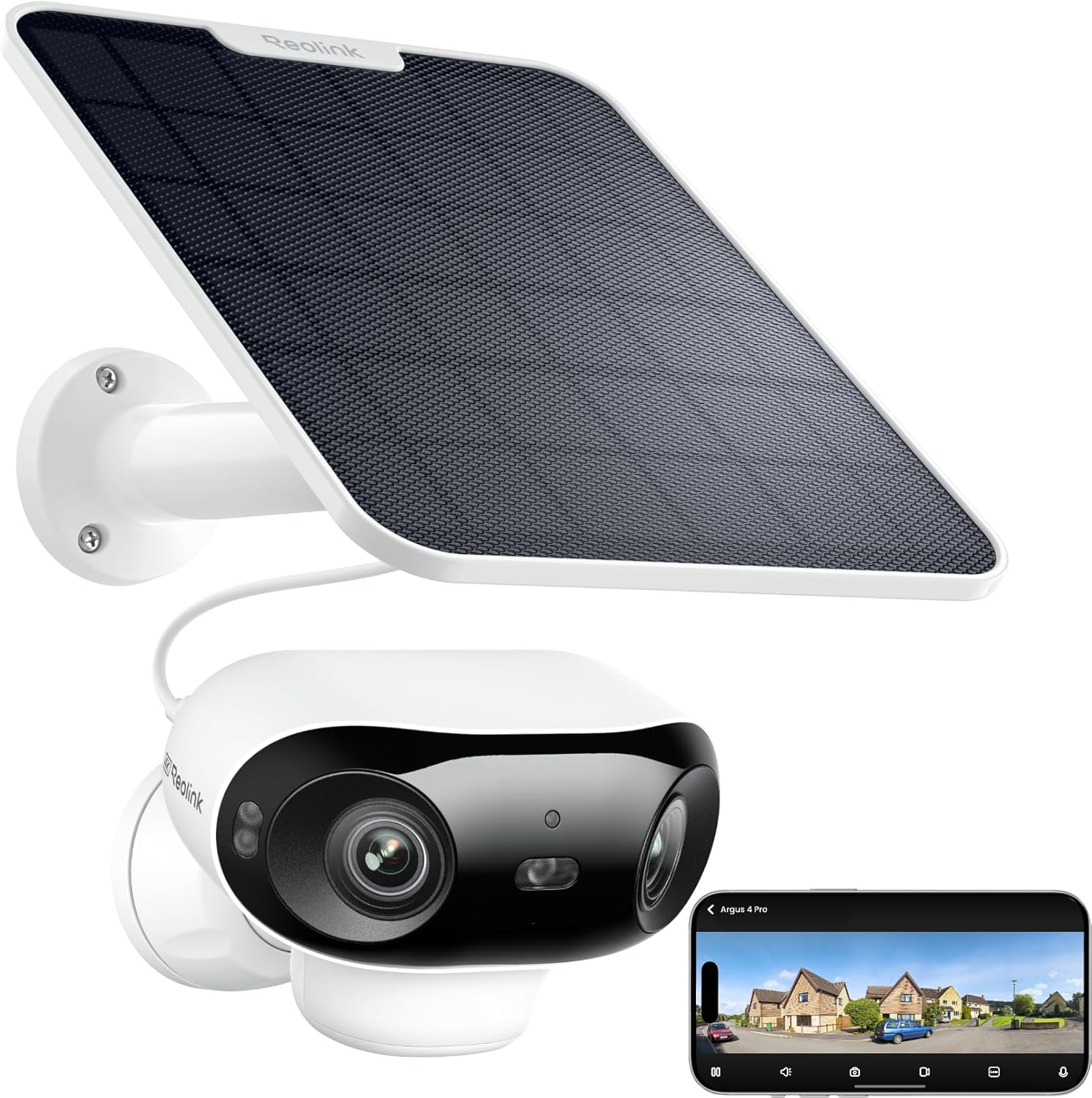
The Reolink Argus 4 Pro is the best security camera with local storage in 2026. It records 4K UHD footage to a microSD card with zero subscription fees, includes a solar panel so you never have to charge it, and runs person, vehicle, and animal detection entirely on-device. If budget is tight, the TP-Link Tapo C120 delivers excellent local storage at around $35.
Cloud subscriptions are one of the worst parts of owning a security camera. You buy the hardware, set it up, and then discover you need to pay $5 to $15 per month just to review your own footage. Over three years, that subscription can cost more than the camera itself.
Local storage fixes that. Cameras that record to a microSD card, NVR, or NAS let you keep every second of footage on hardware you own, with no monthly fees, no cloud dependency, and no risk of a company shutting down its servers and bricking your setup. Your footage stays on your network and under your control.
For this guide, we focused on cameras where local storage actually works well — not models that technically support an SD card but bury the feature behind a paywall or cripple it with limitations. We scored each camera on video quality, AI detection without subscriptions, storage flexibility, ease of setup, and overall reliability.
At-a-glance winners
- Best overall: Reolink Argus 4 Pro — 4K, solar-powered, free AI detection, microSD recording
- Best solar-powered: eufy SoloCam S340 — built-in solar, 360-degree pan/tilt, 8GB onboard storage
- Best budget: TP-Link Tapo C120 — under $40, supports up to 512GB microSD, ONVIF compatible
- Best for NVR setups: Reolink RLC-810A — PoE, 4K, RTSP/ONVIF, works with NAS and NVR
- Best doorbell with local storage: Amcrest AD410 — 2K doorbell cam, microSD + NAS, RTSP support
The quick comparison
| Product | Score | Price | Subscription |
|---|---|---|---|
| Reolink Argus 4 Pro Best Overall | 8.7 | US $99.99 / CA $195 | No |
| eufy SoloCam S340 Best Solar | 8.4 | US $99.99 / CA $140 | No |
| TP-Link Tapo C120 Best Budget | 8.1 | US $29.99 / CA $40 | No |
| Reolink RLC-810A Best for NVR | 7.9 | US $54.99 / CA $100 | No |
| Amcrest AD410 Best Doorbell Cam | 7.6 | US $39.99 / CA $55 | No |
How we tested and scored
Every camera in this guide was evaluated across five equally weighted categories: video quality (resolution, night vision, dynamic range), local storage flexibility (card size limits, NVR/NAS support, recording modes), AI detection quality (accuracy and whether it requires a subscription), build and installation (weather rating, power options, ease of mounting), and ecosystem and app experience (smart home compatibility, app reliability, notification speed). We penalized cameras that gate essential features behind subscriptions and rewarded those that work fully offline.
1. Reolink Argus 4 Pro
The Argus 4 Pro earns the top spot because it combines everything a local-storage buyer wants: 4K UHD resolution, completely free person/vehicle/animal detection, and a microSD slot that records without any cloud dependency. The included solar panel means you mount it once and forget about charging. Wi-Fi 6 dual-band connectivity keeps the stream stable even at distance, and color night vision means you actually get usable footage after dark — not just grainy grey blobs.
The main limitation is the 128GB microSD cap. At 4K with event-only recording, that is roughly 4 to 6 days of clips depending on traffic. If you need weeks of continuous recording, the RLC-810A with NVR support is a better fit. But for most homeowners who want a reliable wireless camera that just works without monthly fees, the Argus 4 Pro is the clear winner.
Key specs: 4K UHD (3840x2160) | Wi-Fi 6 dual-band | Battery + solar panel included | microSD up to 128GB | Person/vehicle/animal detection (free) | IP65 weatherproof | Color night vision
Reolink Argus 4 Pro
Pros
- + 4K UHD with color night vision — excellent image quality day and night
- + All AI detection runs free on-device with no subscription
- + Solar panel included so you never deal with battery charging
- + Wi-Fi 6 dual-band for stable, long-range wireless connection
- + Completely wireless installation — mount anywhere
Cons
- - MicroSD capped at 128GB, which fills fast at 4K
- - No NVR or NAS recording option — SD card only
- - Two-way audio quality is average
- - No RTSP support for third-party recording software
2. eufy SoloCam S340
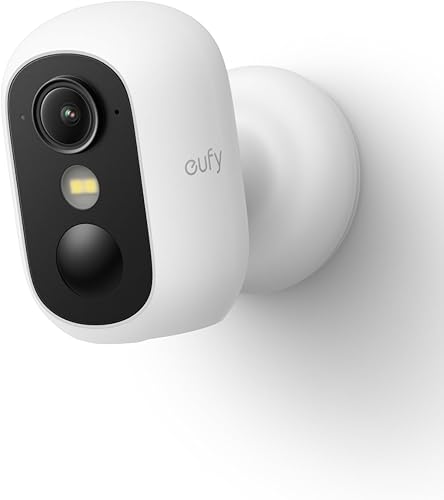
The SoloCam S340 stands out because it has a built-in solar panel — not an add-on that you attach separately, but integrated directly into the camera body. That means one unit, one mount, and perpetual power in any location that gets a few hours of sunlight. The 360-degree motorized pan and tilt means a single camera can cover a much larger area than a fixed-lens model, and the dual-lens design with 3K resolution on the main sensor and a telephoto for close-ups is genuinely useful for identifying faces or license plates.
Storage is handled by 8GB of built-in memory plus a microSD expansion slot. The 8GB onboard is enough for a couple of days of event-only clips, and the expansion slot lets you add more. Person and vehicle detection runs locally with no subscription. The main downside is no NVR or NAS integration, so if you are building a multi-camera system with centralized storage, this is not the right pick.
Key specs: 3K resolution (dual-lens) | Wi-Fi 2.4GHz | Built-in solar panel | 8GB onboard + microSD expansion | Person/vehicle detection (free) | IP67 weatherproof | 360-degree pan/tilt
eufy SoloCam S340
Pros
- + Built-in solar panel — no separate panel or charging needed
- + 360-degree pan/tilt covers a much wider area than fixed cameras
- + 8GB onboard storage works out of the box with no SD card required
- + Dual-lens system with telephoto for detailed close-ups
- + Free AI detection with no subscription
Cons
- - No NVR or NAS support for centralized recording
- - Wi-Fi 2.4GHz only — no 5GHz or Wi-Fi 6
- - 8GB onboard fills quickly with frequent motion events
- - Pan/tilt motor can be audible in very quiet environments
3. TP-Link Tapo C120
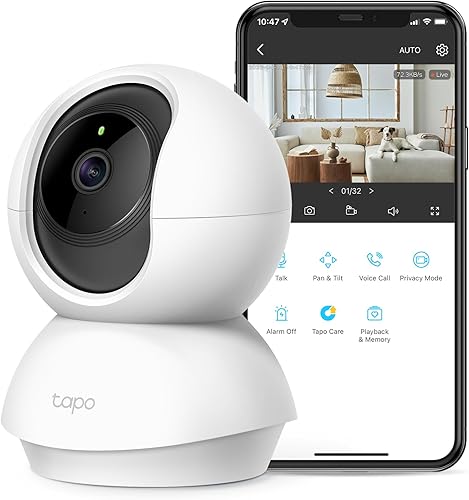
The Tapo C120 is absurdly good for the price. At $30 to $40, you get a 2K QHD camera with a microSD slot that supports up to 512GB — more than any other camera on this list. That 512GB capacity means weeks of continuous recording at 2K, which makes this the best option if you want always-on local recording without investing in an NVR. Starlight night vision produces clearer low-light footage than standard IR, and person detection runs free on-device.
The real bonus for power users is ONVIF support. This means you can connect the C120 to third-party software like Blue Iris, Frigate, or Home Assistant and record to a NAS without relying on TP-Link's app at all. It is one of the most flexible sub-$40 cameras you can buy. The tradeoff is that it is wired (USB power), so you need to run a cable, and Google Home integration is not available — only Alexa via the Tapo skill.
Key specs: 2K QHD (2560x1440) | Wi-Fi 2.4GHz | Wired USB power | microSD up to 512GB | Person detection (free) | IP66 weatherproof | ONVIF support | Indoor/outdoor rated
TP-Link Tapo C120
Pros
- + Incredible value — full-featured 2K camera under $40
- + Supports up to 512GB microSD for weeks of continuous recording
- + ONVIF support for NAS, Blue Iris, Frigate, and Home Assistant
- + Starlight night vision is noticeably better than basic IR
- + IP66 rated for reliable outdoor use
Cons
- - No Google Home support — Alexa only via Tapo skill
- - Wired USB power requires running a cable
- - No battery or solar option
- - Person detection only — no vehicle or animal categories
4. Reolink RLC-810A
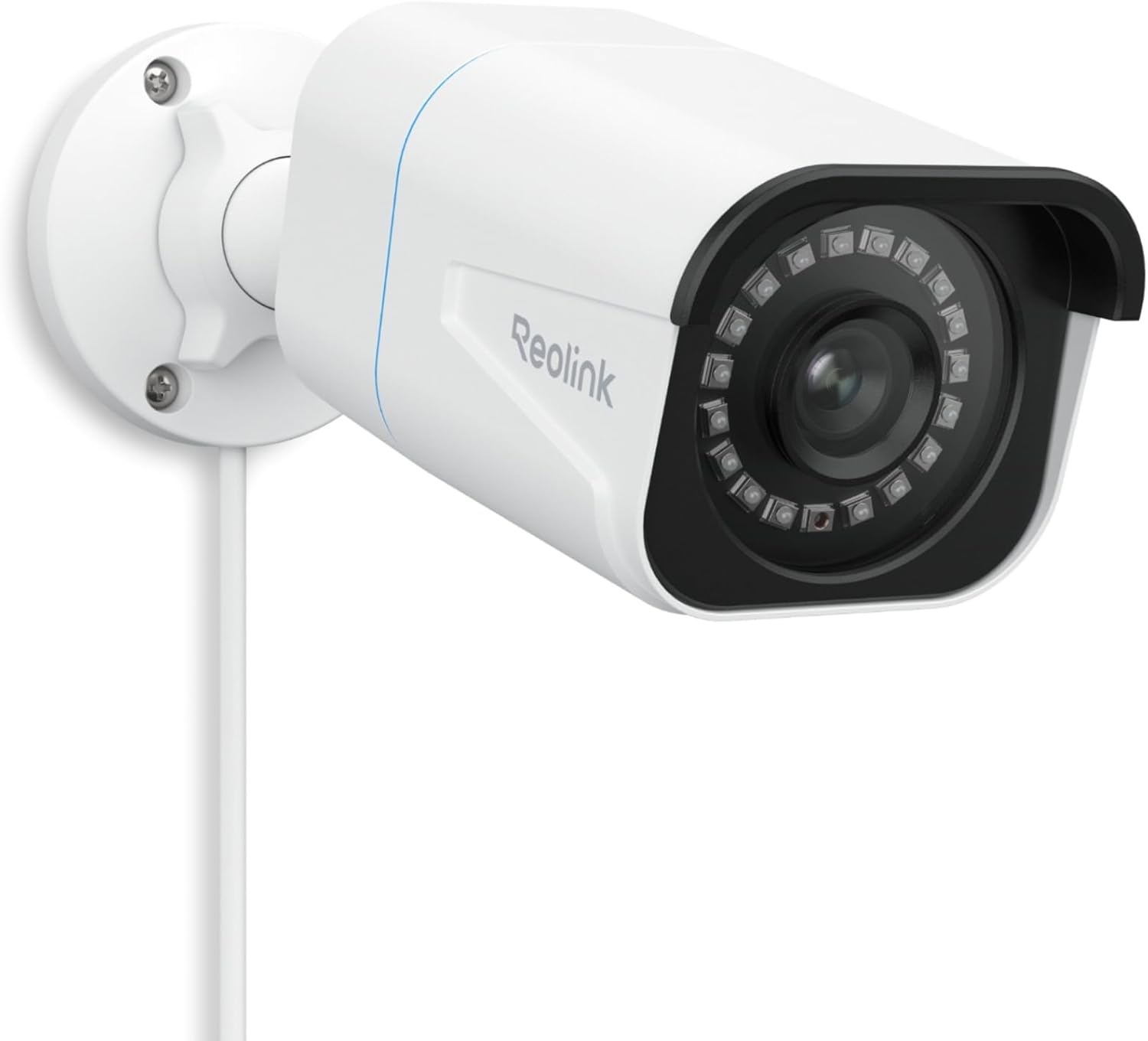
The RLC-810A is the camera to buy if you are building a proper multi-camera security system with centralized storage. It connects via PoE (Power over Ethernet), which means one cable handles both power and data — cleaner installs, more reliable connections, and no Wi-Fi interference issues. It shoots 4K at 8 megapixels with free person and vehicle detection, and it supports every local storage option that matters: microSD in the camera, Reolink NVR for dedicated recording, or NAS/FTP via RTSP and ONVIF.
That RTSP/ONVIF support is the key differentiator. You can feed this camera into Blue Iris, Frigate, Synology Surveillance Station, or any other third-party recording platform. For buyers running Home Assistant with a NAS, the RLC-810A is essentially the default recommendation. The score is slightly lower than the wireless options because PoE requires more installation effort — you need either a PoE switch or an NVR with PoE ports, and you are running Ethernet cable to each camera location.
Key specs: 4K 8MP | PoE (Power over Ethernet) | microSD + NVR + NAS/FTP | Person/vehicle detection (free) | RTSP/ONVIF | IP66 weatherproof | Wired PoE
Reolink RLC-810A
Pros
- + Most flexible local storage: microSD, NVR, NAS, and FTP all supported
- + RTSP and ONVIF for full third-party integration
- + PoE means one cable for power and data — very reliable
- + 4K 8MP image quality at a remarkably low price
- + Free person and vehicle detection on-device
Cons
- - Requires PoE switch or NVR — not plug-and-play
- - No Wi-Fi option — Ethernet cable must be run to each camera
- - Night vision is IR only, not color
- - Installation is more involved than wireless cameras
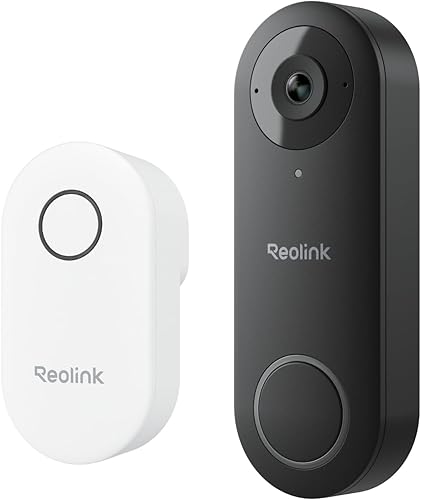
5. Amcrest AD410
The AD410 is technically a video doorbell camera, but we included it here because it is one of the very few doorbell-format cameras that takes local storage seriously. It records to a microSD card in the unit, supports NAS recording via RTSP, and runs person detection completely free — no Amcrest cloud subscription needed. If you want a front door camera that does not depend on Ring's or Google's cloud, this is the answer.
The 2K resolution is sharp enough to clearly identify visitors, and the RTSP/ONVIF support means you can pull the feed into Home Assistant, Blue Iris, or Synology Surveillance Station alongside your other cameras. It works with Alexa for voice-triggered live views. The main trade-off compared to Ring or Nest doorbells is a less polished app experience — Amcrest's app is functional but dated. If you prioritize data ownership over app polish, that is a worthwhile trade.
Key specs: 2K resolution | Wi-Fi 2.4GHz | Wired or battery power | microSD + NAS storage | Person detection (free) | RTSP/ONVIF | IP65 weatherproof | Doorbell camera form factor
Amcrest AD410
Pros
- + One of the only doorbell cameras with real local storage
- + RTSP and ONVIF for NAS and third-party software integration
- + Free person detection — no subscription required
- + Very affordable for a 2K doorbell camera
- + Wired or battery power options
Cons
- - Doorbell form factor is not ideal for every mounting location
- - App is functional but dated compared to Ring or Nest
- - No Google Home support
- - Build quality feels cheaper than premium doorbells
Understanding local storage options
Not all local storage is created equal. Here is what each type means in practice and when you should choose it.
MicroSD cards
The simplest option. The camera has a card slot, you insert a microSD card, and it records directly to it. No network configuration needed. The downsides are limited capacity (typically 128GB to 512GB), the risk of losing footage if the camera is stolen, and the need to physically remove the card if you want to access footage without the app. Best for single-camera setups where simplicity is the priority.
NVR (Network Video Recorder)
An NVR is a dedicated box designed specifically for security cameras. It typically has PoE ports to power cameras directly, a large hard drive for weeks or months of recording, and a simple interface for playback and export. Reolink's NVR system pairs perfectly with the RLC-810A. Best for buyers who want a professional-grade multi-camera setup without getting into DIY NAS territory.
NAS (Network Attached Storage)
A NAS is a general-purpose network drive — think of it as a private server in your closet. Cameras that support RTSP or ONVIF can stream footage to a NAS running surveillance software like Synology Surveillance Station, Blue Iris, or Frigate. This is the most flexible option and the best choice for Home Assistant users, but it requires more technical setup. The RLC-810A and Amcrest AD410 are the best NAS-compatible cameras in this guide.
How much storage do you actually need?
This depends on two things: resolution and recording mode. Here are rough estimates for a single camera.
- Event-only recording at 2K: 64GB card lasts approximately 5 to 7 days
- Event-only recording at 4K: 128GB card lasts approximately 4 to 6 days
- Continuous recording at 2K: 128GB card lasts approximately 4 to 5 days
- Continuous recording at 4K: 128GB card lasts approximately 1 to 2 days
- NVR with 2TB drive at 4K: approximately 10 to 14 days per camera
If you need more than a week of retention at high resolution, microSD alone will not cut it. That is where NVR or NAS setups become essential.
Continuous vs event-based recording
Continuous recording captures everything, all the time. You never miss a moment, but you burn through storage quickly and spend more time scrubbing through footage to find what matters. Best for high-security areas or when paired with large NVR/NAS storage.
Event-based recording only saves clips when motion or AI detection triggers. It uses far less storage and makes reviewing footage faster, but there is always a slight risk of missing the first second of an event while the camera wakes up and starts recording. Every camera in this guide supports event-based recording, and it is the right choice for most homes.
RTSP and ONVIF: why they matter
RTSP (Real Time Streaming Protocol) and ONVIF (Open Network Video Interface Forum) are open standards that let your camera talk to third-party software. If a camera supports RTSP, you can pull its video feed into nearly any recording platform — Blue Iris on Windows, Frigate on a Raspberry Pi or Docker, Synology Surveillance Station on a NAS, or Home Assistant for full smart home integration.
This matters because it means you are not locked into the manufacturer's app or cloud service. If Reolink or Amcrest shut down tomorrow, your cameras would still record to your own hardware. The TP-Link Tapo C120, Reolink RLC-810A, and Amcrest AD410 all support these protocols. The Reolink Argus 4 Pro and eufy SoloCam S340 do not, which is their biggest limitation for power users.
Common mistakes to avoid
- Buying a cheap SD card: Not all microSD cards are equal. Security cameras write data constantly, which destroys low-quality cards quickly. Buy a card rated for "high endurance" or "surveillance" use — Samsung PRO Endurance and SanDisk High Endurance are the two most reliable options.
- Assuming "local storage supported" means "no subscription needed": Some cameras (Ring, for example) have SD card slots but still require a subscription to access useful AI features. Every camera in this guide runs its AI detection free.
- Ignoring overwrite settings: Most cameras overwrite the oldest footage when storage is full. Make sure you know how much retention time your card gives you and check that loop recording is enabled — otherwise the camera just stops recording when the card is full.
- Skipping the PoE option for multi-camera setups: Wi-Fi cameras are easy to install one at a time, but four or five Wi-Fi cameras on one network can create congestion. If you are planning three or more outdoor cameras, seriously consider PoE with the RLC-810A and an NVR.
- Not testing your microSD card after installation: Insert the card, let the camera record for a day, then check that playback works. A surprising number of buyers discover weeks later that their card was not formatted correctly or was counterfeit.
How to choose the right one
If you want the simplest, best all-around wireless camera with local storage and no fees, buy the Reolink Argus 4 Pro. If you want a solar-powered camera that covers a wide area with pan and tilt, the eufy SoloCam S340 is excellent. If you are on a tight budget and want maximum storage capacity, the TP-Link Tapo C120 is extraordinary value. If you are building a multi-camera system with centralized NVR or NAS recording, the Reolink RLC-810A is the obvious foundation. And if you specifically need a front door camera with real local storage and no subscription, the Amcrest AD410 is one of the very few doorbells that delivers it.
Get smart home deal alerts
We track price drops on security cameras, smart locks, doorbells, and Matter gear. Free, practical, no spam.
No spam. Unsubscribe anytime.
Related Guides
Frequently asked questions
What is the best security camera with local storage in 2026?
How much microSD storage do I need for a security camera?
Is local storage more secure than cloud storage for security cameras?
What is the difference between microSD, NVR, and NAS storage for security cameras?
Do security cameras with local storage still need Wi-Fi?
Can I use a security camera with local storage without any app or account?
What happens to local storage footage when the camera loses power?
The bottom line
You should not have to pay a monthly fee to watch footage from a camera you already own. Every camera in this guide records locally, runs AI detection for free, and works without a cloud subscription. The Reolink Argus 4 Pro is the best overall pick for most people — 4K quality, solar charging, and completely wireless installation with zero ongoing costs. For budget buyers, the TP-Link Tapo C120 at $35 is one of the best deals in smart home security right now. And for anyone building a serious multi-camera system, the Reolink RLC-810A with NVR support is the foundation to build on.