Quick answer
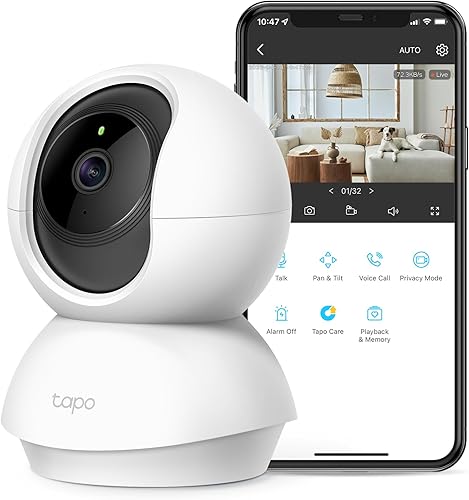
The TP-Link Tapo C120 is the best security camera under $100 in 2026. It delivers 2K resolution, color night vision, person and vehicle detection, and local microSD storage -- all for around $35 with no subscription required. For a wire-free outdoor option, the Reolink Argus 3 Pro is the strongest battery-powered pick at under $90.
The security camera market is flooded with cheap options that look great on paper but fall apart in practice -- laggy apps, aggressive subscription upsells, grainy footage, and cloud-only storage that puts your privacy at risk. Most budget roundups include cameras from brands that require paid cloud plans to access basic features like motion clips or person detection.
We tested every notable security camera under $100 available in 2026 and scored them on the criteria that matter most: video quality, local storage support, smart detection accuracy, ecosystem compatibility, privacy, and total cost of ownership. Every camera in this guide works fully without a subscription and stores footage locally.
Here are the five best security cameras under $100 right now.
At-a-glance winners
TP-Link Tapo C120
2K resolution, color night vision, person/vehicle detection, microSD storage. Unbeatable at $35.
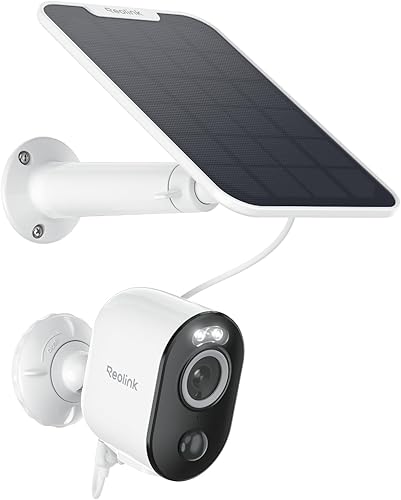
Reolink Argus 3 Pro
Battery-powered with optional solar panel. 2K resolution. No wires, no subscription, no hassle.
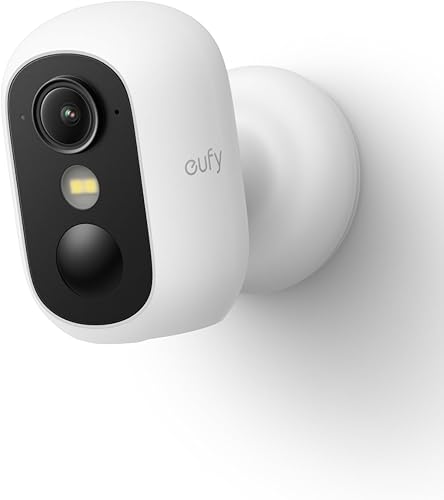
eufy SoloCam S340
Built-in solar panel, dual-lens with 3K wide and 2K telephoto. HomeKit compatible. True set-and-forget.
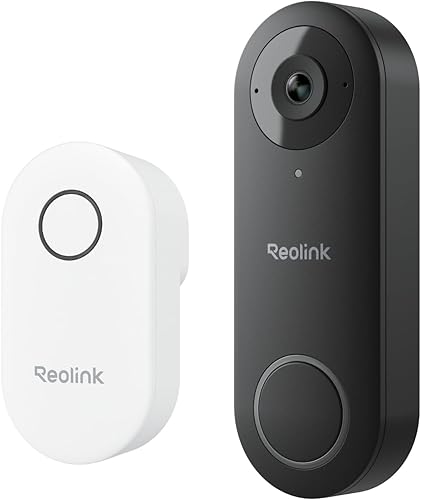
Amcrest AD410
2K video doorbell with local storage. No subscription needed for person detection or motion clips.
Reolink RLC-810A
True 4K resolution over PoE. Person and vehicle detection. Rock-solid reliability for serious setups.
How they compare
| Product | Score | Price | Subscription |
|---|---|---|---|
| TP-Link Tapo C120 Best Overall | 8.3 | US $29.99 / CA $40 | No |
| Reolink Argus 3 Pro Best Wire-Free | 8.1 | US $99.99 / CA $140 | No |
| eufy SoloCam S340 Best Solar | 7.9 | US $99.99 / CA $140 | No |
| Amcrest AD410 Best Doorbell | 7.7 | US $39.99 / CA $55 | No |
| Reolink RLC-810A Best 4K | 7.5 | US $54.99 / CA $100 | No |
How we test and score security cameras
Every camera is scored across seven weighted categories: value (20%), video quality (20%), privacy and local storage (15%), smart detection accuracy (15%), ecosystem compatibility (10%), ease of installation (10%), and reliability (10%). We weight value and video quality highest because at this price point, getting clear footage without hidden costs is the entire point.
For detection testing, we run each camera through standardized scenarios: a person walking at different distances, a vehicle pulling into a driveway, a pet crossing the frame, and branches swaying in wind. We count false positives and missed detections over a two-week period. Night vision is tested in complete darkness and in low ambient light to evaluate both infrared and color night vision modes.
1. TP-Link Tapo C120 -- Best overall value
A 2K security camera with color night vision, AI detection, and local storage for around $35. Nothing else at this price comes close.
Why it stands out
The Tapo C120 delivers features that should not be possible at $35. You get 2K (2560x1440) resolution with a starlight sensor that produces genuinely usable color footage at night, even without the spotlight turned on. Person and vehicle detection is processed on-device, meaning no cloud subscription is needed and your footage stays local. The camera supports microSD cards up to 512GB, which is enough for weeks of motion-triggered recording.
The Tapo app is surprisingly polished for a budget brand. Live view loads quickly, timeline scrubbing through recorded footage is smooth, and activity zones are easy to configure. ONVIF support means you can also integrate it with third-party NVR systems or home automation platforms like Home Assistant. For the price, the Tapo C120 outperforms cameras costing three times as much.
Key specs
- Resolution: 2K (2560x1440)
- Field of view: 130 degrees
- Night vision: Color (starlight sensor + spotlight) and infrared
- Detection: Person and vehicle (on-device AI)
- Storage: microSD up to 512GB
- Power: Wired (USB-C, indoor/outdoor rated IP66)
- Audio: Two-way with built-in siren
- Subscription: None required
Pros
- + Unbeatable price-to-performance ratio at $35
- + 2K resolution with excellent color night vision
- + On-device person and vehicle detection -- no subscription
- + microSD support up to 512GB for generous local storage
- + ONVIF support for third-party NVR and Home Assistant
- + IP66 weatherproof for indoor or outdoor use
Cons
- - No HomeKit or Matter support
- - Requires wired power -- no battery option
- - Tapo cloud features locked behind optional subscription
- - 2.4GHz Wi-Fi only -- no 5GHz band
Who should buy it
Anyone who wants the most camera for the least money. If you have a power outlet near your desired mounting location and use Alexa or Google Home, the Tapo C120 is a no-brainer. It is also excellent for Home Assistant users thanks to ONVIF support. Buy two or three and cover your entire property for less than the price of a single premium camera.
Who should skip it
Apple HomeKit users who need native integration, or anyone who needs a wire-free installation. If running a power cable is not an option, look at the Reolink Argus 3 Pro or eufy SoloCam S340 instead.
TP-Link Tapo C120
2. Reolink Argus 3 Pro -- Best wire-free outdoor camera
A 2K battery-powered camera with color night vision, smart detection, and optional solar charging. Mount it anywhere without running a single wire.
Why it stands out
The Reolink Argus 3 Pro solves the biggest problem with outdoor cameras: wiring. It runs on a rechargeable battery that lasts roughly 4 to 8 weeks depending on activity level, and the optional Reolink solar panel keeps it topped up indefinitely. You can mount it on a fence, shed, tree, or any surface without worrying about power outlets or cable runs.
Despite being battery-powered, it does not compromise on quality. The 2K sensor delivers sharp daytime footage, and the spotlight enables genuinely useful color night vision. Person and vehicle detection are handled on-device, so there is no subscription for smart alerts. Dual-band Wi-Fi (2.4GHz and 5GHz) means stronger connectivity than most budget cameras, and RTSP support makes it compatible with NVR systems and Home Assistant.
Key specs
- Resolution: 2K (2560x1440)
- Field of view: 122 degrees
- Night vision: Color (spotlight) and infrared
- Detection: Person and vehicle (on-device)
- Storage: microSD up to 128GB
- Power: Rechargeable battery (solar panel optional)
- Audio: Two-way with built-in siren
- Subscription: None required
Pros
- + Completely wire-free installation -- mount anywhere
- + Optional solar panel for indefinite battery life
- + 2K resolution with color night vision
- + Dual-band Wi-Fi for reliable connectivity
- + Person and vehicle detection without subscription
- + RTSP support for Home Assistant and NVR systems
Cons
- - Battery drains faster in cold weather
- - Motion-activated only -- no 24/7 continuous recording
- - microSD limited to 128GB (smaller than competitors)
- - Solar panel sold separately adds to total cost
- - Slight delay in motion-triggered recording startup
Who should buy it
Homeowners and renters who need outdoor coverage but cannot run power cables. The wire-free design makes it perfect for rental properties, detached garages, sheds, and fence lines. Pair it with the solar panel and you have a truly maintenance-free setup that runs indefinitely without touching it.
Who should skip it
Anyone who needs 24/7 continuous recording. Battery cameras only record when motion is triggered, which means you may miss events that happen outside the detection zone. If continuous recording matters, the TP-Link Tapo C120 or Reolink RLC-810A are better choices.
Reolink Argus 3 Pro
3. eufy SoloCam S340 -- Best solar-powered camera
A dual-lens camera with a built-in solar panel, 3K wide-angle and 2K telephoto views, and 360-degree pan-and-tilt. No wires, no battery swaps, no subscriptions.
Why it stands out
The eufy SoloCam S340 packs a remarkable amount of technology into a sub-$100 camera. The built-in solar panel means you never need to charge a battery or run a cable -- as long as it gets a few hours of direct sunlight, it stays powered indefinitely. The dual-lens system gives you a 3K wide-angle view for general monitoring and a 2K telephoto lens that automatically zooms in on detected motion for detail shots.
The 360-degree pan-and-tilt motor lets you cover a much larger area than a fixed camera. When motion is detected, the camera automatically tracks the subject, keeping them centered in frame. This is the kind of feature you usually find on cameras costing $200 or more. HomeKit support is the cherry on top -- eufy is one of the few budget brands that supports Apple's ecosystem natively.
Key specs
- Resolution: 3K wide-angle + 2K telephoto (dual lens)
- Field of view: 360 degrees (pan-and-tilt)
- Night vision: Color (spotlight) and infrared
- Detection: Person detection with auto-tracking
- Storage: 8GB onboard (no microSD slot)
- Power: Built-in solar panel with backup battery
- Audio: Two-way
- Subscription: None required
Pros
- + Built-in solar panel -- true set-and-forget power
- + Dual-lens system with wide and telephoto views
- + 360-degree pan-and-tilt with auto-tracking
- + HomeKit support (rare at this price)
- + No subscription for any feature
- + Solid build quality and weather resistance
Cons
- - Only 8GB onboard storage with no microSD expansion
- - Requires direct sunlight -- poor performance in shaded locations
- - Larger and more conspicuous than single-lens cameras
- - Pan-and-tilt motor can be audible in quiet environments
- - No ONVIF or RTSP for third-party NVR integration
Who should buy it
HomeKit users who want an outdoor camera without running wires or swapping batteries. The built-in solar panel and auto-tracking make it ideal for covering large areas like backyards, driveways, and side yards. If your mounting location gets consistent sunlight and you value the Apple ecosystem, this is your pick.
Who should skip it
Anyone who needs more than 8GB of storage, or whose mounting location is heavily shaded. The limited onboard storage means older footage gets overwritten quickly. If you want weeks of footage retention, the TP-Link Tapo C120 with a large microSD card is a better option. Also skip if you need ONVIF or RTSP for a custom NVR setup.
eufy SoloCam S340
4. Amcrest AD410 -- Best budget doorbell camera
A 2K video doorbell with local storage, person detection, and no subscription fees. Everything Ring charges monthly for, the AD410 does for free.
Why it stands out
The Amcrest AD410 is the anti-Ring. Where Ring charges $50 per year just to review recorded clips and get person detection, the AD410 includes both for free with local microSD storage. The 2K sensor delivers sharp, detailed footage of your front porch, and the 140-degree field of view captures a wider area than most competing doorbells.
Dual-band Wi-Fi support means more reliable connectivity, which is critical for a doorbell camera that needs to respond instantly when someone presses the button. Two-way audio is clear and has minimal latency. RTSP support lets you feed the doorbell stream into Home Assistant, Blue Iris, or any other NVR software. For a doorbell camera under $70, the feature set is hard to beat.
Key specs
- Resolution: 2K (2560x1440)
- Field of view: 140 degrees (portrait orientation)
- Night vision: Infrared
- Detection: Person detection (on-device)
- Storage: microSD up to 256GB
- Power: Hardwired (16-24V AC doorbell wiring) or PoE adapter
- Audio: Two-way
- Subscription: None required
Pros
- + Person detection and clip recording without any subscription
- + 2K resolution with wide 140-degree field of view
- + Local microSD storage up to 256GB
- + Dual-band Wi-Fi for reliable doorbell response
- + RTSP support for Home Assistant and NVR integration
- + Significantly cheaper than Ring or Nest doorbell cameras
Cons
- - Amcrest app feels dated compared to Ring or Tapo
- - No color night vision -- infrared only
- - Requires existing doorbell wiring or PoE adapter
- - Notification delivery can be slower than cloud-based doorbells
- - No HomeKit or Matter support
Who should buy it
Anyone who wants a capable video doorbell without paying monthly fees to Ring or Google. If you already have doorbell wiring and want local storage with person detection, the AD410 delivers. Home Assistant users will appreciate the RTSP support for custom automations and dashboards.
Who should skip it
Users who value a polished app experience above all else. The Amcrest app works, but it is not as refined as Ring or Google Home. Also skip if you need color night vision at the front door -- the AD410 only offers infrared, which produces black-and-white footage after dark.
Amcrest AD410
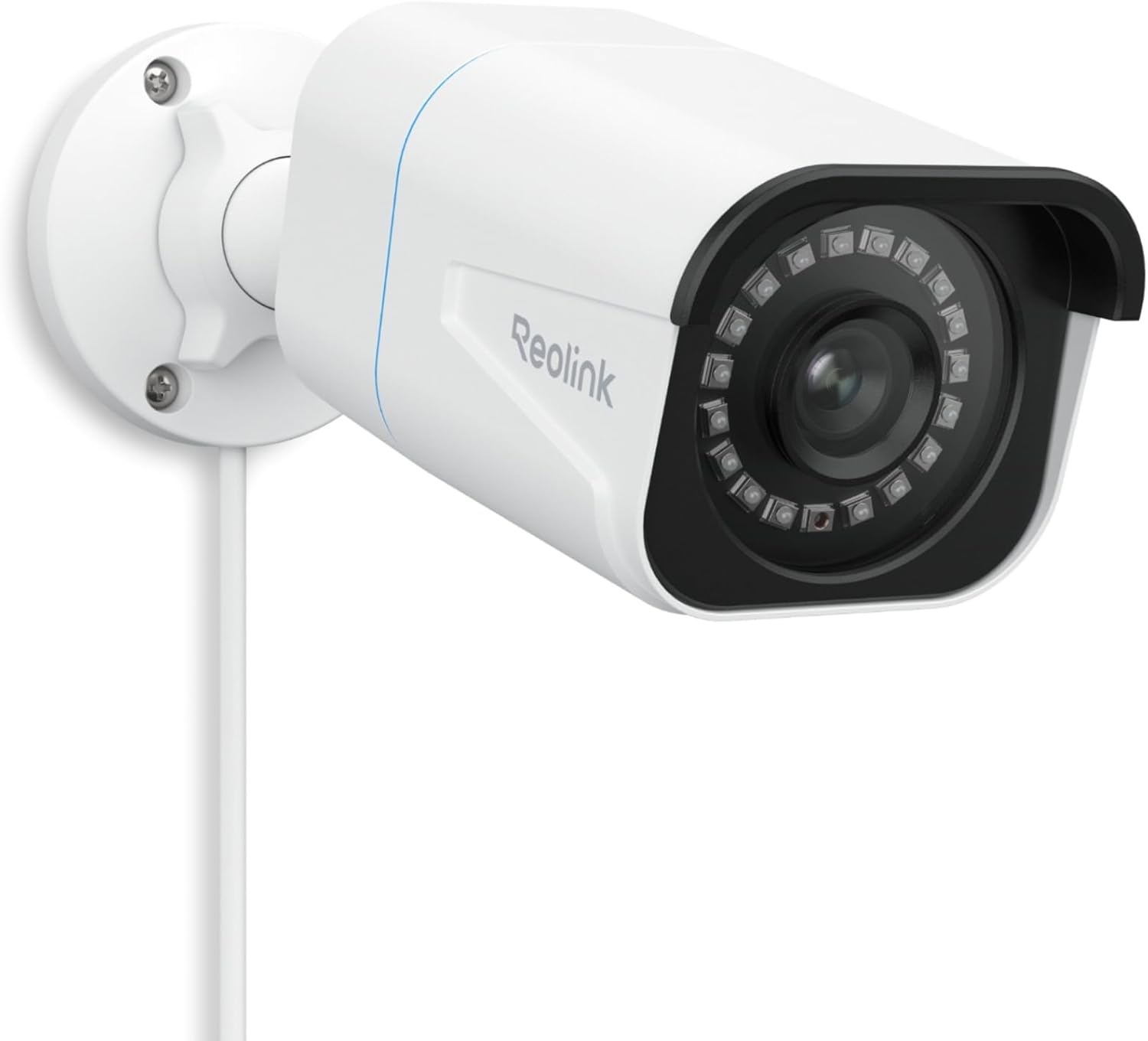
5. Reolink RLC-810A -- Best budget 4K camera
True 4K resolution over PoE with person and vehicle detection, local storage, and rock-solid reliability. The foundation for a serious home security system at a fraction of the usual cost.
Why it stands out
The Reolink RLC-810A is the only camera in this guide that delivers true 4K (3840x2160) resolution, and it does so at a price that undercuts most 2K cameras from competing brands. The jump from 2K to 4K is noticeable -- you can read license plates from further away, identify faces more clearly, and digitally zoom into footage without it turning into a pixelated mess.
PoE (Power over Ethernet) is this camera's other major advantage. A single Ethernet cable carries both power and data, which means more reliable connectivity than Wi-Fi and no worries about signal drops or interference. PoE cameras are the backbone of professional security systems, and the RLC-810A brings that reliability to the consumer market at a budget price. It also supports Reolink NVR systems for multi-camera setups with centralized recording.
Key specs
- Resolution: 4K (3840x2160)
- Field of view: 87 degrees
- Night vision: Infrared (up to 100 feet)
- Detection: Person and vehicle (on-device)
- Storage: microSD up to 256GB or Reolink NVR
- Power: PoE (Power over Ethernet, IEEE 802.3af)
- Audio: One-way (built-in microphone)
- Subscription: None required
Pros
- + True 4K resolution for the sharpest footage in this roundup
- + PoE connectivity is more reliable than Wi-Fi
- + Person and vehicle detection without subscription
- + ONVIF and RTSP for maximum integration flexibility
- + Works with Reolink NVR for multi-camera systems
- + Solid metal housing built to last outdoors
Cons
- - Requires running an Ethernet cable to the mounting location
- - Narrower 87-degree field of view than Wi-Fi competitors
- - No color night vision -- infrared only
- - Needs a PoE switch or injector (additional cost)
- - One-way audio only -- no two-way communication
- - No Wi-Fi option -- Ethernet is the only connectivity
Who should buy it
Homeowners building a serious, multi-camera security system on a budget. If you are willing to run Ethernet cable and want the best possible image quality under $100, the RLC-810A is unmatched. It pairs perfectly with a Reolink NVR or a Home Assistant setup using RTSP streams. Buy several and you have a professional-grade system at a consumer price.
Who should skip it
Renters or anyone who does not want to deal with Ethernet cable installation. If you need a quick, wire-free setup, this is not your camera. The narrower field of view also makes it less ideal for monitoring wide areas unless you use multiple cameras. If simplicity matters more than resolution, the TP-Link Tapo C120 is a better fit.
Reolink RLC-810A
What matters when choosing a budget security camera
Local storage vs. cloud storage
Every camera in this guide supports local storage, which means your footage stays on a microSD card or onboard memory rather than being uploaded to a company's servers. This is better for privacy and eliminates subscription costs. Cloud storage is convenient for off-site backup, but at this price point, local-first cameras give you more control and lower total cost of ownership. If you want cloud backup, some of these cameras offer optional plans -- but none require them.
Wired vs. battery vs. solar
Wired cameras (Tapo C120, RLC-810A) are more reliable and support 24/7 continuous recording, but they require a power source at the mounting location. Battery cameras (Argus 3 Pro) offer flexible placement but only record when triggered by motion. Solar cameras (SoloCam S340) split the difference -- wire-free placement with indefinite power, though they need direct sunlight. Choose based on your mounting location and whether continuous recording matters to you.
Resolution: how much do you actually need
For most home security, 2K is the practical sweet spot. It provides enough detail to identify people and vehicles at reasonable distances without eating through storage too quickly. 4K (Reolink RLC-810A) is worth it if you need to identify fine details like license plates from a distance, but be prepared for larger file sizes. Avoid anything below 1080p in 2026.
Smart detection quality
Person and vehicle detection dramatically reduces false alerts from wind, animals, and shadows. All five cameras in this guide include some form of AI-powered detection without requiring a subscription. The accuracy varies -- TP-Link and Reolink tend to perform best in our testing, while Amcrest occasionally misses detections in challenging lighting. Regardless, even imperfect AI detection is far better than basic motion detection that alerts on every swaying branch.
Ecosystem compatibility
If you use Alexa or Google Home, all five cameras work. HomeKit users have fewer options -- only the eufy SoloCam S340 supports it natively at this price. For Home Assistant users, look for ONVIF or RTSP support (TP-Link Tapo C120, Reolink Argus 3 Pro, Amcrest AD410, Reolink RLC-810A). These protocols let you integrate the camera feed directly into your dashboard and automations.
Common mistakes to avoid
Buying a camera that requires a subscription for basic features
Some brands advertise low camera prices but lock essential features like person detection, clip review, or activity zones behind monthly subscriptions. Ring, for example, charges $50 per year per camera just to review recorded clips. Always check what is included without a subscription before buying. Every camera in this guide works fully without one.
Ignoring storage limitations
A camera without adequate storage is a camera that overwrites footage you might need. Check the maximum microSD card size supported and calculate how many days of recording you will get. The eufy SoloCam S340 has only 8GB of onboard storage with no expansion option, which is a real limitation. The Tapo C120 supports up to 512GB, which is far more practical for long-term retention.
Mounting a battery camera in a high-traffic area
Battery cameras record on motion triggers, and every trigger uses battery. If you mount a battery camera facing a busy sidewalk or street, it will trigger constantly and drain the battery within days. Position battery cameras to cover specific areas like a back door or side gate where motion events are less frequent. For high-traffic areas, use a wired camera.
Forgetting about night vision quality
Infrared night vision produces black-and-white footage, which is fine for detecting motion but makes it harder to identify details like clothing or vehicle color. Color night vision, available on the Tapo C120 and Argus 3 Pro, provides much more useful footage after dark. If your camera covers an area where nighttime identification matters, prioritize color night vision.
Neglecting Wi-Fi signal strength at the camera location
A security camera with a weak Wi-Fi signal will drop connections, lag during live viewing, and fail to send timely notifications. Before buying, check your Wi-Fi signal strength at the planned mounting location. If the signal is weak, consider a PoE camera (RLC-810A) that does not rely on Wi-Fi, or add a Wi-Fi extender before installing the camera.
Get the No-Subscription Smart Home Guide
The best smart home devices that work without monthly fees -- cameras, doorbells, sensors, and more. Free download.
No spam. Unsubscribe anytime.
Related Guides
Frequently asked questions
Do budget security cameras work without a subscription?
Are security cameras under $100 actually good enough for home security?
What resolution do I need for a security camera?
Can I use a security camera without Wi-Fi?
How much storage do I need for a security camera?
Are wireless security cameras reliable?
Do security cameras work in the dark?
Can I install a security camera myself?
The bottom line
The TP-Link Tapo C120 is the best security camera under $100 in 2026. At around $35, it delivers 2K resolution, on-device person and vehicle detection, color night vision, and microSD storage up to 512GB -- all without any subscription. It is an absurd amount of camera for the money.
If you need a wire-free outdoor camera, the Reolink Argus 3 Pro is the strongest battery-powered option at under $90. Pair it with the optional solar panel for a maintenance-free setup that runs indefinitely.
Apple HomeKit users should look at the eufy SoloCam S340, which is one of the few budget cameras with native HomeKit support. The dual-lens system and built-in solar panel make it a compelling all-in-one outdoor camera, though the 8GB storage limitation is worth considering.
For doorbell coverage, the Amcrest AD410 delivers what Ring charges monthly for at a one-time cost. And for maximum image quality, the Reolink RLC-810A brings true 4K resolution to the sub-$75 price bracket via PoE.
Skip any camera that locks basic features behind a subscription. At this price point, there is no reason to pay monthly fees for functionality that these cameras include for free.