Quick answer
The eufy Indoor Cam S350 is the best indoor camera for apartments in 2026. It offers 4K dual cameras with 360° pan/tilt, AI auto-tracking, local microSD storage, and HomeKit Secure Video support — all with no subscription. For the best value, the Wyze Cam v4 at $36 delivers 2.5K resolution, color night vision, and free local storage that outperforms cameras costing three times more.
Security cameras in an apartment face different challenges than in a house. You cannot drill through rental walls. You need compact cameras that sit on shelves or stick to surfaces with adhesive. You probably share Wi-Fi bandwidth with a building full of neighbors. And privacy matters more when cameras are inside your living space rather than watching a driveway. The right apartment camera handles all of this while keeping footage local — off company servers and off monthly subscription bills.
We tested every major indoor security camera in real apartment conditions: congested Wi-Fi, limited mounting options, small room coverage, and the daily reality of living with a camera in your personal space. Every camera was scored across seven categories: image quality (20%), privacy features (20%), local storage (15%), value (15%), ease of setup (10%), smart home compatibility (10%), and apartment-specific design (10%).
Here are the five best indoor cameras for apartments, ranked by overall score.
At-a-glance winners
eufy Indoor Cam S350
4K dual cameras, 360° pan/tilt, AI tracking, HKSV, local storage. The most capable apartment camera.
Wyze Cam v4
2.5K resolution, color night vision, local storage — all for $36. The value champion.
TP-Link Tapo C120
Supports up to 512GB microSD. IP66 rated, 2K, dual spotlights, and person/pet detection.
Aqara Camera Hub G3
Camera + Zigbee smart home hub in one device. HKSV, pan/tilt, gesture recognition.
Blink Mini 2
Tiny camera with built-in spotlight for $30. Amazon Alexa native integration.
How they compare
| Product | Score | Price | Subscription |
|---|---|---|---|
| eufy Indoor Cam S350 Best Overall | 9 | US $99.99 / CA $139.99 | No |
| Wyze Cam v4 Best Value | 8.6 | US $35.98 / CA $49.99 | No |
| TP-Link Tapo C120 Best Storage | 8.3 | US $34.99 / CA $44.99 | No |
| Aqara Camera Hub G3 Best Hub Combo | 8 | US $109.99 / CA $149.99 | No |
| Blink Mini 2 Best Budget | 7.5 | US $29.99 / CA $39.99 | Optional (for cloud clips) |
How we test cameras for apartments
Every camera is scored across seven weighted categories: image quality (20%), privacy features (20%), local storage (15%), value (15%), ease of setup (10%), smart home compatibility (10%), and apartment-specific design (10%). Privacy is weighted equally with image quality because apartment cameras are in your living space — how footage is stored and who can access it is as important as how sharp the image is.
We test in real apartment conditions: congested Wi-Fi with 15+ competing networks visible, limited mounting options (shelf placement, adhesive only), and rooms ranging from 150 to 400 square feet. Night vision is tested in complete darkness and with ambient city light through windows. We verify all advertised privacy features — physical lens covers, local-only storage modes, and HomeKit Secure Video encryption.
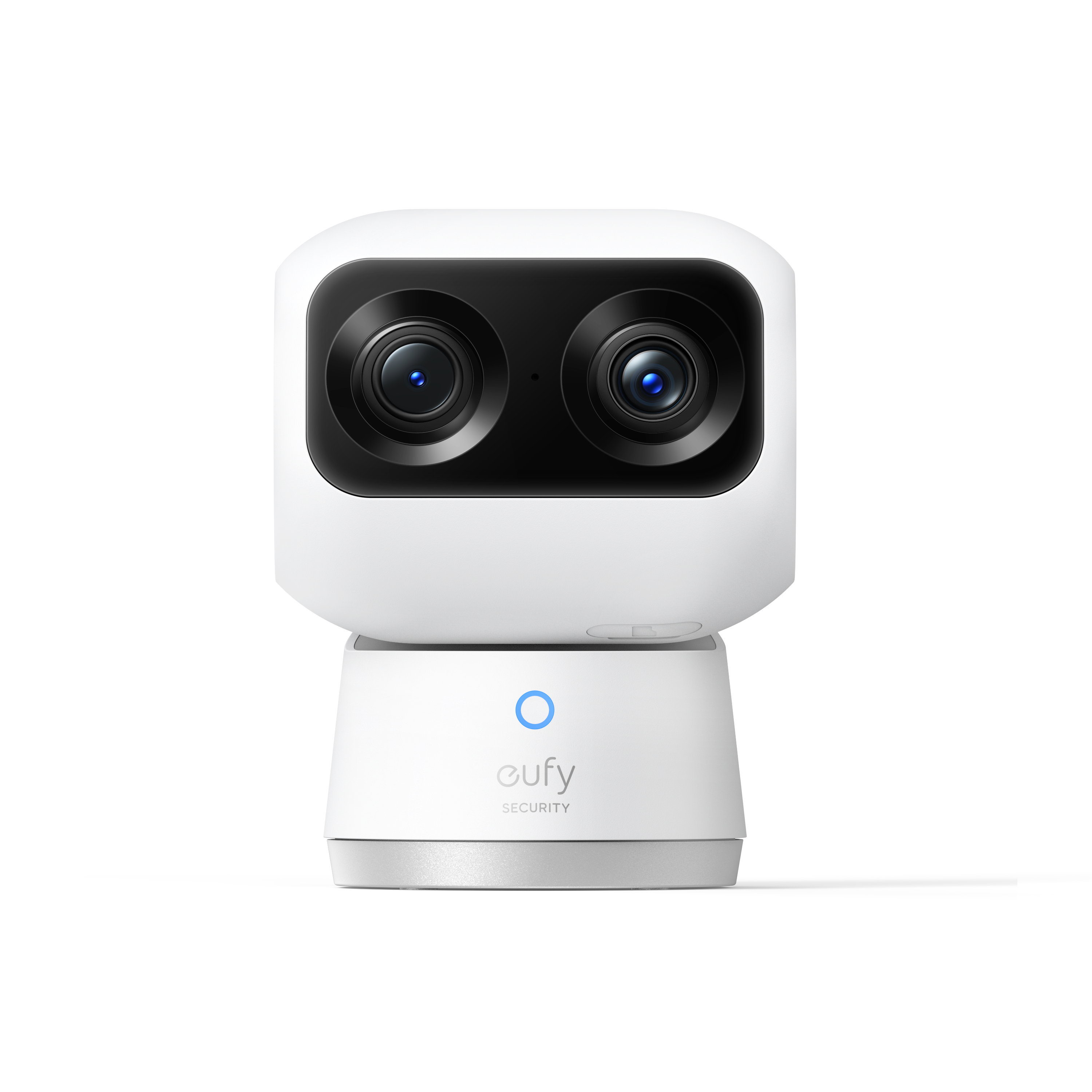
1. eufy Indoor Cam S350 — Best overall for apartments
4K dual cameras with 360° pan/tilt, AI auto-tracking that follows people and pets around the room, local microSD storage, and HomeKit Secure Video encryption. One camera covers an entire apartment.
Why it stands out
The eufy Indoor Cam S350 is the most capable indoor camera you can buy for apartment use. Its dual-camera system pairs a 4K wide-angle lens for full-room coverage with a 2K telephoto lens that provides 8× digital zoom — enough to read text on a package label from across the room. The 360° pan and 75° tilt means a single S350 placed in a corner covers your entire living space with zero blind spots. For a studio or one-bedroom apartment, this one camera might be all you need.
AI auto-tracking is the feature that separates the S350 from fixed cameras. When the camera detects a person or pet, the telephoto lens follows them across the room while the wide-angle lens maintains the overview. For pet monitoring while you are at work, this is exceptional — you can see exactly what your cat is doing, not just the spot where they used to be. For security, it means an intruder cannot simply walk past the camera's field of view.
Privacy is handled well for an apartment camera. HomeKit Secure Video (HKSV) encrypts all footage end-to-end so it can only be viewed on your Apple devices. Local microSD storage keeps footage physically in your apartment. The eufy app supports a privacy mode that stops recording on schedule — useful for when you are home and do not want to be filmed. Dual-band Wi-Fi ensures reliable connectivity even in congested apartment buildings.
Key specs
- Resolution: 4K wide-angle + 2K telephoto (dual cameras)
- Field of view: 360° pan, 75° tilt
- Connectivity: Wi-Fi 2.4GHz / 5GHz dual-band
- Power: USB-C wired
- Storage: microSD (up to 128GB) + optional cloud
- Privacy: HomeKit Secure Video, scheduled privacy mode
- Price: US $99.99 / CA $139.99
Pros
- + Best image quality — 4K + 2K dual camera system
- + 360° pan/tilt covers entire apartment from one spot
- + AI auto-tracking follows people and pets
- + HomeKit Secure Video for end-to-end encryption
- + Local microSD storage — no subscription needed
- + Dual-band Wi-Fi for congested apartment networks
Cons
- - Most expensive camera in this guide at $100
- - Larger form factor than fixed cameras
- - Pan/tilt motor is audible in quiet rooms
- - microSD limited to 128GB (smaller than Tapo C120)
- - No physical privacy cover — software-based only
eufy Indoor Cam S350
2. Wyze Cam v4 — Best value for apartments
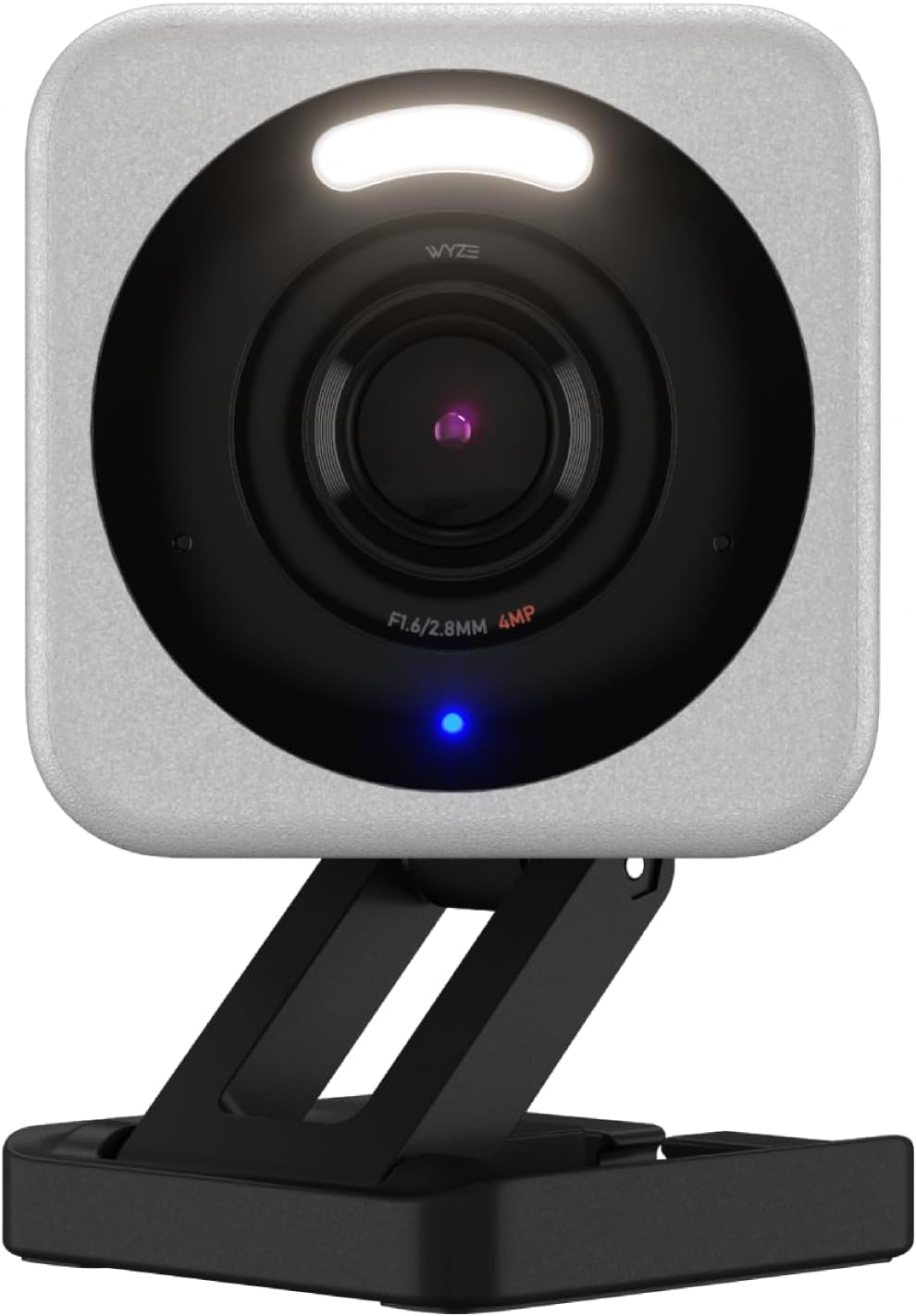
2.5K QHD resolution, Starlight color night vision, microSD local storage, and free person/pet/vehicle detection — all for $36. Three of these cost less than one eufy S350.
Why it stands out
The Wyze Cam v4 delivers camera performance at $36 that was genuinely premium territory two years ago. The 2.5K QHD resolution (2560 × 1440) produces footage that is visibly sharper than 1080p, with enough detail to identify faces across a room. The Starlight CMOS sensor is the real star — it captures color footage in near-darkness using ambient light rather than blasting infrared. In an apartment bedroom, this means monitoring without the red LED glow that cheaper cameras emit.
For apartment dwellers on a budget, the Wyze Cam v4 lets you deploy multiple cameras without financial pain. At $36 each, a three-camera apartment setup (entry, living room, bedroom/nursery) costs $108 — barely more than a single premium camera. Person, pet, and vehicle detection are included free with no subscription, and a microSD card (up to 256GB) handles continuous local recording.
The main compromise for apartment use is 2.4GHz-only Wi-Fi. In a dense apartment building with dozens of competing networks on 2.4GHz, you may experience occasional connectivity hiccups. The camera reconnects automatically, but you might notice brief gaps in continuous recording. If your apartment has heavy Wi-Fi congestion, the dual-band eufy S350 or Tapo C120 will be more reliable.
Key specs
- Resolution: 2.5K QHD (2560 × 1440)
- Field of view: 130° diagonal
- Connectivity: Wi-Fi 2.4GHz only
- Power: USB-C wired
- Storage: microSD (up to 256GB)
- Night vision: Starlight color (no IR LED needed)
- Price: US $35.98 / CA $49.99
Pros
- + Exceptional value at $36 — deploy multiple cameras cheaply
- + 2.5K resolution with excellent color night vision
- + Free person, pet, and vehicle detection
- + microSD up to 256GB for local recording
- + IP65 rated — works indoors or on a covered balcony
- + Compact form factor sits on any shelf
Cons
- - 2.4GHz Wi-Fi only — may struggle in congested apartments
- - No HomeKit support
- - No pan/tilt — fixed viewing angle only
- - Two-way audio quality is average
- - Wyze app can be slow and occasionally buggy
Wyze Cam v4
3. TP-Link Tapo C120 — Best storage capacity
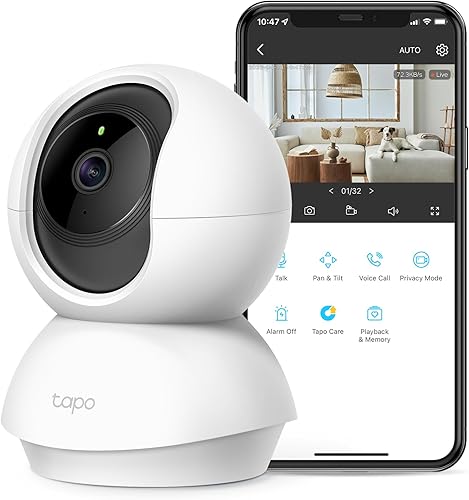
Supports microSD up to 512GB — months of recordings without managing storage. 2K resolution, dual spotlights, person/pet/vehicle AI, and IP66 weatherproofing for indoor or balcony use.
Why it stands out
The Tapo C120 supports microSD cards up to 512GB — the highest capacity in this guide by a wide margin. With a 512GB card and 2K resolution on event-only recording, you can go months without needing to clear storage. For apartment dwellers who want a "set it and forget it" camera that just records without any maintenance, this storage capacity is a genuine differentiator.
The camera itself is well-rounded. 2K QHD resolution produces sharp footage, dual built-in spotlights enable color night vision and serve as a motion deterrent, and AI detection covers people, pets, and vehicles. Dual-band Wi-Fi (2.4GHz and 5GHz) handles congested apartment networks reliably. The IP66 weatherproof rating means you can place it on a covered balcony or near a window without worrying about humidity or temperature swings.
The Tapo app deserves specific mention — it is clean, responsive, and makes browsing recorded footage easy. The event timeline is well-designed, clips download quickly, and sharing footage is straightforward. Person detection accuracy was strong in testing, with minimal false positives from moving curtains or changing light conditions that plague cheaper cameras.
Key specs
- Resolution: 2K QHD (2560 × 1440)
- Field of view: 130° diagonal
- Connectivity: Wi-Fi 2.4GHz / 5GHz dual-band
- Power: USB-C wired
- Storage: microSD (up to 512GB)
- Weather rating: IP66
- Price: US $34.99 / CA $44.99
Pros
- + Largest microSD support at 512GB — months of recordings
- + 2K resolution with dual spotlights for color night vision
- + AI person/pet/vehicle detection included free
- + Dual-band Wi-Fi — reliable in congested apartments
- + IP66 rated for indoor or covered balcony use
- + Excellent Tapo app with clean event timeline
Cons
- - No HomeKit support
- - No pan/tilt — fixed viewing angle
- - Spotlights may be too bright for bedroom use
- - Slightly larger than the Blink Mini 2 or Wyze v4
- - No HKSV or end-to-end encryption option
TP-Link Tapo C120
4. Aqara Camera Hub G3 — Best smart home hub combo
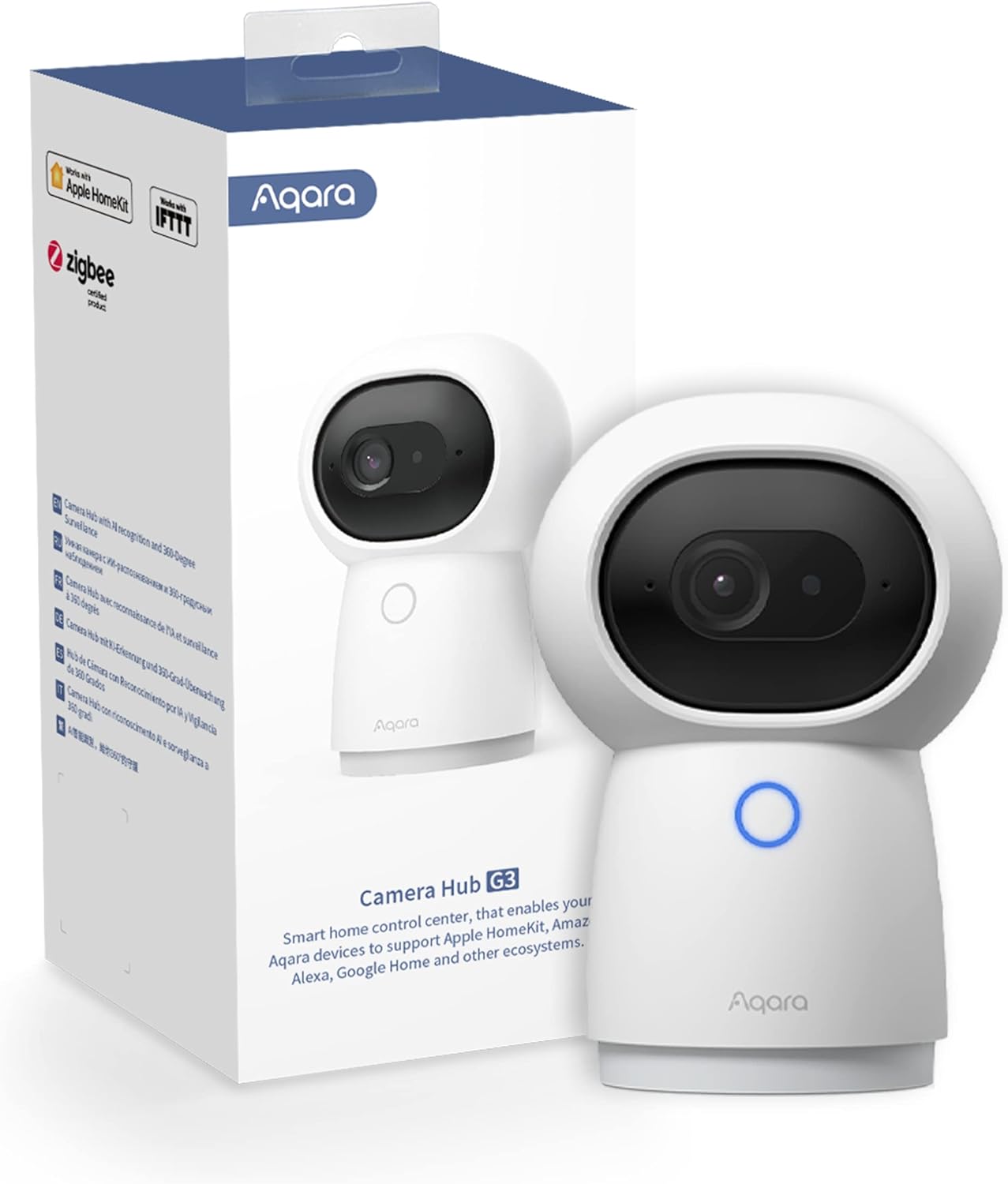
A 2K security camera that doubles as a Zigbee smart home hub. Pan/tilt, gesture recognition, HKSV encryption, and an IR blaster for controlling TVs and ACs — all in one device.
Why it stands out
The Aqara Camera Hub G3 is the only camera in this guide that is also a smart home hub. It includes a built-in Zigbee radio that connects Aqara sensors, buttons, and other accessories — door sensors, motion sensors, temperature sensors, smart buttons. For a renter building out a smart apartment from scratch, the G3 eliminates the need for a separate hub, saving both money and outlet space.
The built-in IR blaster is a unique apartment feature. It can control any infrared device — TV, air conditioner, fan, stereo — turning them smart without any additional hardware. Point the G3 toward your entertainment center, and you can voice-control your TV and AC through HomeKit, Alexa, or Google Home. In a small apartment where the camera can "see" most of your electronics, this is genuinely useful.
As a camera, the G3 delivers solid 2K resolution with 360° pan and 110° tilt. Facial recognition works locally — the camera learns faces over time and can trigger automations when specific people are recognized. HomeKit Secure Video support encrypts footage end-to-end. The microSD slot supports up to 512GB for local storage.
Key specs
- Resolution: 2K (2304 × 1296)
- Field of view: 360° pan, 110° tilt
- Connectivity: Wi-Fi 2.4GHz / 5GHz, Zigbee 3.0
- Power: USB-C wired
- Storage: microSD (up to 512GB)
- Additional features: Zigbee hub, IR blaster, facial recognition, gesture control
- Price: US $109.99 / CA $149.99
Pros
- + Camera + Zigbee hub + IR blaster in one device
- + HomeKit Secure Video for end-to-end encryption
- + 360° pan/tilt covers full apartment
- + Local facial recognition for automated scenes
- + IR blaster controls TV, AC, and other IR devices
- + microSD up to 512GB for local storage
Cons
- - Most expensive camera in this guide at $110
- - 2K resolution — lower than eufy S350 and Wyze v4
- - Gesture recognition is inconsistent in practice
- - Hub features only useful if you buy Aqara accessories
- - Larger form factor due to hub components
Aqara Camera Hub G3
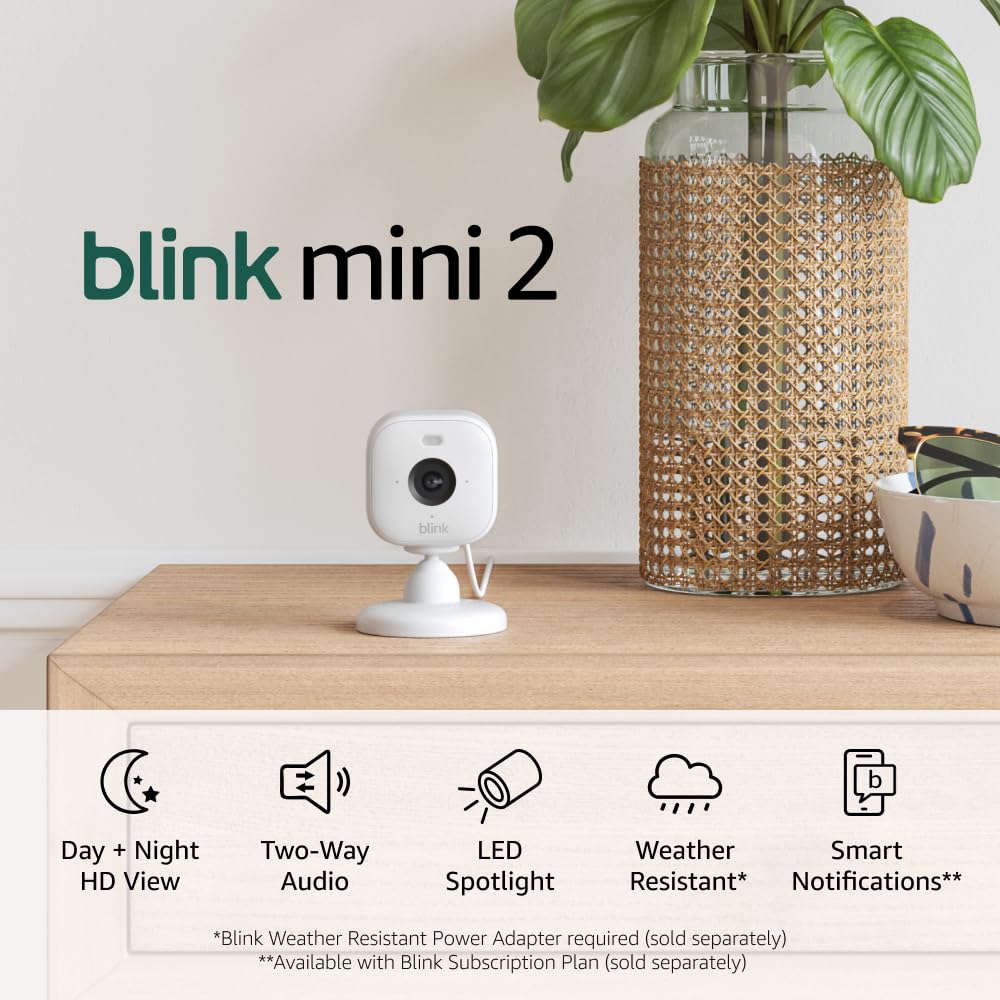
5. Blink Mini 2 — Best budget compact camera
The smallest and cheapest camera in this guide at $30. Built-in spotlight, color night vision, and deep Alexa integration — with the caveat of subscription-dependent storage.
Why it stands out
The Blink Mini 2 is the camera you buy when you want something small, cheap, and easy. It is barely larger than a golf ball, costs $30, and sets up in under 5 minutes through the Blink app. The built-in LED spotlight enables color night vision, and the 143° wide-angle lens covers a full room. For a studio apartment where every inch of shelf space matters, the Mini 2's compact size is a real advantage.
Deep Alexa integration is the other draw. Live view loads quickly on Echo Show, motion announcements work on all Echo devices, and Alexa Guard ties the camera into a broader security setup. Two-way audio works directly from the Echo Show — you can talk to your pet or check in on your apartment without opening the Blink app.
The storage model is the significant weakness for apartment use. Without a Blink Subscription ($2.99/month per camera or $9.99/month for unlimited), you only get live view — no saved clips. The alternative requires a Blink Sync Module 2 ($35) plus a USB drive for local storage, which adds cost and complexity. For a renter who wants simple, subscription-free local storage, the Wyze Cam v4 or Tapo C120 are better choices at similar prices. The Blink Mini 2 makes most sense for existing Amazon/Alexa households willing to pay a small monthly fee.
Key specs
- Resolution: 1080p Full HD
- Field of view: 143° diagonal
- Connectivity: Wi-Fi 2.4GHz / 5GHz dual-band
- Power: USB-C wired
- Storage: Cloud (subscription) or USB via Sync Module 2
- Built-in spotlight: Yes
- Price: US $29.99 / CA $39.99
Pros
- + Smallest and most compact design
- + Cheapest camera at $30
- + Built-in spotlight with color night vision
- + Deep Alexa integration with Echo Show
- + Wide 143° field of view
- + Simple 5-minute setup
Cons
- - Requires subscription or Sync Module for saved clips
- - No built-in microSD slot
- - 1080p resolution — lowest in this guide
- - No Google Home or HomeKit support
- - No person detection without subscription
Blink Mini 2
What to look for in an apartment indoor camera
Local storage is essential for apartment privacy
When a camera is inside your living space, where footage is stored matters. Cameras with microSD cards (eufy, Wyze, Tapo, Aqara) keep your footage physically in your apartment. Cloud-only cameras (Ring, Blink without Sync Module) send footage to company servers. For sensitive personal spaces, local storage provides meaningful privacy control. HomeKit Secure Video adds end-to-end encryption for Apple users.
Pan/tilt vs. wide-angle fixed
A single pan/tilt camera (eufy S350, Aqara G3) can cover an entire room with no blind spots. A fixed wide-angle camera (Wyze v4, Tapo C120, Blink Mini 2) covers about 130° to 143° and needs to be positioned carefully. For a studio apartment, one pan/tilt camera may be sufficient. For a one-bedroom, a pan/tilt in the living area plus a fixed camera at the entry is an efficient setup.
Wi-Fi in apartment buildings
Apartment Wi-Fi is crowded. Dozens of neighboring networks compete for the same channels, especially on 2.4GHz. Cameras that support 5GHz (eufy, Tapo, Aqara, Blink) can use less congested channels. The Wyze Cam v4's 2.4GHz-only limitation is noticeable in dense buildings. If you experience connectivity issues, switching to a 5GHz-capable camera often solves the problem immediately.
Mounting without drilling
Every camera in this guide works on a flat surface — shelf, dresser, counter, or bookcase. For wall mounting without drilling, 3M Command strips and adhesive magnetic mounts work well with these lightweight cameras. The Blink Mini 2 and Wyze Cam v4 are light enough for adhesive mounting on walls or even the top of door frames.
Get the No-Subscription Smart Home Guide
The best smart home devices that work without monthly fees — locks, cameras, doorbells, and more. Free download.
No spam. Unsubscribe anytime.
Related Guides
Frequently asked questions
Is it legal to have security cameras in an apartment?
Do apartment security cameras need a subscription?
What is the best camera for monitoring pets in an apartment?
Can I use an indoor camera as a baby monitor?
How much microSD storage do I need for an apartment camera?
Do indoor cameras work well in small apartments?
What privacy features should apartment cameras have?
Can apartment Wi-Fi handle security cameras?
The bottom line
The eufy Indoor Cam S350 is the best indoor camera for apartments in 2026. Its 4K dual cameras, 360° pan/tilt, AI tracking, and HomeKit Secure Video encryption deliver the most complete apartment security package available — with no subscription. One S350 covers an entire room and keeps all footage local.
For the best value, the Wyze Cam v4 at $36 is nearly impossible to beat. Deploy three cameras throughout your apartment for about $108, with 2.5K resolution, color night vision, and free local storage on each one.
The TP-Link Tapo C120 is the pick for anyone who wants maximum local storage with its 512GB microSD support and the flexibility to move the camera to a balcony later. The Aqara Camera Hub G3 is uniquely useful for renters building a smart apartment — camera, Zigbee hub, and IR blaster in one device. And the Blink Mini 2 at $30 is the cheapest, most compact option for Alexa households.
Every camera in this guide plugs in, sits on a surface, and works without modifying your apartment. Choose local storage to keep your footage private and your monthly costs at zero.