Quick answer
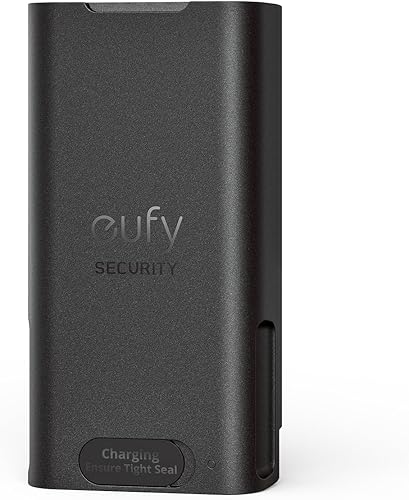
The eufy Battery Doorbell 2K is the best video doorbell with local storage in 2026. It records to an encrypted HomeBase hub with no monthly subscription, delivers sharp 2K video, and runs on a rechargeable battery for easy installation. If you want direct microSD recording without a hub, the Reolink Video Doorbell WiFi is also excellent at a lower price.
Most popular video doorbells are designed to funnel you into a cloud subscription. Ring wants $50 a year. Google Nest wants $80. Arlo wants $100. Over the life of the doorbell, you end up spending more on subscriptions than you paid for the hardware — and if you stop paying, you lose the ability to review footage entirely.
Local storage changes that equation. A video doorbell with local storage saves footage to hardware you own — a microSD card, a HomeBase hub, or an NVR — and keeps it accessible whether you pay a monthly fee or not. Your clips stay on your network, under your control, and they keep recording even when your internet goes down.
For this guide, we focused on doorbells where local storage is a genuine, fully functional feature — not an afterthought or a checkbox item that still requires a subscription to be useful. We scored each doorbell on video quality, local storage implementation, AI detection without fees, installation flexibility, and ecosystem compatibility.
At-a-glance winners
- Best overall: eufy Battery Doorbell 2K — encrypted HomeBase storage, battery powered, no subscription
- Best wired option: Reolink Video Doorbell WiFi — microSD up to 256GB, dual-band Wi-Fi, sharp video
- Best for power users: Amcrest AD410 — microSD + NAS via RTSP, Home Assistant compatible, under $60
- Best storage capacity: TP-Link Tapo Doorbell — supports up to 512GB microSD, ONVIF compatible
- Widest compatibility: Arlo Essential Wire-Free — Alexa, Google, HomeKit, battery powered
The quick comparison
| Product | Score | Price | Subscription |
|---|---|---|---|
| eufy Battery Doorbell 2K Best Overall | 8.5 | US $59.99 / CA $110 | No |
| Reolink Video Doorbell WiFi Best Wired Option | 8.3 | US $59.99 / CA $150 | No |
| Amcrest AD410 Best for Power Users | 8 | US $59.99 / CA $55 | No |
| TP-Link Tapo Doorbell Best Storage Capacity | 7.8 | US $79.99 / CA $110 | No |
| Arlo Essential Wire-Free Widest Compatibility | 7.5 | US $99.99 / CA $140 | Optional |
How we tested and scored
Every doorbell in this guide was evaluated across five equally weighted categories: video quality (resolution, HDR, night vision clarity), local storage implementation (storage type, capacity, encryption, reliability of local recording), AI detection without subscription (person detection accuracy and whether it works fully offline), installation and power (battery vs. wired, ease of mounting, flexibility), and ecosystem and app experience (smart home compatibility, app reliability, notification speed). We heavily penalized doorbells that technically support local storage but gate essential features behind a paywall.
1. eufy Battery Doorbell 2K — Best Overall
Why it stands out
The eufy Battery Doorbell 2K earns the top spot because it solves the two biggest problems with modern video doorbells at the same time: subscription dependency and installation hassle. The included HomeBase stores all footage locally with AES-256 encryption, so your clips never touch a cloud server. The rechargeable battery means no doorbell wiring is required — you mount it, connect it to Wi-Fi, and you are done. Human detection runs entirely on-device, so you get smart alerts without paying a cent beyond the purchase price.
The 2K resolution is noticeably sharper than 1080p doorbells, and the 4:3 aspect ratio gives you a wider vertical field of view — important for seeing packages on the ground. The HomeBase doubles as an indoor chime, which is a practical touch that eliminates the need for a separate accessory. Night vision is clear enough to identify faces at the door, though it is IR-based rather than color.
Key specs: 2K resolution (2560x1920) | Wi-Fi 2.4GHz | Rechargeable battery | HomeBase with 16GB encrypted storage | Human detection (free) | IP65 weatherproof | 4:3 aspect ratio | Two-way audio
Pros
- + Encrypted local storage via HomeBase — footage never leaves your network
- + No subscription required for any feature including AI detection
- + 2K resolution with 4:3 ratio gives a clear, wide vertical view
- + Battery powered for simple installation with no wiring
- + HomeBase doubles as indoor chime
Cons
- - HomeBase hub is an extra device taking up space and a power outlet
- - No HomeKit support despite being a popular request
- - 16GB built-in storage is not expandable on the HomeBase
- - App can be slow to load live view compared to Ring
Who should buy it
Anyone who wants a fully subscription-free video doorbell with reliable local storage and easy battery-powered installation. This is the best pick for renters, homeowners who lack doorbell wiring, and anyone who simply refuses to pay monthly fees for their own footage.
Who should skip it
If you want RTSP or NAS integration for a Home Assistant setup, the eufy HomeBase ecosystem is too closed. If you need HomeKit support, this is not the answer. And if you already have existing doorbell wiring and want the simplest possible install, a wired option like the Reolink avoids the HomeBase entirely.
eufy Battery Doorbell 2K
2. Reolink Video Doorbell WiFi — Best Wired Option
Why it stands out
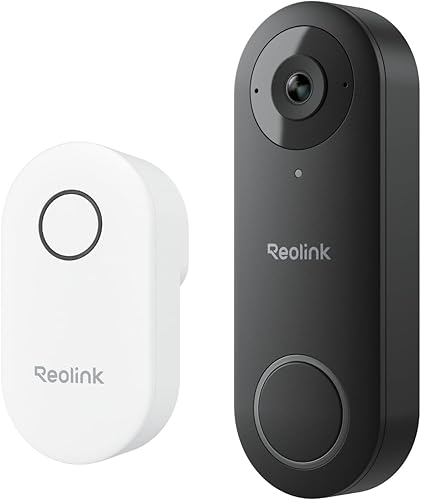
The Reolink Video Doorbell WiFi takes the simplest possible approach to local storage: a microSD card slot right in the doorbell. No hub, no base station, no extra hardware. You insert a card up to 256GB, wire it to your existing doorbell transformer, and it records everything directly. Person and vehicle detection runs on-device for free, and dual-band Wi-Fi (2.4GHz and 5GHz) gives you a more stable connection than most doorbells that only support 2.4GHz.
For technically inclined buyers, the RTSP support is the real differentiator. You can pull the Reolink feed into Home Assistant, Blue Iris, Frigate, or a Synology NAS — giving you a second copy of your footage on centralized storage alongside other cameras. The 2K+ resolution is sharp, and the wide dynamic range handles the tricky mix of bright outdoors and shaded porches better than most competitors at this price.
Key specs: 2K+ resolution (2560x1920) | Wi-Fi dual-band (2.4GHz / 5GHz) | Wired (16-24V AC) | microSD up to 256GB | Person/vehicle detection (free) | RTSP support | IP65 weatherproof | 180-degree FOV
Pros
- + Direct microSD storage — no hub or base station required
- + RTSP support for NAS, Home Assistant, and third-party recording
- + Dual-band Wi-Fi for faster, more reliable connections
- + Person and vehicle detection included free
- + Competitive price for the feature set
Cons
- - Requires existing doorbell wiring — no battery option
- - Installation is more involved than battery doorbells
- - Night vision is functional but not class-leading
- - App is less polished than Ring or eufy
Who should buy it
Homeowners with existing doorbell wiring who want the simplest, most direct local storage setup — just a microSD card in the doorbell, no hubs or base stations. Also the right pick for Home Assistant users who need RTSP for centralized recording.
Who should skip it
If you do not have existing doorbell wiring or are renting and cannot modify your door frame, this is not practical. Battery-powered options like the eufy or Arlo are better for those situations.
Reolink Video Doorbell WiFi
3. Amcrest AD410 — Best for Power Users
Why it stands out
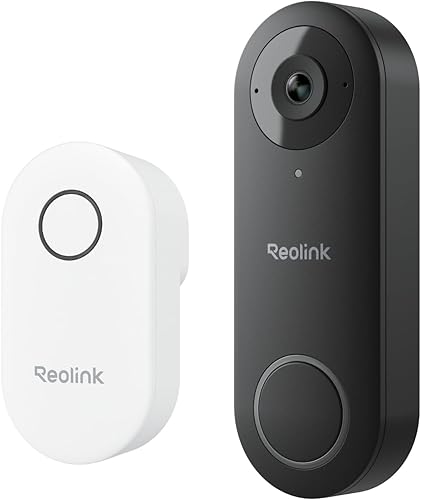
The Amcrest AD410 is the video doorbell for people who want full control over their footage and do not care about having the prettiest app. It records to a microSD card in the doorbell and simultaneously to a NAS via RTSP — giving you both on-device backup and centralized network storage. Full ONVIF support means it integrates natively with Blue Iris, Frigate, Synology Surveillance Station, and Home Assistant. Person detection runs locally and is completely free.
At under $60, it is also remarkably affordable. The 2K resolution is sharp enough to clearly identify visitors, and the wide-angle lens covers a standard porch without blind spots. The trade-off is the app experience — Amcrest's software is functional but visually dated, and notifications can be slower than Ring or eufy. If you are running everything through Home Assistant anyway, that barely matters.
Key specs: 2K resolution (2048x1536) | Wi-Fi 2.4GHz | Wired (16-24V AC) | microSD + NAS/FTP storage | Person detection (free) | RTSP/ONVIF | IP65 weatherproof | 140-degree FOV
Pros
- + Full RTSP and ONVIF support for third-party recording platforms
- + Dual storage: microSD in the doorbell plus NAS over network
- + Remarkably affordable for a 2K doorbell with these features
- + No subscription needed for any feature
- + Works natively with Home Assistant, Blue Iris, and Frigate
Cons
- - App is functional but dated — notifications can lag
- - No Google Home support
- - Build quality feels less premium than eufy or Reolink
- - Field of view is narrower than some competitors at 140 degrees
Who should buy it
Home Assistant users, NAS owners, and anyone who wants to integrate their doorbell into a third-party recording system. If you run Blue Iris or Frigate and want a doorbell camera that plays nicely with your existing setup, the AD410 is one of the very few doorbells that truly supports it.
Who should skip it
If you want a polished, consumer-friendly app experience, the Amcrest will disappoint. If Google Home integration matters to you, look elsewhere. And if you are not comfortable with basic network configuration, the Reolink or eufy will be far easier to set up.
Amcrest AD410
4. TP-Link Tapo Doorbell — Best Storage Capacity
Why it stands out
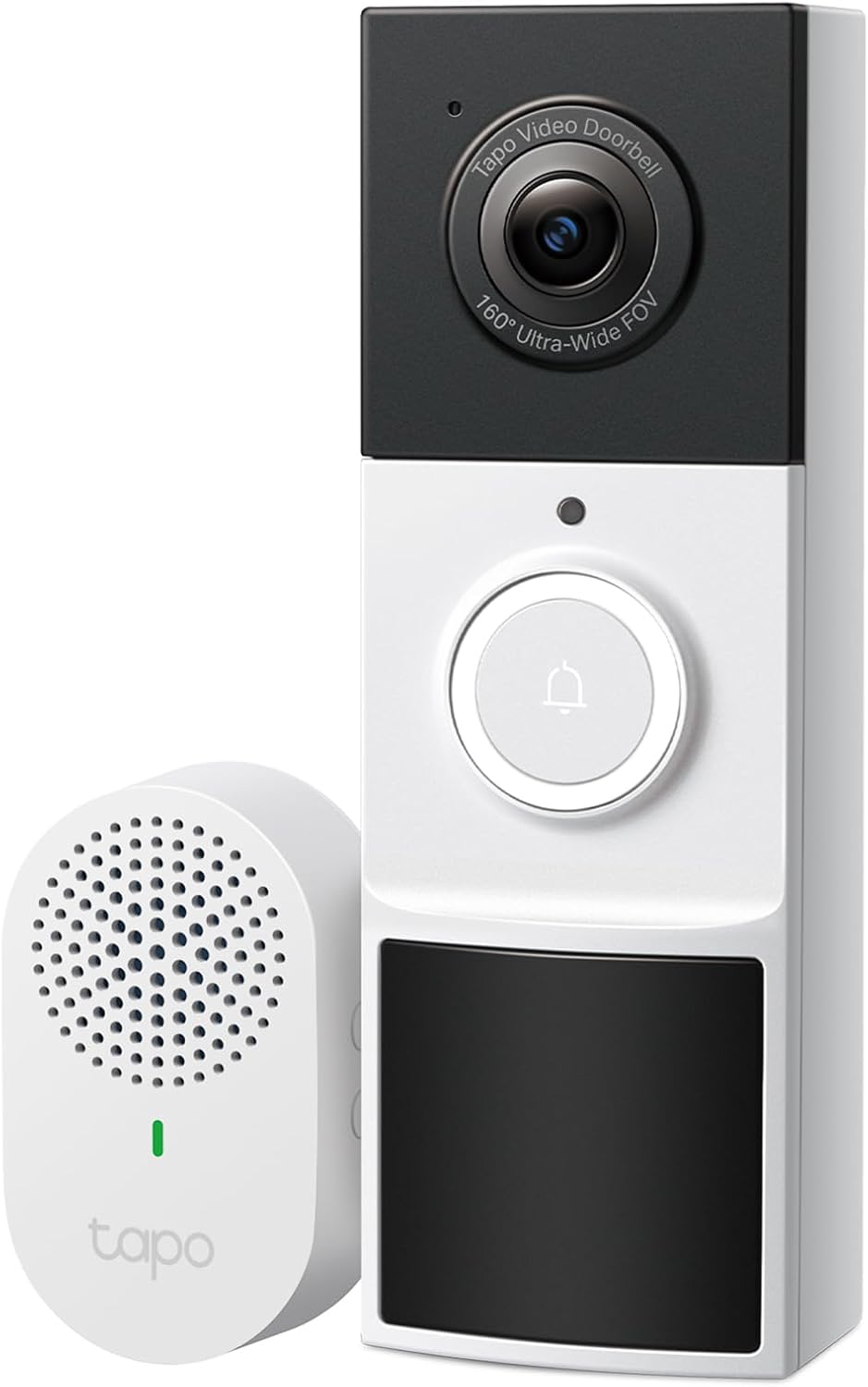
The TP-Link Tapo Doorbell supports microSD cards up to 512GB — more than any other doorbell on this list. That kind of capacity means weeks of event-based recording at 2K resolution before the oldest clips get overwritten. For buyers who want maximum local retention without setting up a NAS, that single spec alone makes it worth considering. Person detection runs on-device for free, and ONVIF support opens the door to third-party recording if you want centralized storage later.
The starlight sensor delivers noticeably better low-light performance than standard IR, producing footage that is actually useful for identifying people after dark rather than just showing white silhouettes. The Tapo app is clean and responsive — a step up from Amcrest's dated interface. The main limitation is ecosystem support: it works with Alexa but not Google Home, which narrows its appeal for some households.
Key specs: 2K resolution (2560x1440) | Wi-Fi 2.4GHz | Wired (16-24V AC) | microSD up to 512GB | Person detection (free) | ONVIF support | IP64 weatherproof | Starlight night vision
Pros
- + Supports up to 512GB microSD — the most storage on any doorbell here
- + Starlight sensor provides clearly superior night footage
- + ONVIF support for third-party recording platforms
- + Clean, responsive Tapo app
- + No subscription required for storage or detection
Cons
- - No Google Home support — Alexa only
- - IP64 rating is slightly lower than competitors
- - No battery option — wired installation only
- - RTSP not natively supported (ONVIF only)
Who should buy it
Buyers who want maximum local storage retention on a single microSD card without dealing with external hubs or NAS systems. If you want to set it and forget it with weeks of footage stored locally, the 512GB capacity is unmatched in the doorbell category.
Who should skip it
Google Home users, renters without doorbell wiring, and anyone who needs RTSP specifically (as opposed to ONVIF). If battery power or hub-free wireless installation is a priority, the eufy or Arlo are better fits.
TP-Link Tapo Doorbell
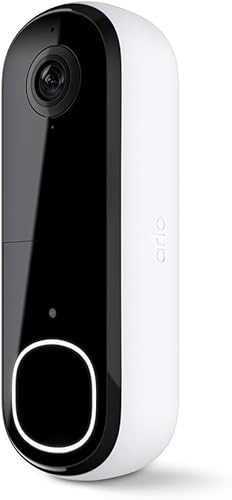
5. Arlo Essential Wire-Free — Widest Compatibility
Why it stands out
The Arlo Essential Wire-Free is the only doorbell on this list that supports all three major smart home ecosystems: Alexa, Google Home, and Apple HomeKit. If you have a mixed-ecosystem household or specifically need HomeKit compatibility, it is effectively your only option with any local storage capability. The battery-powered design makes installation simple, and the 180-degree diagonal field of view is among the widest available — useful for seeing both visitors and packages.
The local storage story is less clear-cut than the other picks. Arlo added microSD support to the newer Essential models, but it functions as a backup buffer rather than a full local recording system. Some advanced AI features like package detection and smart zones still require an Arlo Secure subscription. The doorbell works without it, but the free experience is noticeably thinner than eufy or Reolink. It lands at the bottom of this list because local storage is not its strength — ecosystem breadth is.
Key specs: 2K HDR resolution | Wi-Fi 2.4GHz | Rechargeable battery | microSD local storage | Person detection (free, advanced AI needs subscription) | IP65 weatherproof | 180-degree diagonal FOV | Two-way audio
Pros
- + Works with Alexa, Google Home, and Apple HomeKit
- + Battery powered for easy, wire-free installation
- + 180-degree diagonal field of view covers a wide area
- + HDR video handles mixed lighting well
- + Sleek, compact design that looks good on any door frame
Cons
- - Local microSD storage is limited in functionality compared to eufy or Reolink
- - Advanced AI features require Arlo Secure subscription
- - Higher price than most competitors with fewer free features
- - Battery life can drop quickly in cold weather or with heavy traffic
Who should buy it
Buyers who need HomeKit compatibility or want a doorbell that works across all three major ecosystems. If your household runs on Apple Home and you want a battery-powered doorbell with at least some local storage, the Arlo is really the only game in town.
Who should skip it
Anyone who prioritizes fully subscription-free local storage. If you are buying specifically to avoid monthly fees and want comprehensive local recording, the eufy, Reolink, or Amcrest all deliver that much more convincingly. The Arlo is the right doorbell for ecosystem compatibility, not for local-storage purists.
Arlo Essential Wire-Free
Understanding local storage types for video doorbells
Not all local storage works the same way on video doorbells. The method a doorbell uses directly affects how much footage you can store, how secure it is, and how easily you can access it.
MicroSD cards
The most direct approach. A microSD card slots into the doorbell itself, and footage records straight to the card. The Reolink, Amcrest, and TP-Link doorbells all use this method. The advantages are simplicity and no extra hardware. The disadvantages are that storage is limited by card size (typically 128GB to 512GB), and if someone physically steals the doorbell, they take the footage with it. For most front-door installations where theft risk is low, microSD is the easiest and most reliable option.
HomeBase hubs
eufy uses a HomeBase unit that sits inside your home, connected to your router. The doorbell streams footage to the HomeBase over Wi-Fi, where it is encrypted and stored on 16GB of built-in flash storage. The key advantage is security: even if the doorbell is stolen, your footage is safe inside the house on the HomeBase. The downside is that you need the extra hardware, it takes up a power outlet and an Ethernet port, and the 16GB is not expandable. For event-based doorbell clips, 16GB lasts longer than you might expect — typically 2 to 3 months — because individual doorbell events are short.
NVR and NAS recording
For buyers with a home server or NAS (like a Synology, QNAP, or a DIY system running Frigate), doorbells with RTSP or ONVIF support can stream footage to centralized storage. The Amcrest AD410 and Reolink Video Doorbell WiFi both support this. You get virtually unlimited storage capacity (limited only by your hard drive), centralized management of all cameras, and footage that persists independently of the doorbell itself. The trade-off is setup complexity — you need to configure the stream, the recording software, and the storage. This is the best option for multi-camera households already running a NAS or Home Assistant.
Common mistakes to avoid
- Using a regular microSD card instead of a high-endurance one: Video doorbells write data constantly, which kills standard microSD cards within months. Buy a card rated for surveillance or high-endurance use. Samsung PRO Endurance and SanDisk High Endurance are the two most reliable options and cost only slightly more.
- Assuming "local storage" means "no subscription needed": Some doorbells technically support local storage but still gate important features behind a subscription. The Arlo Essential, for example, records locally but locks advanced AI features behind Arlo Secure. Always check what you actually get for free before buying.
- Forgetting to check your doorbell transformer voltage: Wired doorbells like the Reolink, Amcrest, and TP-Link need a compatible transformer (typically 16-24V AC). If your existing transformer is too weak, the doorbell will randomly reboot or fail to record. Testing your transformer voltage before buying saves a lot of frustration.
- Not testing playback after installation: Set up the doorbell, let it record for a full day, then check that you can actually play back clips from local storage. A surprising number of people discover weeks later that their card was not formatted correctly or the recording mode was set wrong.
- Ignoring overwrite settings: Most doorbells overwrite the oldest footage when local storage is full. This is the correct behavior for most people, but make sure loop recording is enabled. Otherwise the doorbell stops recording when storage fills up, and you will not know until you check.
- Placing the HomeBase too far from the doorbell: If you use the eufy system, the HomeBase needs to be within reliable Wi-Fi range of the doorbell. A HomeBase in the basement and a doorbell at the front door two floors up can result in dropped recordings. Test signal strength before committing to a mounting location.
Get smart home deal alerts
We track price drops on video doorbells, security cameras, smart locks, and other smart home gear. Free, practical, no spam.
No spam. Unsubscribe anytime.
Related Guides
Frequently asked questions
What is the best video doorbell with local storage in 2026?
Do video doorbells with local storage still need Wi-Fi?
What types of local storage do video doorbells use?
How long does local storage last on a video doorbell?
Is local storage more secure than cloud storage for doorbells?
Can I use a video doorbell with local storage and no account?
What happens to my doorbell footage during a power outage?
Do I need a subscription with any of these doorbells?
The bottom line
You should not need a monthly subscription to review footage from your own front door. Every doorbell in this guide records locally, and the top three — eufy, Reolink, and Amcrest — do it with zero ongoing fees for any feature. The eufy Battery Doorbell 2K is the best overall pick because it pairs encrypted local storage with battery power and a completely subscription-free experience. If you have existing doorbell wiring and want the simplest microSD setup, the Reolink Video Doorbell WiFi is excellent value. And if you run Home Assistant or a NAS and want full RTSP integration, the Amcrest AD410 punches well above its price. Pick the one that fits your wiring situation and your storage preference, and stop paying rent on your own footage.