Quick answer
The Aqara Video Doorbell G4 is the best HomeKit video doorbell in 2026. It offers native HomeKit support, on-device face recognition, local microSD recording with no subscription, and flexible battery or wired installation — all for $119. For the deepest HomeKit Secure Video integration, the Logitech Circle View Doorbell at $199 is the purist's choice with full HKSV support and a head-to-toe camera angle.
HomeKit video doorbells are a rare breed. While Ring and Google Nest dominate the doorbell market, neither works with Apple Home. If you are invested in the Apple ecosystem — using an iPhone, Apple TV, and HomePod as your smart home hub — you need a doorbell that speaks HomeKit natively. That means live video in the Home app, doorbell notifications on your Apple TV, HomeKit automations, and optionally HomeKit Secure Video for end-to-end encrypted cloud recording.
We tested every HomeKit-compatible video doorbell available in 2026, evaluating HomeKit integration depth, video quality, face recognition accuracy, installation flexibility, and whether each doorbell genuinely works without a subscription. Here are the five best options, ranked by overall score.
At-a-glance winners
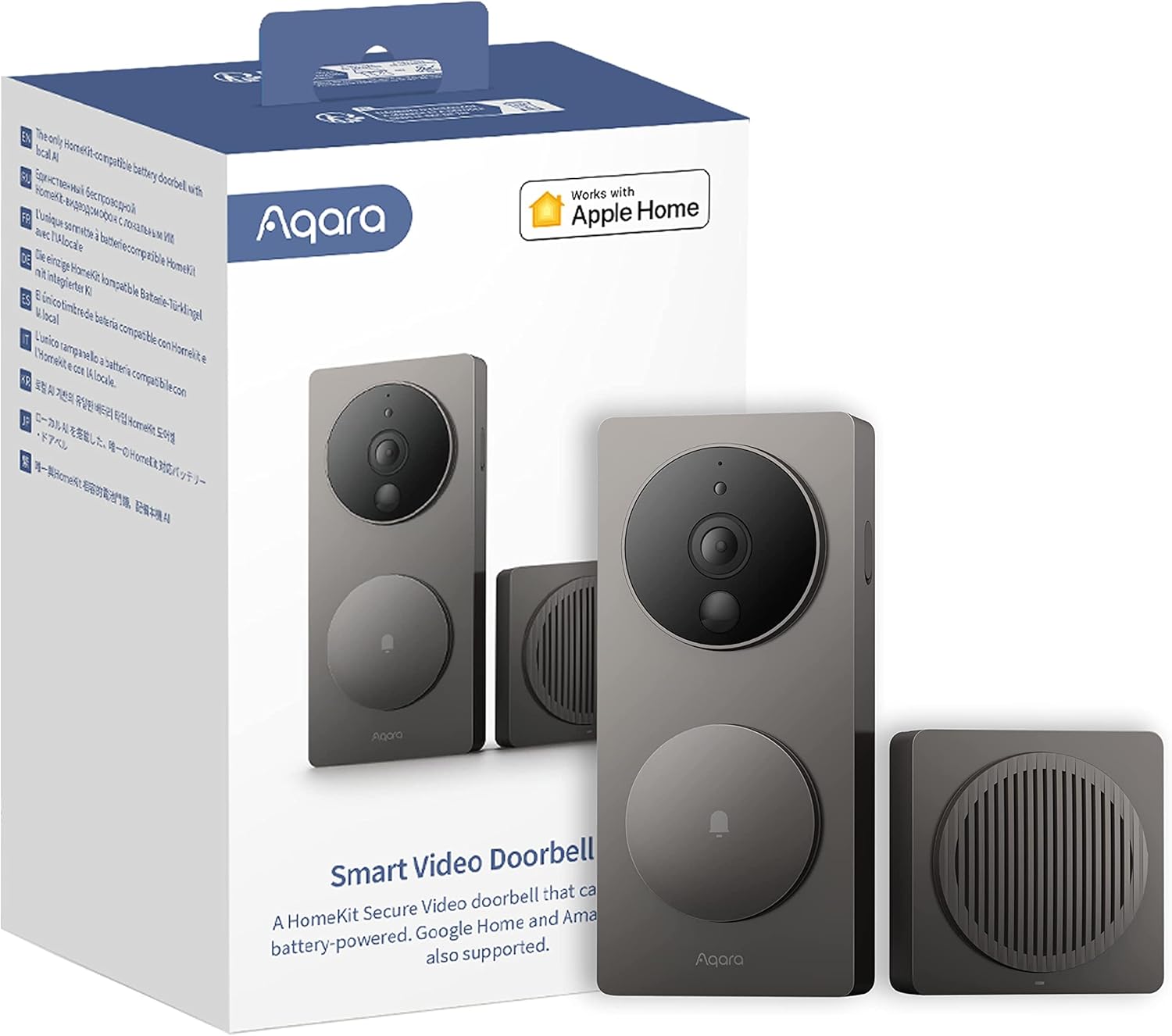
Aqara Video Doorbell G4
Native HomeKit, face recognition, local SD card recording, battery or wired. The complete package.
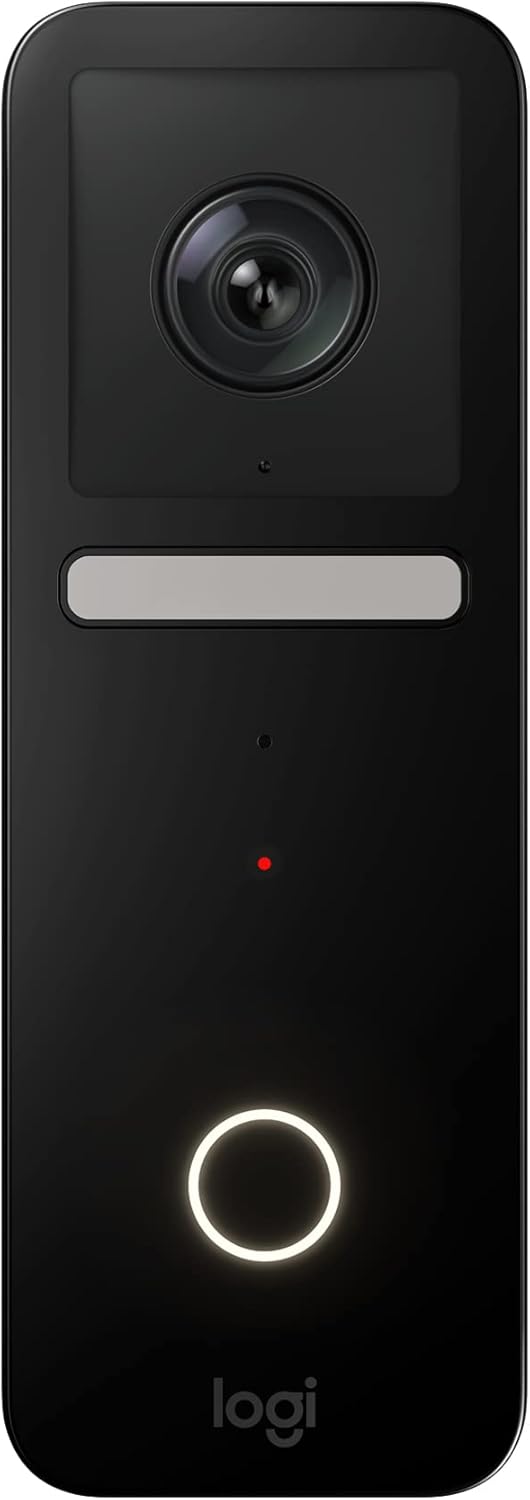
Logitech Circle View Doorbell
Full HomeKit Secure Video with head-to-toe view. The Apple purist's doorbell.
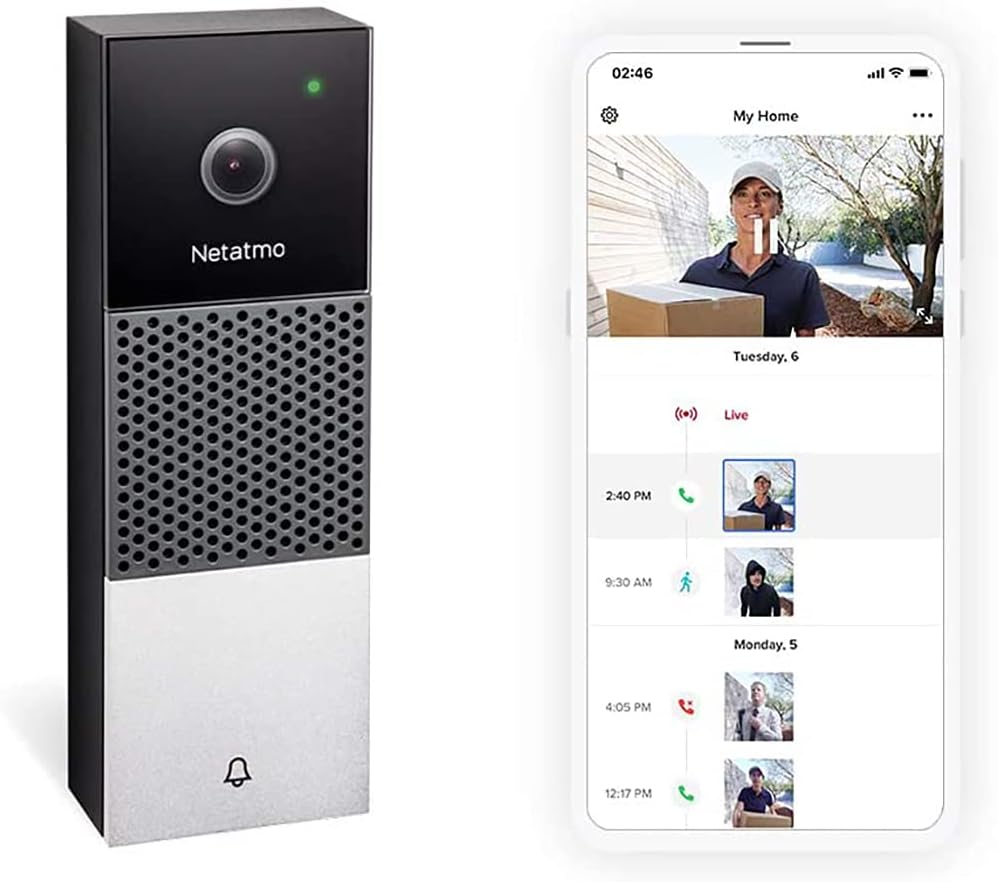
Netatmo Smart Video Doorbell
On-device face recognition, zero cloud dependency, microSD storage. Nothing leaves your home.
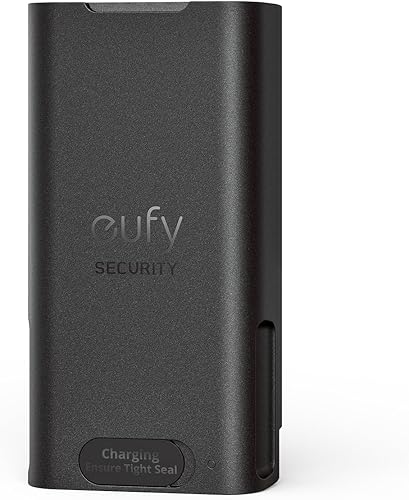
eufy Battery Doorbell 2K
HomeKit via HomeBase, 2K resolution, battery powered, local storage. The budget pick.
Robin ProLine
Commercial-grade PoE doorbell with SIP intercom. HomeKit via MQTT bridge.
How they compare
| Product | Score | Price | Subscription |
|---|---|---|---|
| Aqara Video Doorbell G4 Best Overall | 8.5 | US $119 / CA $159 | No |
| Logitech Circle View Doorbell Best HKSV | 8.2 | US $199 / CA $269 | No (uses iCloud+) |
| Netatmo Smart Video Doorbell Best Privacy | 7.9 | US $299 / CA $379 | No |
| eufy Battery Doorbell 2K Best Value | 7.6 | US $99 / CA $129 | No |
| Robin ProLine Best Commercial | 7.3 | US $349 / CA $449 | No |
How we test HomeKit video doorbells
Every doorbell is scored across seven weighted categories: HomeKit integration depth (25%), video quality (20%), privacy and storage (15%), installation flexibility (15%), face recognition accuracy (10%), reliability (10%), and value (5%). We weight HomeKit integration highest because this guide is specifically for Apple ecosystem users — a doorbell that works poorly with HomeKit fails at its primary job.
HomeKit testing includes: time to load live view in the Home app, notification reliability and speed, HomeKit Secure Video compatibility, automation support, and whether the doorbell maintains a stable connection without dropping from HomeKit. All doorbells were tested with an Apple TV 4K (3rd gen) as a home hub, an iPhone 15 Pro, and an iPad running the Home app. Testing ran for four weeks at a front door with approximately 15–20 daily visitors.
1. Aqara Video Doorbell G4 — Best overall HomeKit doorbell
Native HomeKit support, on-device face recognition, local microSD recording, and the flexibility to run on batteries or existing doorbell wiring. The most complete HomeKit doorbell available.
Why it stands out
The Aqara Video Doorbell G4 does something no other doorbell in this guide manages: it combines native HomeKit support, on-device face recognition, local recording, and battery power in a single device under $120. That combination of features at this price point is genuinely unique in the HomeKit ecosystem.
HomeKit integration is solid and reliable. The doorbell appears in the Apple Home app immediately after scanning the HomeKit code, and live view loads in about 3 to 4 seconds on iPhone. When someone presses the doorbell button, a rich notification with a video snapshot appears on your iPhone and Apple TV within seconds. You can set up HomeKit automations — turn on the porch light when motion is detected, announce visitors through HomePod, or unlock a smart lock from the notification.
Face recognition runs entirely on the doorbell hardware. You train it by tagging faces in the Aqara Home app, and after a few days it reliably identifies household members, delivery drivers you see regularly, and visitors. Notifications become personal — "Mark is at the door" instead of a generic "Motion detected" — which is surprisingly useful in practice. All face data stays on the device; nothing is sent to the cloud.
The 1080p resolution is the main limitation. While perfectly adequate for identifying who is at the door, it does not match the 2K resolution of the eufy doorbell. The 2.4GHz Wi-Fi limitation can occasionally cause slower connections on congested networks. But for the price and feature set, these are minor trade-offs.
Key specs
- Resolution: 1080p Full HD
- Field of view: 162° diagonal
- Connectivity: Wi-Fi 2.4GHz
- Power: Battery (6700mAh rechargeable) or wired (8-24V AC)
- Storage: microSD (up to 512GB)
- Face recognition: Yes (on-device)
- Price: US $119 / CA $159
Pros
- + Native HomeKit support — works in Apple Home app immediately
- + On-device face recognition with named notifications
- + Local microSD recording with zero subscription fees
- + Battery or wired installation — works anywhere
- + Also supports Alexa and Google Home
- + Excellent value at $119 for the feature set
Cons
- - 1080p resolution — lower than eufy 2K
- - 2.4GHz Wi-Fi only — no 5GHz support
- - No HomeKit Secure Video (HKSV) support
- - Face recognition training takes several days
- - Battery life drops in cold weather
Aqara Video Doorbell G4
2. Logitech Circle View Doorbell — Best HomeKit Secure Video doorbell
The only doorbell designed exclusively for Apple HomeKit. Full HKSV support, head-to-toe camera angle, and end-to-end encrypted recording through iCloud — with no third-party app required.
Why it stands out
The Logitech Circle View Doorbell is the Apple purist's doorbell. It works exclusively with HomeKit — there is no Logitech app, no Alexa support, no Google Home compatibility. You set it up entirely through the Apple Home app, and all video processing happens on your Apple TV or HomePod home hub. This is HomeKit integration in its purest form.
The head-to-toe camera angle is the hardware standout. The tall, narrow 160° vertical field of view captures visitors from head to foot, including packages left on the ground. Most doorbells have wide horizontal fields that miss packages below the camera — the Circle View solves this with a deliberately portrait-oriented lens. The 1080p HDR video with TrueView colour accuracy produces natural, well-exposed footage even in challenging lighting.
HomeKit Secure Video support means your footage is processed locally by your Apple TV or HomePod, then encrypted end-to-end before being stored in iCloud. Apple cannot see your footage. HKSV provides smart detection for people, animals, vehicles, and packages — all processed on-device. Recordings are stored in iCloud+ (50GB plan or higher required, starting at $0.99/month) and do not count against your iCloud storage quota.
The limitation is the wired-only installation. The Circle View requires existing doorbell wiring (16-24V AC transformer) and will not work on battery. If you do not have doorbell wiring, you will need to hire an electrician or choose the battery-capable Aqara G4 instead. The Apple-exclusive design also means you cannot use this doorbell if anyone in your household uses Android.
Key specs
- Resolution: 1080p HDR with TrueView
- Field of view: 160° diagonal (head-to-toe)
- Connectivity: Wi-Fi 2.4GHz / 5GHz dual-band
- Power: Wired only (16-24V AC)
- Storage: iCloud via HomeKit Secure Video
- Smart detection: People, animals, vehicles, packages (via HKSV)
- Price: US $199 / CA $269
Pros
- + Full HomeKit Secure Video with end-to-end encryption
- + Head-to-toe camera angle captures packages on the ground
- + Setup entirely through Apple Home app — no third-party app needed
- + On-device AI detection for people, animals, vehicles, packages
- + HKSV recordings don't count against iCloud storage quota
- + Dual-band Wi-Fi for reliable connectivity
Cons
- - Wired installation only — no battery option
- - Apple-exclusive — no Alexa or Google Home support
- - Requires iCloud+ subscription for cloud recordings
- - No local storage fallback
- - 1080p resolution — no 2K option
- - Discontinued by Logitech — availability may be limited
Logitech Circle View Doorbell
3. Netatmo Smart Video Doorbell — Best for privacy
On-device face recognition, zero cloud dependency, and local microSD storage. A HomeKit doorbell built for people who do not want their footage leaving their home network.
Why it stands out
Netatmo built the Smart Video Doorbell for privacy-conscious users, and it shows. Every piece of intelligence — face recognition, person detection, motion zones — runs on the doorbell itself. There is no cloud processing, no server-side AI, and no subscription fee. Your footage stays on the microSD card inside the doorbell or optionally on a personal Dropbox or FTP server that you control. Nothing goes to Netatmo's servers unless you explicitly choose to.
The face recognition is excellent. Like the Aqara G4, you tag faces in the app and the doorbell learns to identify them over time. Netatmo's implementation is more mature, having been refined across several generations of their outdoor cameras. After two weeks of training, recognition accuracy was over 90% in our testing — even in variable lighting conditions. Named notifications ("Sarah is at the front door") are genuinely useful for households with multiple family members.
HomeKit integration is native and reliable. The doorbell appears in the Home app and supports HomeKit automations. Live view loads in about 4 seconds on iPhone. The Netatmo app provides a richer experience with event timelines, face management, and custom alert zones, but the Home app works well for basic monitoring and notifications.
The price is the main barrier. At $299 US / $379 CA, the Netatmo is the second most expensive option in this guide. The premium buys you the most privacy-respecting doorbell available and Netatmo's excellent industrial design (it looks like a high-end intercom rather than a camera), but budget-conscious buyers will find more features per dollar with the Aqara G4.
Key specs
- Resolution: 1080p Full HD with HDR
- Field of view: 140° diagonal
- Connectivity: Wi-Fi 2.4GHz
- Power: Wired (8-24V AC)
- Storage: microSD (included 8GB, up to 32GB) + optional Dropbox/FTP
- Face recognition: Yes (on-device)
- Price: US $299 / CA $379
Pros
- + All AI processing runs on-device — zero cloud dependency
- + Excellent face recognition accuracy after training period
- + Local microSD recording with no subscription
- + Native HomeKit support in Apple Home app
- + Elegant industrial design — looks premium
- + Optional Dropbox/FTP backup for off-site storage
Cons
- - Expensive at $299 US / $379 CA
- - Wired installation only — no battery option
- - 2.4GHz Wi-Fi only
- - microSD limited to 32GB
- - No Alexa or Google Home support
- - No HKSV support — relies on local storage
Netatmo Smart Video Doorbell
4. eufy Battery Doorbell 2K — Best value HomeKit doorbell
The cheapest way to get a HomeKit-compatible video doorbell with 2K resolution, battery power, and local storage via the HomeBase hub.
Why it stands out
The eufy Battery Doorbell 2K is the budget HomeKit option. At $99 US / $129 CA (including the HomeBase hub), it delivers 2K resolution — the highest in this guide — along with battery power, local storage, and HomeKit support via the HomeBase. It is the most affordable way to get a doorbell into the Apple Home app.
The 2K resolution (2560 × 1920) produces noticeably sharper footage than the 1080p doorbells from Aqara, Logitech, and Netatmo. Text on packages is readable, faces are detailed even at a distance, and the wider 4:3 aspect ratio shows more of the porch area. Person detection with human body and face detection runs on the HomeBase, not in the cloud.
HomeKit support requires the eufy HomeBase 2, which acts as a bridge between the doorbell and HomeKit. The HomeBase also provides 16GB of onboard storage for video clips — no microSD card needed, no subscription. With HomeKit Secure Video enabled, the HomeBase routes footage through your Apple TV for on-device AI processing before encrypting and storing it in iCloud.
The main drawback is the indirect HomeKit connection. Because HomeKit runs through the HomeBase rather than natively on the doorbell, there is an extra point of failure. If the HomeBase loses power or connectivity, HomeKit integration stops working even though the doorbell itself continues recording. The HomeBase also needs to be placed within Bluetooth range of the doorbell (roughly 10 metres / 30 feet), which limits placement options.
Key specs
- Resolution: 2K (2560 × 1920)
- Field of view: 160° diagonal
- Connectivity: Wi-Fi 2.4GHz (via HomeBase)
- Power: Battery (6500mAh rechargeable) or wired
- Storage: 16GB onboard (HomeBase) + optional iCloud via HKSV
- Smart detection: Human body and face detection
- Price: US $99 / CA $129 (includes HomeBase)
Pros
- + Cheapest HomeKit-compatible doorbell at $99
- + Highest resolution in this guide at 2K
- + Battery powered — no wiring required
- + HomeKit Secure Video support via HomeBase
- + Local storage on HomeBase with no subscription
- + Also works with Alexa and Google Home
Cons
- - HomeKit requires the HomeBase hub — not native
- - HomeBase adds an extra point of failure
- - HomeBase must be within Bluetooth range of doorbell
- - 2.4GHz Wi-Fi only
- - Battery life is 3-6 months depending on traffic
- - No on-device face recognition (person detection only)
eufy Battery Doorbell 2K
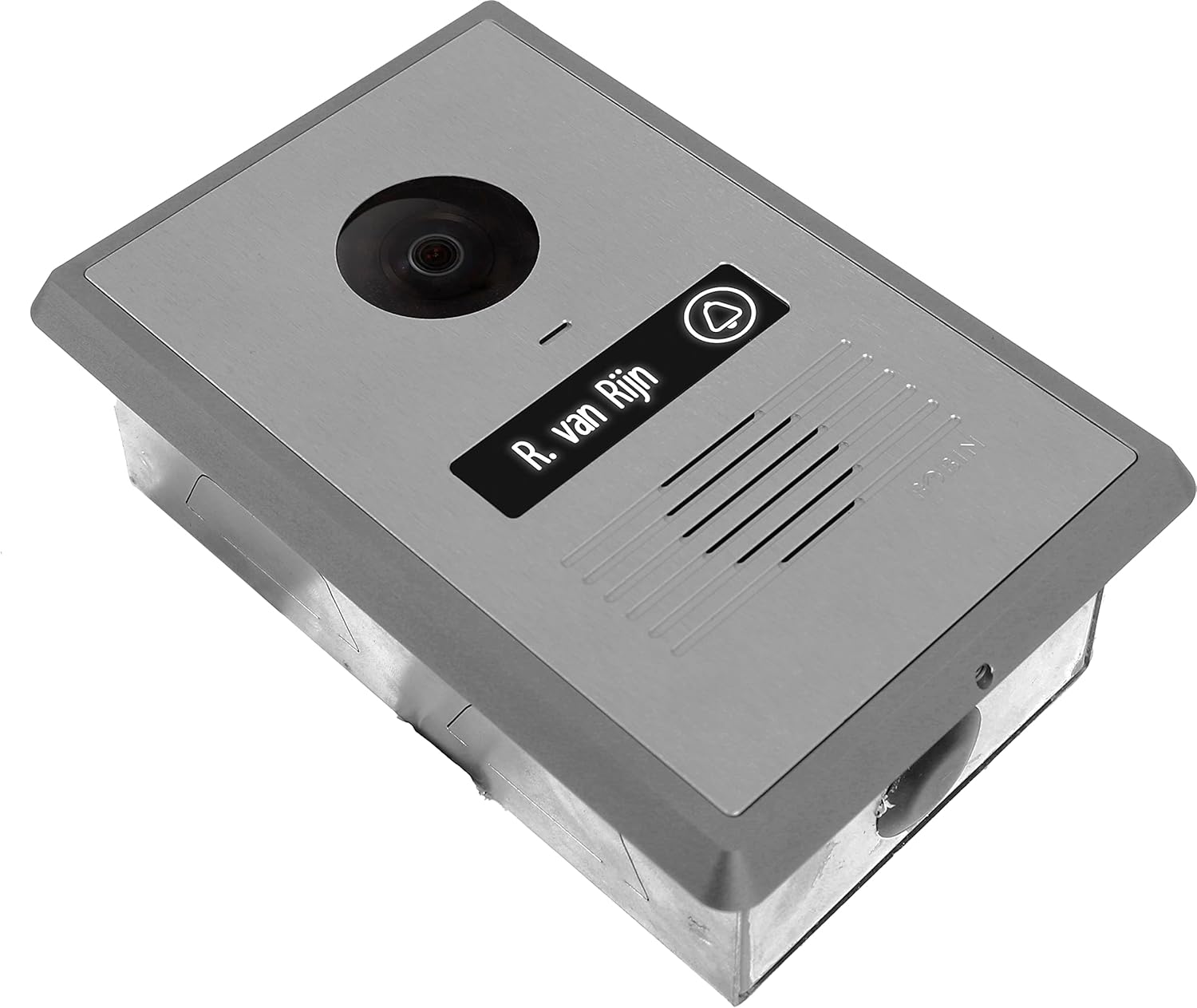
5. Robin ProLine — Best commercial-grade HomeKit doorbell
A PoE-powered, vandal-resistant doorbell with SIP intercom support. Built for commercial installations but integrable with HomeKit via an MQTT bridge for tech-savvy homeowners.
Why it stands out
The Robin ProLine is not a consumer doorbell. It is a commercial-grade intercom system that doubles as a video doorbell, built for apartment buildings, offices, and homes where durability and reliability matter more than price. Power over Ethernet (PoE) means a single ethernet cable provides both power and data — no batteries to charge, no Wi-Fi dropouts, no transformer compatibility issues. It simply works, continuously, without intervention.
Video quality is excellent with a 5MP camera, wide-angle lens, and hardware-level HDR that handles the extreme contrast of doorstep lighting (bright sky above, shadowed face below) better than any consumer doorbell. The RTSP stream allows recording to any NAS or NVR you own — Synology, QNAP, Blue Iris, or a simple Raspberry Pi running Frigate. No proprietary cloud, no subscription, no storage limitations beyond your own hardware.
HomeKit integration requires technical effort. The Robin ProLine does not natively support HomeKit. You need a Homebridge server (typically a Raspberry Pi or a Docker container on your NAS) running an MQTT plugin to bridge the doorbell into HomeKit. Once configured, it appears in the Home app and supports live view and basic automations. This is not a plug-and-play setup — it suits technically proficient users who want a bulletproof doorbell and are comfortable with Homebridge.
The SIP intercom is the unique selling point. The ProLine integrates with standard SIP phone systems, meaning a doorbell press can ring any SIP phone in your house, your mobile through a SIP app, or a traditional intercom panel. For multi-unit buildings or homes with existing intercom infrastructure, this is invaluable.
Key specs
- Resolution: 5MP (2592 × 1944)
- Field of view: 145° diagonal
- Connectivity: PoE (IEEE 802.3af)
- Power: Power over Ethernet
- Storage: NAS/NVR via RTSP
- Intercom: SIP protocol
- Price: US $349 / CA $449
Pros
- + Commercial-grade build quality — vandal-resistant
- + PoE power — no batteries, no Wi-Fi, maximum reliability
- + RTSP streaming to any NAS or NVR
- + SIP intercom integration for phone systems
- + 5MP resolution — highest in this guide
- + Zero subscription — record to your own hardware
Cons
- - HomeKit only via Homebridge/MQTT bridge — not native
- - Requires PoE infrastructure (switch + ethernet run)
- - Most expensive option at $349 US / $449 CA
- - Technical setup required for HomeKit integration
- - No native Alexa or Google Home support
- - Overkill for most residential use cases
Robin ProLine
What to look for in a HomeKit video doorbell
Native HomeKit vs. bridge-based HomeKit
The Aqara G4, Logitech Circle View, and Netatmo all have native HomeKit support — they connect directly to your Apple home hub with no intermediary hardware. The eufy doorbell requires a HomeBase hub, and the Robin ProLine needs a Homebridge server. Native is simpler, more reliable, and has fewer points of failure. Bridge-based setups add complexity but can bring non-HomeKit devices into the Apple ecosystem.
HomeKit Secure Video vs. local storage
HKSV encrypts your footage end-to-end and stores it in iCloud, with AI processing on your Apple TV or HomePod. It requires iCloud+ ($0.99/month or higher). Local storage via microSD or HomeBase keeps footage on-device with no recurring cost. Both approaches avoid the subscription-heavy models of Ring and Nest. The choice depends on whether you prefer cloud convenience with Apple-level privacy (HKSV) or zero-cloud independence (local storage).
Wired vs. battery power
Wired doorbells (Logitech, Netatmo, Robin) need existing doorbell wiring or PoE ethernet but never run out of power. Battery doorbells (Aqara, eufy) install anywhere but need recharging every 3 to 6 months. If you have existing 16-24V AC doorbell wiring, wired is the better choice for reliability. If you are renting or lack wiring, battery models give you flexibility without an electrician.
Face recognition
The Aqara G4 and Netatmo both offer on-device face recognition — they learn to identify specific people and deliver named notifications. This is a significant upgrade over generic "person detected" alerts. Face recognition requires a training period of a few days to two weeks, and accuracy improves over time. Neither doorbell sends face data to the cloud. The Logitech and eufy doorbells rely on HKSV person detection, which identifies that a person is present but does not identify who they are.
Get the No-Subscription Smart Home Guide
The best smart home devices that work without monthly fees — locks, cameras, doorbells, and more. Free download.
No spam. Unsubscribe anytime.
Related Guides
Frequently asked questions
Which video doorbells work natively with Apple HomeKit?
What is HomeKit Secure Video (HKSV) and do I need it?
Can I view my HomeKit doorbell on Apple TV or HomePod?
Do HomeKit doorbells require a subscription?
Can I install a HomeKit doorbell in an apartment or rental?
How does face recognition work on HomeKit doorbells?
What Apple devices do I need to use a HomeKit doorbell?
Are HomeKit doorbells compatible with Matter?
The bottom line
The Aqara Video Doorbell G4 is the best HomeKit video doorbell in 2026. For $119, you get native HomeKit support, on-device face recognition, local microSD recording with no subscription, and the flexibility to install with batteries or wiring. No other doorbell matches this combination of features at this price in the HomeKit ecosystem.
For Apple purists who want the deepest possible HomeKit integration, the Logitech Circle View Doorbell at $199 is the gold standard. Full HKSV support, Apple-exclusive design, and head-to-toe framing make it the most "Apple" doorbell available — though its wired-only installation and limited availability are real constraints.
The Netatmo Smart Video Doorbell at $299 is the privacy champion — everything runs on-device with zero cloud dependency. The eufy Battery Doorbell 2K at $99 is the budget pick with the highest resolution in the guide. And the Robin ProLine at $349 is for technically proficient users who want commercial-grade hardware with PoE reliability and SIP intercom functionality.
The HomeKit doorbell market is smaller than Ring or Nest, but the options that exist are remarkably subscription-free. Every doorbell in this guide works without monthly fees — a refreshing contrast to the cloud-dependent competition.