Quick answer
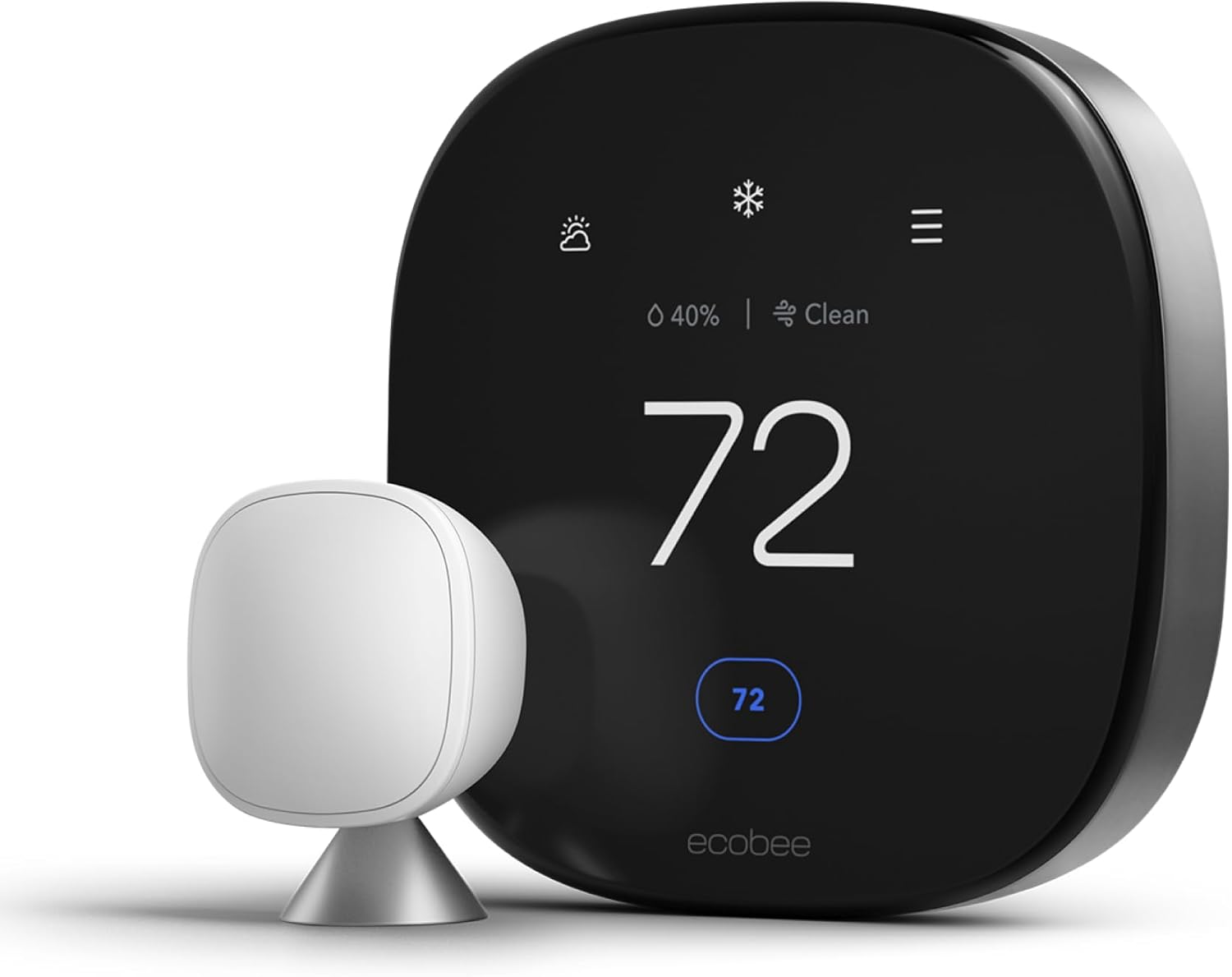
The best no-subscription smart home setup in 2026 starts with the Ecobee Smart Thermostat Premium (8.7 score) for energy savings, the Reolink Argus 4 Pro for outdoor security, and the Aqara U100 for smart entry. All six devices in this guide deliver full functionality without monthly fees, storing data locally and processing alerts on-device.
Building a smart home in 2026 often feels like signing up for a bundle of subscriptions. Ring wants $4.99 per month for doorbell storage. Arlo charges $7.99 for camera clips. August asks $4.99 for lock activity history. Individually, each fee seems small. Together, three or four subscriptions add up to $20 to $35 per month, or $240 to $420 per year, and those costs never stop.
The alternative is choosing devices that work fully without monthly fees. We tested dozens of smart home products across six categories and identified the best subscription-free option in each. Every device in this guide stores data locally, processes alerts on-device, and provides free remote access through its app. You buy it once, and it works forever.
If you are looking for deeper recommendations in a specific category, we also have dedicated guides for the best security cameras without a subscription and the best smart locks under $200.
What "no subscription" actually means
When we label a device "no subscription," we mean it meets all of these criteria:
- Core features work without paying: The device does what it was designed to do -- lock a door, record video, adjust temperature, switch a plug -- without any ongoing fee.
- Smart features are included: Person detection, scheduling, energy monitoring, activity logs, and automations are free. The manufacturer does not gate meaningful functionality behind a paywall.
- Remote access is free: You can control and monitor the device from your phone anywhere without a subscription plan.
- Local storage or processing where applicable: Cameras and doorbells store footage on microSD cards or local NVR systems. Locks and thermostats process schedules and automations on-device.
Some devices technically work without a subscription but degrade the experience so much that you effectively need one. A Ring doorbell without a subscription cannot save clips or show you what happened five seconds ago. We excluded devices like that. Everything here offers a genuinely complete experience without spending a cent beyond the purchase price.
At-a-glance winners
Aqara U100
Fingerprint, Apple Home Key, auto-lock, guest codes free
Reolink Video Doorbell WiFi
2K+ resolution, person detection, local storage, no fees
Reolink Argus 4 Pro
4K UHD, solar panel, color night vision, free AI alerts
Ecobee Smart Thermostat Premium
Room sensors, Siri/Alexa built in, energy reports free
Eve Energy
Energy monitoring, Thread, Matter-ready, no cloud
Philips Hue White Ambiance
Tunable white, Zigbee reliable, works with everything
How all six devices compare
| Product | Score | Price | Subscription |
|---|---|---|---|
| Aqara U100 Best Lock | 8.6 | US $139.99 / CA $190 | No |
| Reolink Video Doorbell WiFi Best Doorbell | 8.4 | US $79.99 / CA $110 | No |
| Reolink Argus 4 Pro Best Camera | 8.6 | US $99.99 / CA $195 | No |
| Ecobee Smart Thermostat Premium Best Thermostat | 8.7 | US $219.99 / CA $299 | No |
| Eve Energy Best Plug | 8.3 | US $39.99 / CA $55 | No |
| Philips Hue White Ambiance Best Bulb | 8.1 | US $14.99 / CA $20 | No |
Aqara U100 -- Best Smart Lock
Price: US $139.99 / CA $190 • Connectivity: Bluetooth / Thread • Power: CR123A batteries
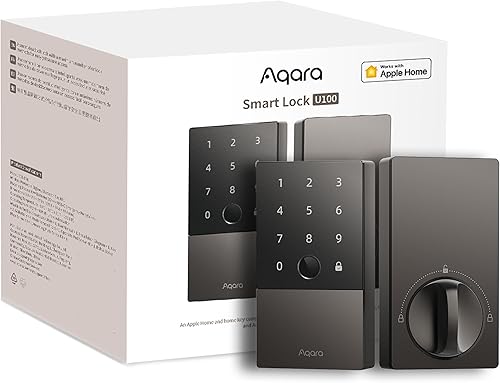
The Aqara U100 is the best smart lock you can buy without committing to monthly fees. It supports Apple Home Key, which means you can unlock your door by tapping your iPhone or Apple Watch against the lock -- the same gesture as paying with Apple Pay. No app needed, no delay, and it works even when the phone battery is critically low.
Beyond Home Key, the U100 offers a built-in fingerprint reader that unlocks the door in under a second. You can store up to 50 fingerprints, which is more than enough for a household plus frequent visitors. Guest codes, auto-lock, and passage mode (for parties or move-in days when you want the door unlocked) are all included free. There is no subscription and no premium tier.
The lock connects via Bluetooth for local control and Thread when paired with a compatible border router (like the Apple TV 4K or HomePod Mini). Thread provides faster response times and better range than Bluetooth alone. For remote access when away from home, you need an Aqara hub or an Apple Home hub -- the lock does not have Wi-Fi built in, which is a deliberate design choice for battery life and security.
Battery life is strong. Four CR123A batteries last roughly 8 to 10 months with typical daily use. The lock warns you well in advance when batteries are running low, and it accepts emergency USB-C power if the batteries die completely while you are standing at the door.
The primary limitation is that the full feature set leans heavily toward the Apple ecosystem. Home Key is Apple-only. Thread border routers for remote access are primarily Apple devices. Google Home and Alexa support exists but the experience is not as polished. If you run an Android household, consider the Schlage Encode Plus as an alternative. For a broader comparison, see our guide to the best smart locks under $200.
Pros
- + Apple Home Key for instant tap-to-unlock with iPhone or Apple Watch
- + Fast fingerprint reader with capacity for 50 prints
- + Thread support for responsive and reliable local communication
- + No subscription for any feature including guest codes and activity logs
- + Solid 8 to 10 month battery life on CR123A cells
- + Emergency USB-C power input if batteries die
Cons
- - Best experience requires Apple ecosystem (Home Key is Apple-only)
- - No built-in Wi-Fi; needs a hub for remote access away from home
- - CR123A batteries are less common and more expensive than AA
- - Retrofit design may not fit all existing deadbolt cutouts
Aqara U100
Reolink Video Doorbell WiFi -- Best Video Doorbell
Price: US $79.99 / CA $110 • Resolution: 2K+ (2560x1920) • Storage: microSD / NVR
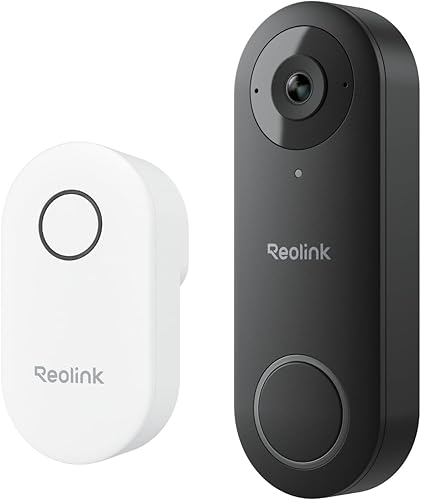
The Reolink Video Doorbell WiFi delivers what Ring and Nest charge monthly for: crisp video, person detection, and clip storage. The difference is that Reolink includes all of it free, forever. Footage records to a microSD card in the doorbell or to a Reolink NVR if you have one, and person detection runs on-device without cloud processing.
Video quality is a strength. The 2K+ resolution with a wide 180-degree vertical field of view captures visitors from head to toe, including packages on the ground. This sounds like a small detail but it matters: many doorbells frame too tightly and miss parcels or pets at ground level. The Reolink gets the angle right.
Two-way audio is clear enough for conversations with delivery drivers or visitors. The chime connects to your existing doorbell wiring, so it rings your existing indoor chime in addition to sending push notifications. Night vision uses infrared and produces usable black-and-white footage at night, though it lacks the color night vision found on Reolink's pricier cameras.
The main trade-off is that this doorbell requires existing doorbell wiring. There is no battery option. If your home does not have doorbell wiring run to the front door, installation becomes a significant project. The doorbell also lacks HomeKit support, which is a gap for Apple-centric homes. For more no-subscription video options, see our video doorbell guide.
Pros
- + 2K+ resolution with 180-degree vertical field of view
- + Person detection included free with on-device processing
- + Local storage on microSD card, no cloud dependency
- + Works with existing doorbell wiring and indoor chime
- + RTSP support for NVR and Home Assistant integration
- + Dual-band Wi-Fi for stable connection
Cons
- - Requires existing doorbell wiring, no battery option
- - No Apple HomeKit support
- - Infrared night vision only, no color night mode
- - microSD card not included in the box
Reolink Video Doorbell WiFi
Reolink Argus 4 Pro -- Best Security Camera
Price: US $99.99 / CA $195 • Resolution: 4K UHD • Storage: microSD
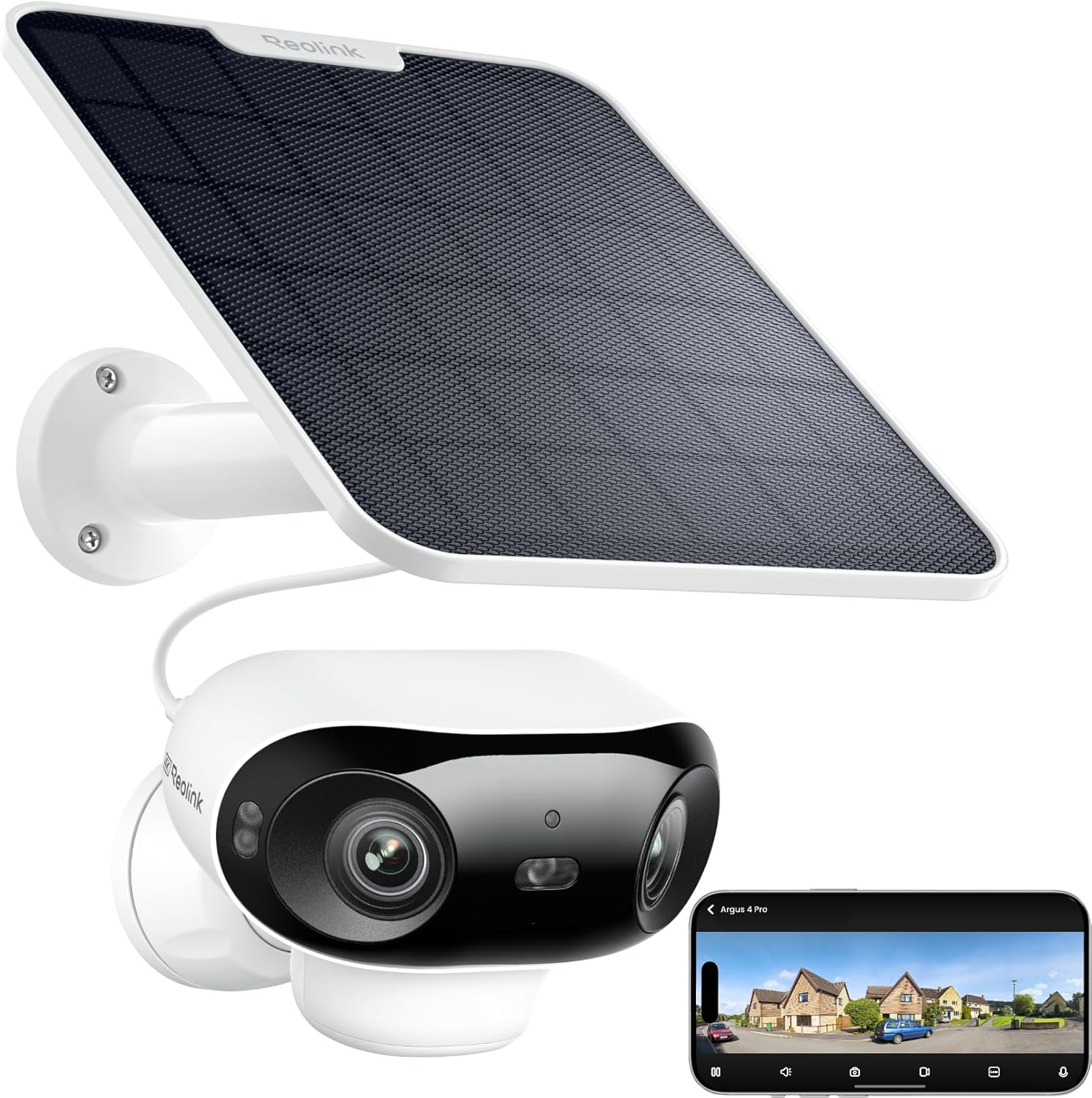
The Reolink Argus 4 Pro is the strongest no-subscription security camera you can buy. It shoots true 4K UHD video with color night vision, bundles a solar panel for truly wireless outdoor operation, and provides person, vehicle, and animal detection on-device at no ongoing cost.
Color night vision is the feature that sets this camera apart from cheaper alternatives. Dual spotlights produce full-color footage even in complete darkness, which makes it far easier to identify people and vehicles compared to the washed-out grayscale of infrared-only cameras. The spotlights also serve as a deterrent, and a built-in siren adds another layer of active security.
The included solar panel keeps the battery charged indefinitely under normal conditions. In our testing, it maintained a full charge through overcast winter weeks. Heavily shaded mounting spots may require occasional manual charging via USB-C, but for most installations, you truly mount it and forget it.
Footage stores to a microSD card (up to 128GB), which holds roughly 7 to 10 days of event-triggered 4K clips. Wi-Fi 6 dual-band connectivity provides a stable connection. The Reolink app gives free remote access to live and recorded footage. For a deeper dive into camera options, see our full guide to the best security cameras without a subscription.
The trade-off with battery-powered cameras is a 2 to 4 second wake-up delay when opening a live feed. Wired cameras stream instantly, but wired cameras need a power cable run to the mounting location. For most outdoor installations, the wireless flexibility of the Argus 4 Pro is worth the slight delay.
Pros
- + 4K UHD with color night vision for clear footage day and night
- + Solar panel included for truly wireless outdoor operation
- + Person, vehicle, and animal detection free with high accuracy
- + Wi-Fi 6 dual-band for stable connection at range
- + IP66 weatherproof with dual spotlights and siren
- + RTSP support for NVR and Home Assistant integration
Cons
- - 2 to 4 second wake-up delay on live stream
- - Solar panel needs adequate sunlight to maintain charge
- - microSD limited to 128GB with no NAS support
- - No Apple HomeKit support
Reolink Argus 4 Pro (with Solar Panel)
Get the No-Subscription Smart Home Guide
Our complete list of cameras, doorbells, locks, thermostats, and sensors that work without monthly fees. Free PDF, updated monthly.
No spam. Unsubscribe anytime.
Ecobee Smart Thermostat Premium -- Best Thermostat
Price: US $219.99 / CA $299 • Connectivity: Wi-Fi (2.4 GHz) • Power: C-wire (adapter included)
The Ecobee Smart Thermostat Premium is the highest-scoring device in this guide, and it earns that position by doing something rare in the smart home market: offering every feature free, with no subscription tier at all. There is no premium plan to upgrade to. Scheduling, remote control, energy reports, occupancy-based adjustments, and SmartSensor room monitoring are all included.
The included SmartSensor is what makes the Ecobee genuinely smarter than a basic programmable thermostat. Place the sensor in the room you actually care about -- your bedroom, your home office -- and the thermostat adjusts based on that room's temperature rather than wherever the thermostat happens to be mounted. You can buy additional sensors ($40 for a two-pack) to cover more rooms and set schedules that prioritize different rooms at different times.
Built-in Alexa and Siri support means the thermostat doubles as a voice assistant. You can ask it the weather, set timers, or control other smart devices without pulling out your phone. The built-in speaker and microphone are adequate for voice commands and intercom-style communication, though not a replacement for a dedicated smart speaker.
Energy reports in the Ecobee app show daily and monthly usage patterns with clear breakdowns of heating versus cooling time. These reports help you identify waste -- like HVAC running while you are away -- and adjust schedules accordingly. Ecobee estimates that its thermostat saves up to 26% on annual HVAC costs, and while real-world savings vary, the data is there for you to verify against your own utility bills.
Installation requires a C-wire for power, but Ecobee includes a Power Extender Kit adapter for homes that lack one. The process takes 20 to 40 minutes for most homeowners. The thermostat works with nearly every HVAC system type, including multi-stage heating and cooling, heat pumps, and dual-fuel setups.
Pros
- + Every feature free with no subscription tier whatsoever
- + SmartSensor included for room-specific temperature targeting
- + Built-in Alexa and Siri for voice control without extra devices
- + Detailed energy reports with actionable usage data
- + Broad ecosystem support across Apple, Google, Alexa, and SmartThings
- + C-wire adapter included for homes without one
Cons
- - Higher upfront cost at $220 compared to basic smart thermostats
- - 2.4 GHz Wi-Fi only, which can be congested in dense environments
- - Additional SmartSensors sold separately at $40 per two-pack
- - No Matter support as of early 2026
Ecobee Smart Thermostat Premium
Eve Energy -- Best Smart Plug
Price: US $39.99 / CA $55 • Connectivity: Thread / Bluetooth • Power: Mains (plug-in)
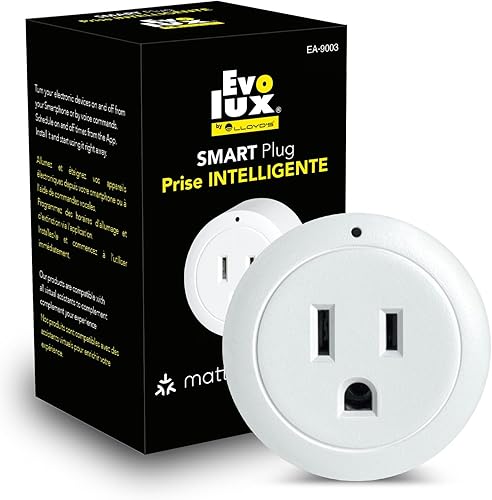
The Eve Energy stands out in the smart plug category for one reason that matters more than any other: it has never had a cloud account, never required one, and never will. Eve built its entire product line around the principle of local-only operation. Your usage data stays on your phone and in your home. No manufacturer server ever sees it.
Practically, the Eve Energy is a smart plug with built-in energy monitoring. Plug in a lamp, fan, space heater, or coffee maker, and you can switch it on and off remotely, set schedules, and track exactly how many watts and kilowatt-hours the connected device uses. The energy data is detailed enough to identify vampire power draw from devices that consume electricity even when "off."
Thread connectivity (via a Thread border router like an Apple TV 4K or HomePod Mini) provides fast response times and a self-healing mesh network. The more Thread devices you have, the stronger your network becomes. The Eve Energy also supports Matter, which means it will work with Google Home and Amazon Alexa ecosystems once your setup includes a Matter-compatible controller. Without Matter, the plug is Apple HomeKit only.
The form factor is compact enough that it does not block the adjacent outlet on a standard US wall plate, though it does sit flush and protrudes about 2 inches from the wall. Build quality is solid with a matte finish that looks better than most smart plugs.
The main limitation is price. At $40, the Eve Energy costs two to three times more than basic Wi-Fi smart plugs from brands like Meross or Kasa. You are paying a premium for Thread, energy monitoring, and Eve's strict no-cloud privacy stance. Whether that premium is worth it depends on how much you value those features.
Pros
- + Zero cloud dependency; all data stays local by design
- + Built-in energy monitoring with detailed watt and kWh tracking
- + Thread support for fast, reliable mesh networking
- + Matter-ready for future cross-platform compatibility
- + Compact form factor that does not block the adjacent outlet
- + No account creation required, ever
Cons
- - Costs $40 versus $12 to $15 for basic Wi-Fi smart plugs
- - Apple HomeKit only without a Matter controller for Alexa/Google
- - Thread border router required for best performance
- - No built-in Wi-Fi, which limits standalone remote access
Eve Energy
Philips Hue White Ambiance -- Best Smart Bulb
Price: US $14.99 / CA $20 • Connectivity: Zigbee (via Hue Bridge) • Power: Standard E26/A19 socket
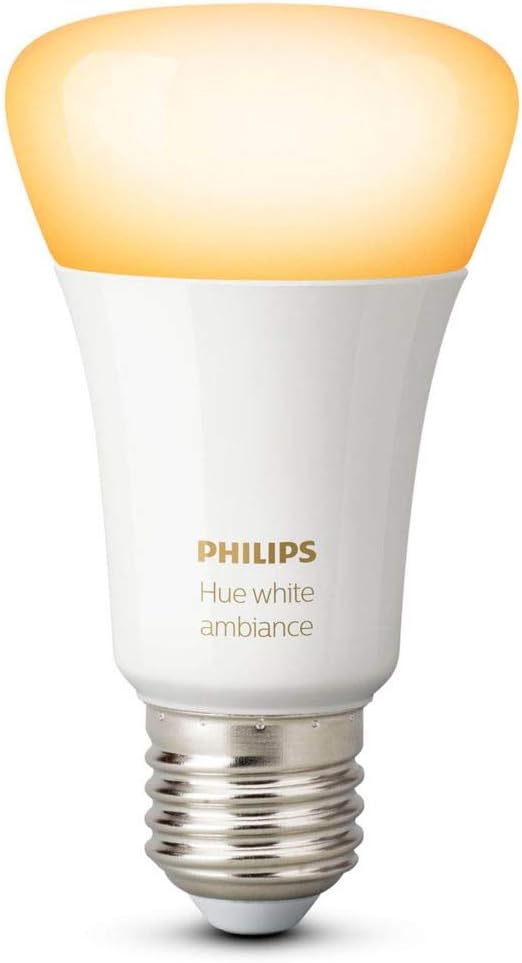
The Philips Hue White Ambiance is the most proven smart bulb on the market. Hue has been the default recommendation in smart lighting for years, and the reason is simple: it works reliably, it works with everything, and it never charges a subscription for any feature.
The White Ambiance variant offers tunable white light from warm (2200K) to cool daylight (6500K). This range matters more than it sounds. Warm light in the evening supports better sleep. Cool light during the morning energizes a workspace. You can schedule these transitions automatically so the lights shift throughout the day without manual adjustment.
Hue's Zigbee protocol communicates through the Hue Bridge (sold separately or in starter kits), which means the bulbs do not congest your Wi-Fi network. A single Hue Bridge supports up to 50 lights, and Zigbee's mesh networking means each bulb extends the network's range. Response times are fast: flipping a light in the app takes under half a second, and voice commands through Alexa, Google, or Siri execute just as quickly.
The Hue app provides scheduling, sunrise/sunset automations, scenes, and room grouping at no cost. Hue Labs offers experimental features like formula-based automations. None of this requires a subscription. The Hue Bridge processes automations locally, so schedules execute even if your internet goes down.
The obvious downside is cost. The Hue Bridge adds $50 to $60 if you do not already own one, which makes the first bulb effectively a $65 to $75 investment. Subsequent bulbs at $15 each are more reasonable. If you are starting from zero and only need one or two bulbs, a Wi-Fi bulb from LIFX or Wyze may be more cost-effective. But if you plan to build out a multi-room lighting system, the Hue ecosystem's reliability and breadth of integrations justify the entry cost.
Pros
- + Tunable white from 2200K to 6500K for warm-to-cool transitions
- + Zigbee mesh via Hue Bridge keeps bulbs off your Wi-Fi network
- + Works with every major smart home platform including Matter
- + Local automation processing; schedules run without internet
- + Proven reliability with years of firmware updates
- + Up to 50 bulbs per bridge for whole-home coverage
Cons
- - Requires Hue Bridge ($50 to $60 sold separately)
- - Higher per-bulb cost than Wi-Fi alternatives
- - White Ambiance only; no color (Hue Color costs $50 per bulb)
- - Bridge adds another device to your network setup
Philips Hue White Ambiance (A19)
Two-year cost comparison: no-subscription vs. subscription alternatives
The real cost of a smart home is not the sticker price. It is what you pay over time. The table below compares our six no-subscription picks against popular subscription-dependent alternatives over a two-year ownership period.
| Device | Purchase price | Accessories | Subscription (24 mo.) | 2-year total |
|---|---|---|---|---|
| Aqara U100 | $140 | $0 | $0 | $140 |
| August WiFi Smart Lock + subscription | $230 | $0 | $120 | $350 |
| Reolink Video Doorbell WiFi | $80 | $15 (microSD) | $0 | $95 |
| Ring Video Doorbell 4 + Ring Protect | $200 | $0 | $120 | $320 |
| Reolink Argus 4 Pro | $100 | $15 (microSD) | $0 | $115 |
| Arlo Pro 5 + Arlo Secure | $250 | $0 | $192 | $442 |
| Ecobee Smart Thermostat Premium | $220 | $0 | $0 | $220 |
| Nest Learning Thermostat + Nest Aware | $250 | $0 | $0 | $250 |
| Eve Energy | $40 | $0 | $0 | $40 |
| Philips Hue White Ambiance | $15 | $55 (Hue Bridge) | $0 | $70 |
| All 6 no-sub picks combined | $595 | $85 | $0 | $680 |
| Subscription equivalents combined | $930 | $0 | $432 | $1,362 |
The no-subscription setup costs $680 over two years for all six devices. The subscription-based equivalents total $1,362 for the same period, and that gap grows every year because subscription costs never stop. By year five, you would have paid over $1,000 in subscriptions alone on top of the higher hardware cost.
How to build a no-subscription smart home step by step
If you are starting from scratch, here is the order we recommend for building out a subscription-free smart home based on the impact each device makes.
Step 1: Start with the thermostat ($220)
The Ecobee Smart Thermostat Premium delivers the fastest return on investment. It can reduce HVAC costs by 15 to 26 percent, which means it often pays for itself within the first heating or cooling season. It also provides immediate daily convenience through scheduling, voice control, and remote adjustment.
Step 2: Add a smart lock ($140)
The Aqara U100 eliminates the daily friction of fumbling with keys. Fingerprint unlock and Apple Home Key make entering your home faster, and guest codes let you give access to visitors, cleaners, or dog walkers without copying physical keys. Auto-lock ensures you never leave the door unlocked by accident.
Step 3: Secure the front door with a doorbell ($80)
The Reolink Video Doorbell WiFi lets you see and speak to anyone at your door whether you are home or not. Package theft deterrence alone makes it worthwhile for many households. Pair it with a $15 microSD card for local clip storage.
Step 4: Add outdoor security ($100)
The Reolink Argus 4 Pro covers your property's vulnerable points -- a side gate, backyard, or garage area. Solar-powered and wireless, it installs in minutes. Person and vehicle detection keep alerts relevant rather than triggering on every passing car or wind-blown branch.
Step 5: Automate lighting and appliances ($55 to $70)
Finish with the Eve Energy smart plug and a Philips Hue White Ambiance bulb. Automate a lamp to turn on at sunset, schedule a coffee maker to start before your alarm, and track energy usage on devices you suspect of wasting power. These smaller purchases round out a fully automated home.
What about Matter and Thread?
Matter is the smart home connectivity standard backed by Apple, Google, Amazon, and Samsung. Thread is a low-power mesh networking protocol that many Matter devices use. Together, they are gradually making cross-platform compatibility the default rather than the exception.
For no-subscription buyers, Matter and Thread matter (no pun intended) in two ways:
- Wider ecosystem choice: A Matter-compatible device works with any Matter controller. The Eve Energy, for example, is historically Apple HomeKit only, but with Matter enabled, it works with Google Home and Alexa too. This prevents vendor lock-in.
- Local operation by design: Matter mandates local communication between devices and controllers. This aligns naturally with the no-subscription approach because it reduces cloud dependency at the protocol level.
However, Matter does not eliminate subscriptions. A Ring camera with Matter support still requires a Ring subscription for cloud storage. Matter standardizes communication, not business models. The devices in this guide were selected because they are subscription-free regardless of which protocol they use.
Related Guides
Frequently asked questions
What smart home devices work without a subscription?
Do you need a subscription for a smart thermostat?
Can a video doorbell work without a monthly fee?
Are subscription-free smart home devices less reliable?
What is the cheapest way to start a smart home without subscriptions?
Do smart locks require a subscription?
How much money do you save by avoiding smart home subscriptions?
Does Matter eliminate the need for subscriptions?
The bottom line
A fully functional, subscription-free smart home is not only possible in 2026 -- it is the better deal for most households. The six devices in this guide cover every major category: entry, security, climate, and automation. Combined, they cost $680 and never charge another cent.
For most people, here is how to prioritize:
- Biggest impact per dollar: The Ecobee Smart Thermostat Premium reduces energy bills while adding daily convenience. Start here.
- Best security upgrade: The Aqara U100 smart lock and Reolink Video Doorbell WiFi together secure your front door for $220 with no ongoing costs.
- Best outdoor security: The Reolink Argus 4 Pro with its solar panel and 4K resolution is the best wireless camera that never charges a subscription.
- Best privacy-first devices: The Eve Energy has zero cloud dependency by design. The Philips Hue ecosystem processes automations locally on the bridge.
Buy the hardware. Skip the subscriptions. Your smart home works for you, not for a monthly billing cycle.