Quick answer
The Philips Hue White & Color A19 is the best HomeKit smart bulb in 2026. It delivers the richest color output, the most reliable app experience, and the broadest ecosystem support of any HomeKit bulb. If you want excellent color without the Hue Bridge cost, the Nanoleaf Essentials A19 at $20 is a remarkable value pick with Thread and Matter support built in.
Smart bulbs were one of the first HomeKit accessories to reach the mainstream, and in 2026 the options are better than ever. You can get full 16-million-color support, Thread mesh networking, Matter compatibility, and Adaptive Lighting in a standard A19 bulb that screws into any lamp. Prices start at just $15.
The challenge is choosing the right one. Some HomeKit bulbs need a hub, some do not. Some use Wi-Fi, others use Thread or Zigbee. Some support Adaptive Lighting, others skip it. And the price range stretches from $15 to $50 per bulb, which adds up quickly when you are outfitting a whole house. We tested every major HomeKit-compatible smart bulb available in early 2026, scoring them on color accuracy, brightness, connectivity, ecosystem support, app quality, and value. Here are the five best.
At-a-glance winners
Philips Hue White & Color A19
Best color accuracy, richest ecosystem, Matter via bridge, Adaptive Lighting. The gold standard.
Nanoleaf Essentials A19
Thread + Matter, 16M colors, Adaptive Lighting, no hub needed. All for just $20.
LIFX A19
Wi-Fi direct, no hub at all, vivid colors, energy monitoring. Simple setup.
Eve Light Strip
Thread + Matter, Adaptive Lighting, 1800 lumens, privacy-focused. Best strip for HomeKit.
Meross Smart Bulb
HomeKit color bulb for just $15. The cheapest way into HomeKit lighting.
How they compare
| Product | Score | Price | Subscription |
|---|---|---|---|
| Philips Hue White & Color A19 Best Overall | 8.7 | US $32.97 / CA $65 | No |
| Nanoleaf Essentials A19 Best Value | 8.4 | US $39.99 / CA $75 | No |
| LIFX A19 Best No-Hub | 8.1 | US $29.98 / CA $64 | No |
| Eve Light Strip Best Light Strip | 7.8 | US $25.99 / CA $40 | No |
| Meross Smart Bulb Budget Pick | 7.5 | US $54.98 / CA $60 | No |
How we test and score smart bulbs
Every bulb is scored across six weighted categories: color accuracy and brightness (25%), connectivity reliability (20%), ecosystem breadth (15%), app quality (15%), smart features like Adaptive Lighting (10%), and value (15%). We test each bulb in a standard E26 lamp fixture over a 30-day period, measuring real-world response times, color rendering against a calibrated reference, and brightness output with a lux meter.
For HomeKit-specific testing, we verify Siri responsiveness, Home app scene performance, automation reliability, and Adaptive Lighting behavior across a full 24-hour cycle. We test each bulb on both iPhone and iPad, and check Apple Watch control for quick toggles. Thread-based bulbs are tested for mesh network contribution, and Wi-Fi bulbs are stress-tested on a congested network with 40+ connected devices to simulate real-world conditions.
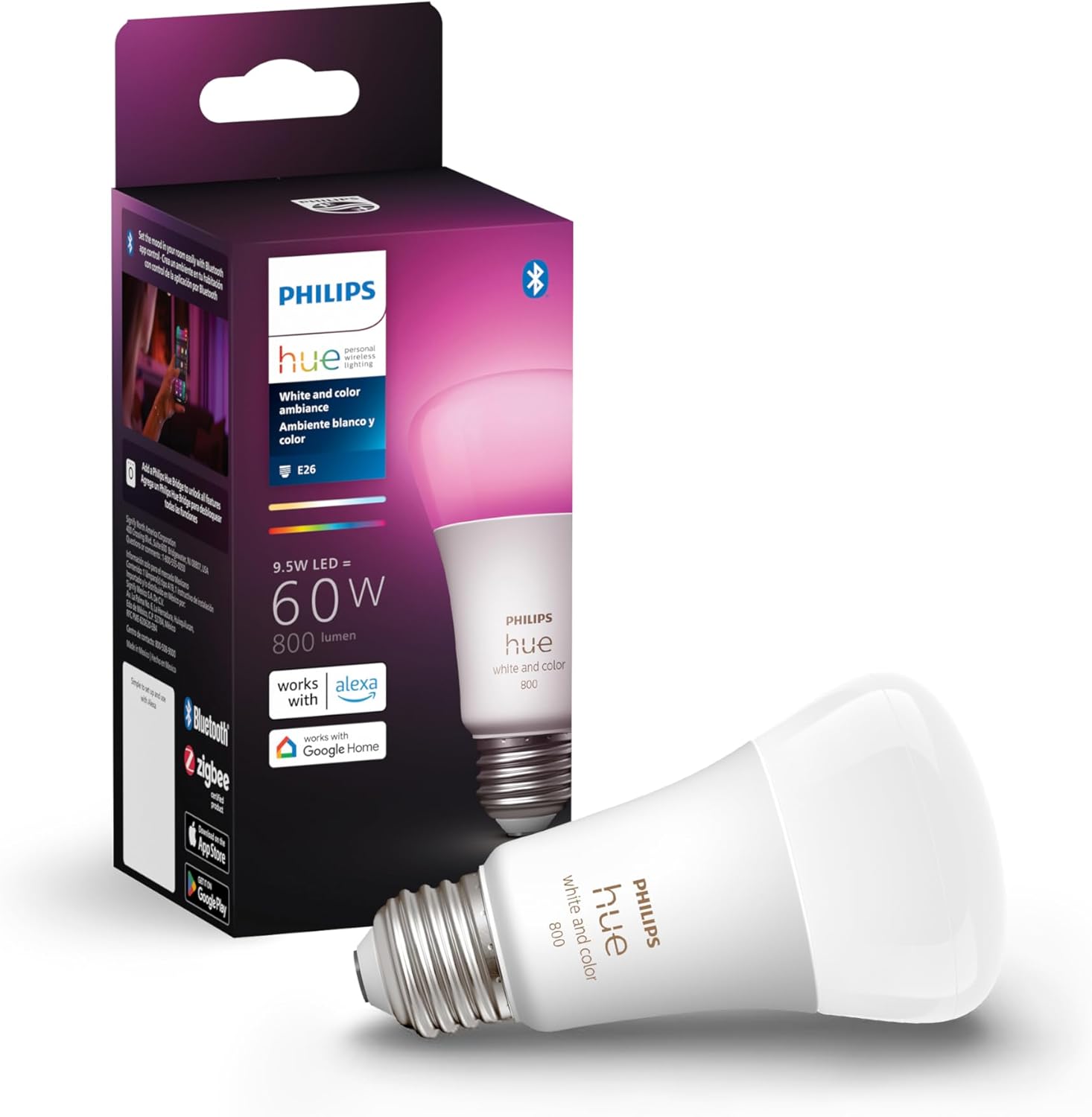
1. Philips Hue White & Color A19 — Best overall HomeKit smart bulb
The most polished, feature-rich smart bulb on the market. Unmatched color accuracy, rock-solid reliability through the Hue Bridge, and the deepest ecosystem support of any smart lighting product.
Why it stands out
Philips Hue has been the smart lighting benchmark for over a decade, and the current-generation White & Color A19 shows why. The color reproduction is the best in this roundup — saturated reds that do not look orange, deep blues that do not wash out, and greens that are actually green. At 1100 lumens, it is bright enough to serve as a primary room light, not just an accent bulb.
The Hue ecosystem is where this bulb truly separates itself. With the Hue Bridge, you get entertainment areas that sync lights with music and movies, multi-room zones, power-on behavior settings, and the most granular scheduling system of any smart lighting platform. The Hue app itself is polished and responsive, with an intuitive color picker and hundreds of pre-made scenes. Hue also offers the widest selection of matching fixtures — table lamps, ceiling lights, outdoor lights, light strips, and play bars — so you can build a fully coordinated lighting system.
Matter support arrived via a firmware update to the Hue Bridge, which means your Hue bulbs now work natively with any Matter controller in addition to their existing HomeKit, Alexa, Google Home, and SmartThings integrations. The bridge connects via Zigbee to the bulbs and via Ethernet to your router, keeping all bulb traffic off your Wi-Fi network entirely.
Adaptive Lighting works beautifully with Hue — the color temperature transitions are smooth and gradual, with no perceptible jumps throughout the day. This is a feature that other bulbs technically support but Hue implements the best.
Key specs
- Connectivity: Bluetooth, Zigbee (via Hue Bridge), Matter (via Hue Bridge)
- Brightness: 1100 lumens
- Colors: 16 million colors
- Color temperature: 2000K - 6500K
- Ecosystems: HomeKit, Alexa, Google Home, SmartThings
- Hub required: Optional (Bluetooth only without hub), Hue Bridge for full features
- Adaptive Lighting: Yes
Pros
- + Best color accuracy and saturation of any HomeKit bulb
- + Rock-solid reliability through Zigbee and Hue Bridge
- + Widest ecosystem support including Matter via bridge
- + Adaptive Lighting with smooth, natural transitions
- + Massive Hue accessory ecosystem for whole-home lighting
Cons
- - Most expensive at ~$50 per bulb
- - Hue Bridge ($60) needed for full features and Matter
- - Bluetooth-only mode is limited and unreliable
- - Zigbee, not Thread — no mesh contribution to Thread network
Who should buy it
Anyone who wants the best smart lighting experience HomeKit can offer and is willing to invest in the Hue ecosystem. The initial cost is high — one bulb plus the bridge runs about $110 — but subsequent bulbs are $50 each, and the system scales beautifully up to 50 bulbs per bridge. If you plan to put smart bulbs throughout your house, the long-term value of the Hue ecosystem is hard to beat. Also ideal for home theater setups where the entertainment sync features shine.
Who should skip it
Anyone who just wants one or two smart bulbs and does not want to buy a bridge. The Bluetooth-only mode is a poor experience — limited range, slow response, no automations, and no remote access. If you are buying fewer than four bulbs, the Hue Bridge cost makes the per-bulb investment hard to justify when the Nanoleaf Essentials delivers 90% of the experience at less than half the price with no bridge needed.
Philips Hue White & Color A19
2. Nanoleaf Essentials A19 — Best value HomeKit color bulb
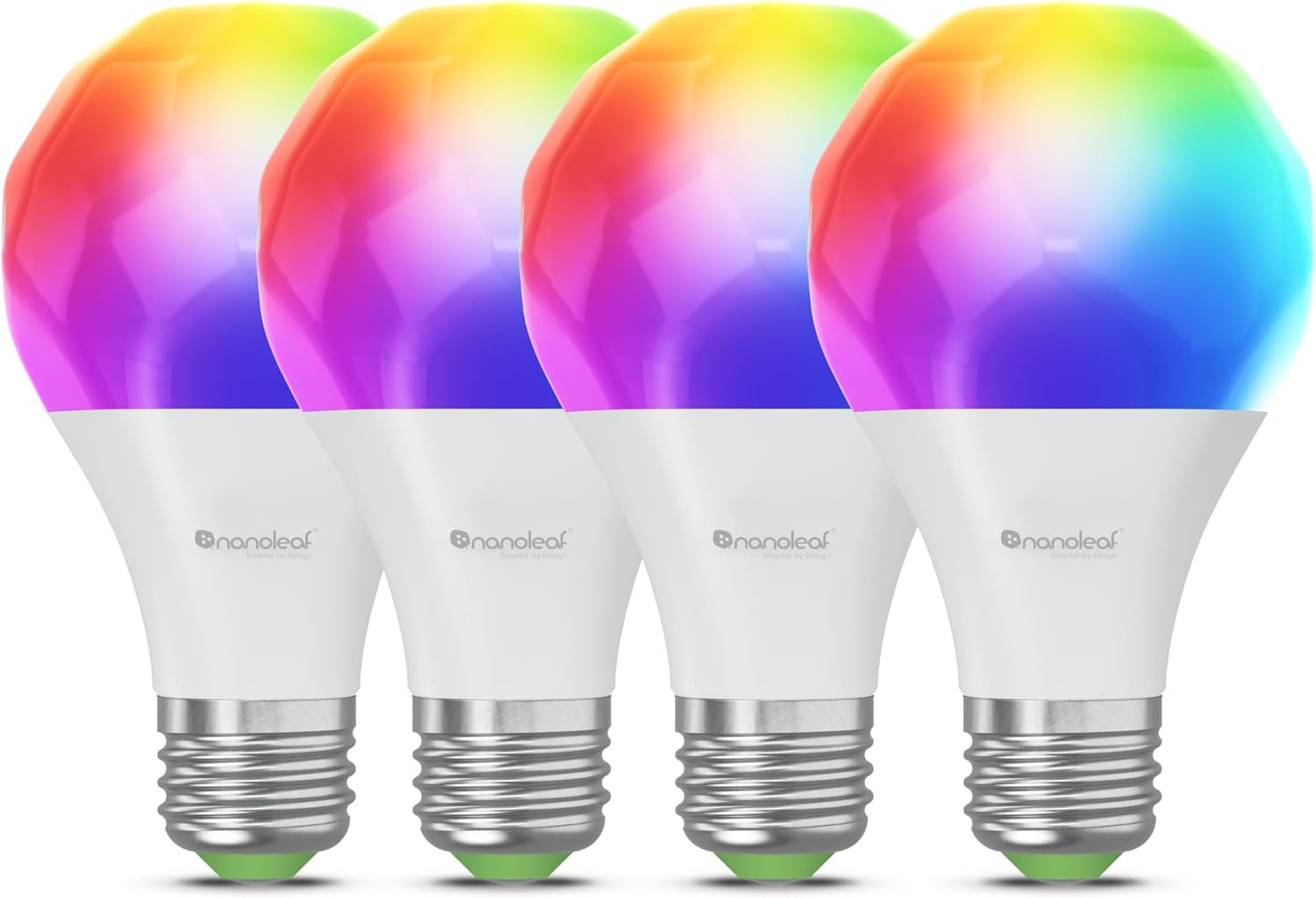
Thread and Matter support, 16 million colors, Adaptive Lighting, and 1100 lumens — all for $20. No hub required. The best bang for your buck in HomeKit lighting.
Why it stands out
The Nanoleaf Essentials A19 is one of the best values in the smart home. For $20, you get a full-color smart bulb with Thread connectivity, Matter support, Adaptive Lighting, and 1100 lumens of brightness. No hub required. That feature list would have cost $50 or more just two years ago.
Thread connectivity is the headline feature. Unlike Wi-Fi bulbs that each consume a slot on your router, Thread bulbs form a mesh network — every Nanoleaf Essentials bulb you add strengthens the network for all your other Thread devices. Response times are noticeably faster than Wi-Fi bulbs, typically under 200ms from the moment you tap in the Home app to the light changing. The bulb also works as a Thread router node, which benefits Thread sensors, locks, and other accessories in your home.
Matter support means you are not locked into Apple. If someone in your household uses Android, they can control the lights through Google Home or Alexa without needing any workarounds. The bulb pairs via Bluetooth initially and then communicates over Thread for daily operation. Setup through the Home app is straightforward — scan the code, assign a room, and you are done.
Color quality is good, though not quite at Hue's level. Saturated colors are vibrant and punchy, but deep reds and blues are slightly less accurate compared to the Hue White & Color A19. For most people, the difference is imperceptible. White tones are excellent, and Adaptive Lighting transitions smoothly through the day.
Key specs
- Connectivity: Thread, Bluetooth, Matter
- Brightness: 1100 lumens
- Colors: 16 million colors
- Color temperature: 2700K - 6500K
- Ecosystems: HomeKit, Alexa, Google Home
- Hub required: No
- Adaptive Lighting: Yes
Pros
- + Incredible value at ~$20 for Thread + Matter + color
- + No hub required — works directly with HomeKit
- + Thread mesh networking for fast, reliable control
- + Adaptive Lighting support
- + Matter-certified for cross-platform use
Cons
- - Color accuracy slightly behind Philips Hue
- - Occasional Thread connectivity hiccups during setup
- - Nanoleaf app is less polished than Hue app
- - No SmartThings support
Who should buy it
Almost everyone. The Nanoleaf Essentials A19 is the smart bulb we recommend most often because it hits the perfect balance of features, quality, and price. It is especially ideal for people building out their first HomeKit lighting setup who want color, Thread, and Matter without the upfront cost of a Hue Bridge. If you are buying 5-10 bulbs for your home, the savings compared to Hue ($20 vs $50 per bulb, plus no $60 bridge) add up to hundreds of dollars.
Who should skip it
If color accuracy is critical — for example, if you use smart bulbs for photography or video lighting — the Philips Hue is worth the premium. If you need SmartThings support, the Nanoleaf will not work for you through that platform. And if you have already invested heavily in the Hue ecosystem with a bridge and multiple fixtures, adding a different bulb brand adds complexity without much benefit.
Nanoleaf Essentials A19
3. LIFX A19 — Best hub-free Wi-Fi bulb
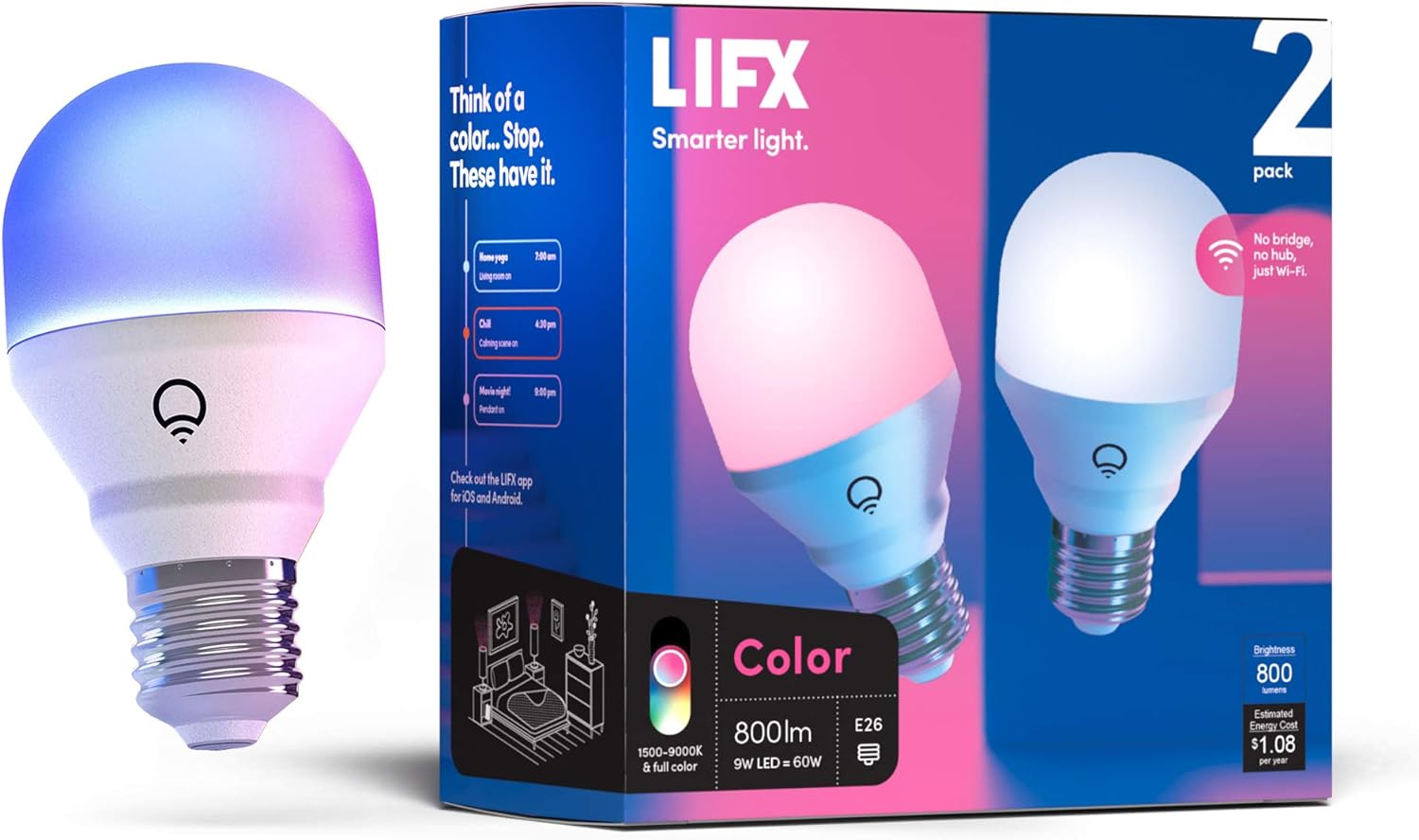
Vivid colors, 1100 lumens, energy monitoring, and zero hub or bridge required. Connects directly over Wi-Fi for the simplest possible smart bulb setup.
Why it stands out
LIFX has been making Wi-Fi smart bulbs since 2012, and their experience shows. The LIFX A19 connects directly to your Wi-Fi router with no hub, no bridge, and no additional hardware. Screw it in, connect it to Wi-Fi through the LIFX app, and it appears in HomeKit. The simplicity is the selling point — there is literally nothing to buy besides the bulb itself.
Color output is excellent. LIFX bulbs have always been known for vivid, punchy colors, and the current A19 continues that tradition. The 1100-lumen output is bright enough for any room, and the color gamut covers a wide range of saturated hues. Whites are clean and natural across the full 2500K to 9000K range — that extended range goes both warmer and cooler than most competitors.
Energy monitoring is a unique feature in this category. The LIFX app can track how much energy each bulb consumes, which is useful if you leave bulbs on for long periods and want to understand the cost. No other smart bulb in this roundup offers this.
The LIFX app is well-designed with a beautiful color wheel interface, custom theme creation, and day/dusk scheduling that mimics natural light patterns. The app also supports LIFX-specific effects like candle flicker, strobe, and color cycle that HomeKit alone cannot replicate.
Key specs
- Connectivity: Wi-Fi 2.4GHz
- Brightness: 1100 lumens
- Colors: 16 million colors
- Color temperature: 2500K - 9000K
- Ecosystems: HomeKit, Alexa, Google Home
- Hub required: No
- Energy monitoring: Yes
- Adaptive Lighting: No
Pros
- + Zero hub or bridge needed — pure Wi-Fi simplicity
- + Vivid, punchy colors with wide color temperature range
- + Energy monitoring built into the app
- + Excellent LIFX app with effects and themes
- + Extended color temperature range (2500K - 9000K)
Cons
- - No Matter support
- - No Thread — each bulb uses a Wi-Fi connection
- - No Adaptive Lighting in HomeKit
- - Wi-Fi congestion can be an issue with many bulbs
Who should buy it
People who value simplicity above all else and do not want to deal with hubs, bridges, or mesh networking. The LIFX A19 is the easiest smart bulb to set up — it connects directly to Wi-Fi and works immediately. It is also the best choice for people who want energy monitoring on their lighting. If you are only buying one to three bulbs, the Wi-Fi approach is perfectly fine and avoids any hub costs.
Who should skip it
Anyone planning to deploy more than five or six smart bulbs. Each LIFX bulb consumes a Wi-Fi connection, and routers start to struggle when you pile on too many IoT devices. The lack of Matter support means you are more tightly coupled to your current ecosystem — if you switch platforms later, there may be gaps. And the absence of Adaptive Lighting is a notable miss for a $35 bulb in 2026, especially when the $20 Nanoleaf includes it.
LIFX A19
4. Eve Light Strip — Best HomeKit light strip
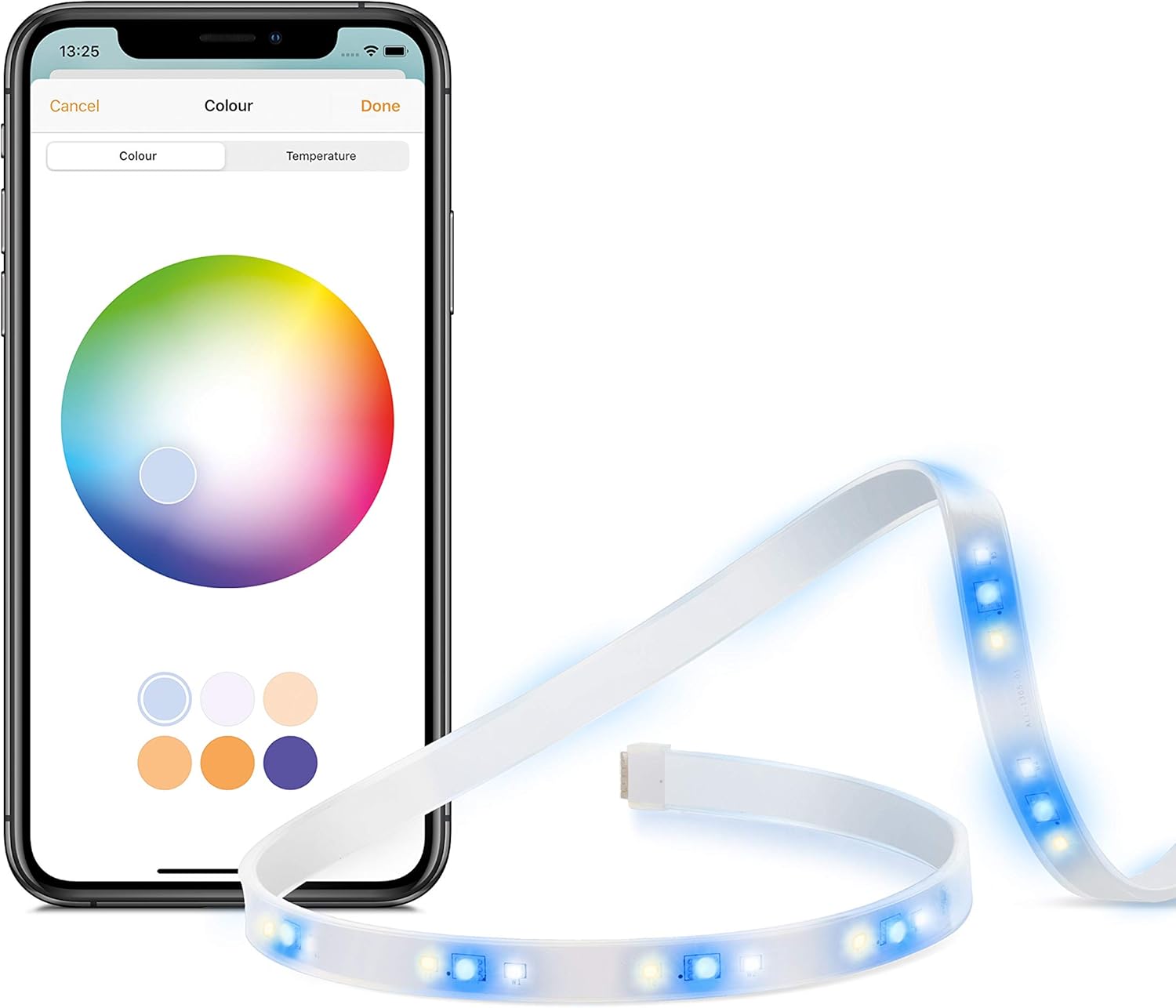
1800 lumens of Thread-connected, Adaptive Lighting-enabled accent lighting. Privacy-first design with no cloud account required. The best light strip for Apple households.
Why it stands out
The Eve Light Strip is the only HomeKit-native light strip with Thread connectivity and Matter support. At 1800 lumens over its 2-meter length, it is bright enough to serve as functional under-cabinet lighting, not just decorative accent lighting. The triple-diode design produces clean, even white light with no visible hot spots — a common problem with cheaper LED strips.
Like all Eve products, privacy is a core feature. There is no Eve cloud account, no data collection, and no server dependency. The strip works entirely locally through your HomeKit setup. This also means it continues to function perfectly if Eve as a company ever shuts down, which is a real concern with cloud-dependent smart home brands.
Adaptive Lighting support makes the Eve Light Strip practical for daily use. Under-cabinet kitchen lighting that starts cool and energizing in the morning and warms up for evening cooking is genuinely useful, and it happens automatically once you enable Adaptive Lighting in the Home app.
Thread connectivity means the strip contributes to your Thread mesh network and responds quickly to commands. Through Matter, the strip can also be controlled by Alexa and Google Home, expanding its usefulness in multi-platform households.
Key specs
- Connectivity: Thread, Bluetooth, Matter
- Brightness: 1800 lumens
- Length: 2 meters (6.6 feet)
- Colors: Full color + white
- Ecosystems: HomeKit natively, Alexa and Google Home via Matter
- Hub required: No (Thread border router needed for Thread)
- Adaptive Lighting: Yes
Pros
- + Thread + Matter for reliable, future-proof connectivity
- + Excellent 1800-lumen brightness
- + Adaptive Lighting support
- + No cloud account required — full privacy
- + Even light distribution with no hot spots
Cons
- - Expensive at ~$50 for only 2 meters
- - Cannot be extended — 2m maximum length
- - Not cuttable to shorter lengths
- - Full color less vibrant than Hue Lightstrip
Who should buy it
HomeKit users who want a high-quality light strip for under-cabinet, behind-TV, or shelf lighting. The Thread connectivity, Adaptive Lighting support, and privacy-first approach make it the clear best choice for Apple-centric households. If you already have other Eve or Thread devices, the strip strengthens your existing mesh network.
Who should skip it
Anyone who needs more than 2 meters of strip lighting. The Eve Light Strip cannot be extended or daisy-chained, so if you need to run lighting along a longer surface, you will need multiple strips (each at $50) or look at longer alternatives from other brands. If you want the most vivid color saturation in a light strip, the Philips Hue Lightstrip Plus produces more vibrant colors, though it requires the Hue Bridge.
Eve Light Strip
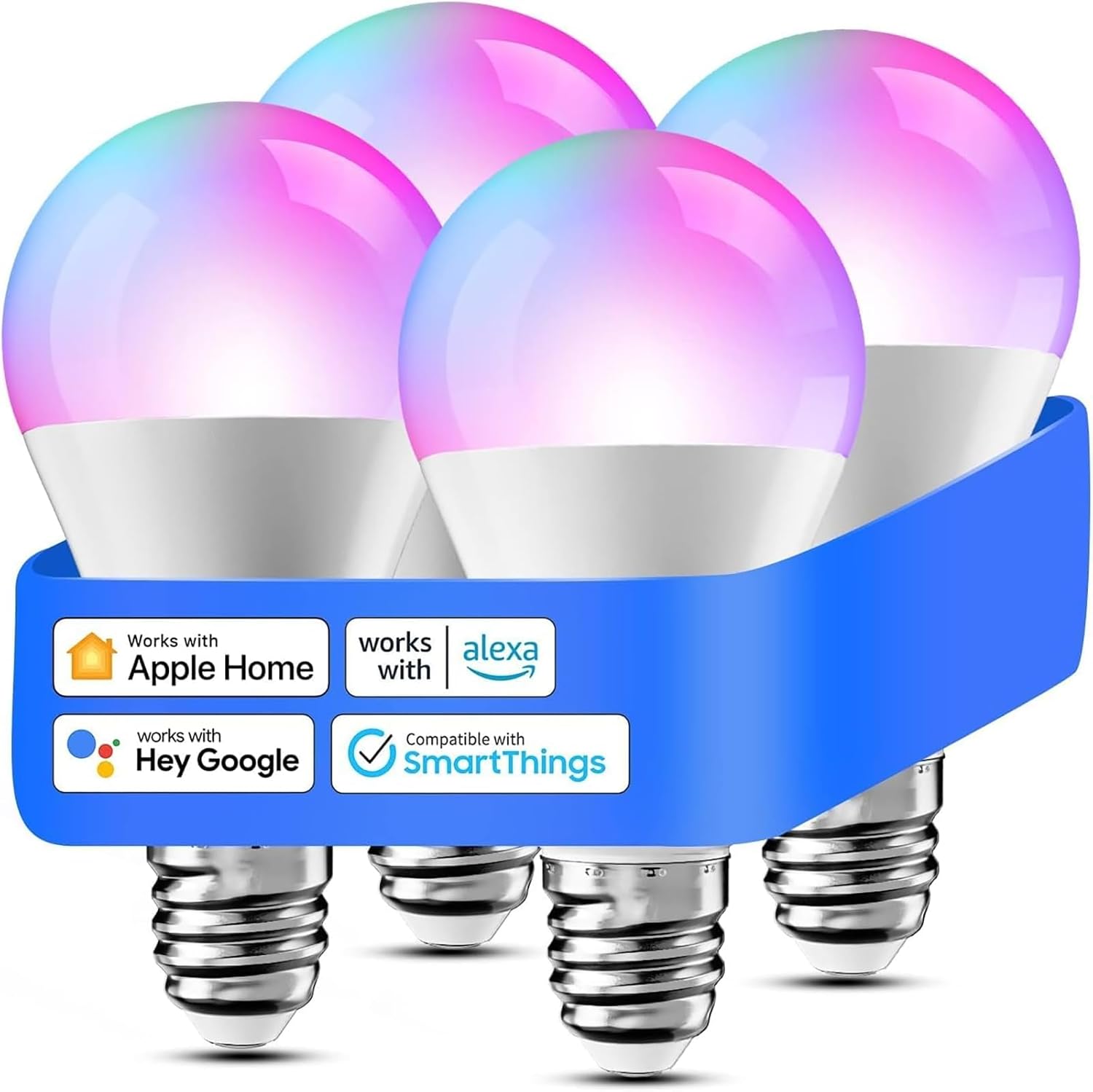
5. Meross Smart Bulb — Cheapest HomeKit bulb
A full-color HomeKit smart bulb for just $15. The absolute cheapest way to get smart lighting into the Apple Home app. Perfect for budget builds.
Why it stands out
At roughly $15, the Meross Smart Bulb is the cheapest HomeKit-compatible color bulb you can buy. That price is remarkable because HomeKit certification used to carry a significant premium — just a few years ago, the cheapest HomeKit bulb was $30 or more. Meross broke that barrier and made HomeKit lighting accessible to anyone on a tight budget.
Despite the low price, you get 16 million colors and a usable 810 lumens of brightness. That is dimmer than the 1100-lumen competition, but it is still adequate for bedrooms, hallways, accent lamps, and other secondary lighting. The color range is decent — not as accurate as Hue or as vivid as LIFX, but perfectly acceptable for setting a mood or creating colored accent lighting.
The Meross app handles scheduling, scenes, and timers. It is basic but functional. Once the bulb is added to HomeKit, you can ignore the Meross app entirely and control everything through the Apple Home app, Siri, or automations. Setup is straightforward — connect to Wi-Fi, scan the HomeKit code, and assign it to a room.
Multi-packs are available and drop the per-bulb price even further, sometimes to $10-12 per bulb. At that price, you can outfit an entire apartment with HomeKit smart bulbs for less than the cost of two Philips Hue bulbs.
Key specs
- Connectivity: Wi-Fi 2.4GHz
- Brightness: 810 lumens
- Colors: 16 million colors
- Color temperature: 2700K - 6500K
- Ecosystems: HomeKit, Alexa, Google Home
- Hub required: No
- Adaptive Lighting: No
Pros
- + Cheapest HomeKit color bulb at ~$15
- + Multi-packs available for even better value
- + No hub required
- + Full 16 million color support
- + Works with HomeKit, Alexa, and Google Home
Cons
- - Lower brightness at 810 lumens vs 1100 for others
- - No Matter or Thread support
- - No Adaptive Lighting
- - Basic app with limited features
Who should buy it
Budget-conscious buyers who want HomeKit smart lighting at the lowest possible cost. The Meross is the bulb you buy when you want to put smart lights in every room without spending hundreds of dollars. It is also a great starter bulb for people who are trying HomeKit lighting for the first time and want to experiment before committing to a more expensive system.
Who should skip it
Anyone who needs a primary room light — 810 lumens is noticeably dimmer than the 1100-lumen competition, and in a large room it will feel inadequate as the sole light source. If you care about future-proofing, the lack of Matter and Thread support means this bulb will not benefit from the evolving smart home standard. For just $5 more, the Nanoleaf Essentials adds Thread, Matter, Adaptive Lighting, and 290 additional lumens — making it the better buy for most people.
Meross Smart Bulb
What to consider when choosing a HomeKit smart bulb
Hub vs. no hub
The Philips Hue system requires a dedicated bridge ($60) for full functionality — without it, you are limited to Bluetooth-only mode which is slow, short-range, and lacks automations. Every other bulb in this roundup works without a hub. If you are starting from scratch and budget matters, hub-free options like the Nanoleaf Essentials or LIFX A19 are simpler and cheaper to get started with. If you are building a larger whole-home lighting system and want the most polished experience, the Hue Bridge investment pays for itself over time.
Brightness matters more than you think
Smart bulb brightness varies significantly. The LIFX, Nanoleaf, and Hue A19 bulbs all output 1100 lumens, which is equivalent to a traditional 75-watt incandescent bulb — bright enough for primary room lighting. The Meross at 810 lumens is equivalent to a 60-watt bulb, which is fine for bedside lamps and accent lighting but noticeably dimmer in larger rooms. The Eve Light Strip's 1800 lumens sounds impressive, but it is spread over a 2-meter strip rather than concentrated in a single point source. Consider where you are placing each bulb and whether it needs to light the whole room or just provide accent lighting.
Thread is the future of HomeKit lighting
If you are buying smart bulbs in 2026, Thread support should be high on your priority list. Thread bulbs form a mesh network that gets stronger with every device you add. They respond faster than Wi-Fi bulbs, do not strain your router, and support Matter for cross-platform compatibility. The Nanoleaf Essentials and Eve Light Strip both use Thread. Wi-Fi bulbs like LIFX and Meross work fine in small quantities, but Thread scales better and is where Apple is investing heavily for the future of HomeKit.
Adaptive Lighting is worth prioritizing
Adaptive Lighting automatically adjusts your bulb's color temperature throughout the day — cool and bright in the morning, warm and relaxing in the evening. It sounds like a minor feature until you use it daily, then it becomes something you miss immediately when it is not there. The Philips Hue, Nanoleaf Essentials, and Eve Light Strip all support it. LIFX and Meross do not. If you are deciding between two bulbs and one has Adaptive Lighting, choose that one.
Common mistakes to avoid
Buying Philips Hue without the bridge
The single most common mistake in HomeKit lighting. People buy a Hue bulb expecting it to work like a Nanoleaf or LIFX — screw it in, connect, done. In Bluetooth-only mode, Hue bulbs have limited range (one room), no automations, no remote access, no scenes, and painfully slow response times. The Hue Bridge is not optional — it is what makes Hue worth buying. If you do not want to buy the bridge, buy a Nanoleaf Essentials instead.
Putting smart bulbs on dimmer switches
Never install a smart bulb in a fixture controlled by a physical dimmer switch. Traditional dimmer switches reduce voltage to dim incandescent bulbs, but smart LED bulbs need full constant voltage to operate their internal electronics. Running a smart bulb on a dimmer can cause buzzing, flickering, shortened lifespan, and even damage. If you have dimmer switches and want smart lighting, either replace the dimmer with a standard on/off switch, install a smart dimmer switch, or use smart bulbs in lamps that plug directly into outlets.
Overloading your Wi-Fi with smart bulbs
Each Wi-Fi smart bulb — LIFX, Meross, and others — consumes one connection slot on your router. Most consumer routers can handle 30-40 devices reliably. If you already have phones, tablets, laptops, streaming devices, and other IoT gadgets on your network, adding 10-15 Wi-Fi bulbs can push your router past its limit, causing slow responses and dropped connections across all your devices. If you plan to deploy more than five or six smart bulbs, choose Thread-based options like the Nanoleaf Essentials to keep your Wi-Fi network healthy.
Ignoring the Apple Home hub requirement
All HomeKit automations, remote access, and sharing require an Apple Home hub — a HomePod, HomePod Mini, or Apple TV 4K. Without one, your smart bulbs will only respond to direct commands when you are on your home Wi-Fi network. You will not be able to turn lights on from work, set up time-based automations, or share control with family members. Many first-time HomeKit users discover this after buying bulbs and wonder why their automations do not work. If you do not already own a HomePod or Apple TV, factor that cost into your smart lighting budget.
Get the Smart Home Starter Checklist
Our free checklist covers everything you need to build a HomeKit smart home — what to buy first, what to skip, and how to avoid common mistakes with Apple Home.
No spam. Unsubscribe anytime.
Related Guides
Frequently asked questions
Do I need a hub for HomeKit smart bulbs?
What is Adaptive Lighting and which bulbs support it?
Thread vs Wi-Fi vs Zigbee: which is best for smart bulbs?
Can I use HomeKit smart bulbs with regular light switches?
How many smart bulbs can HomeKit handle?
Do HomeKit smart bulbs work with Matter?
Are HomeKit smart bulbs worth the premium over non-HomeKit options?
The bottom line
The Philips Hue White & Color A19 is the best HomeKit smart bulb in 2026. It leads in color accuracy, ecosystem depth, and reliability — and with Matter support through the Hue Bridge, it works with every major smart home platform. The upfront cost is high, but the Hue ecosystem scales beautifully and rewards long-term investment.
For most people, though, the Nanoleaf Essentials A19 at $20 is the smarter buy. It delivers Thread mesh networking, Matter support, Adaptive Lighting, and excellent color — all without a hub. At less than half the price of a Hue bulb and with no bridge to buy, the Nanoleaf is the best value in HomeKit lighting by a wide margin.
The LIFX A19 at $35 is the best option for people who want the simplest possible setup — pure Wi-Fi, no hub, no mesh, just screw in and connect. Its energy monitoring feature is unique in this category. The Eve Light Strip at $50 is the definitive HomeKit light strip with Thread, Matter, and Adaptive Lighting in a privacy-first package. And the Meross Smart Bulb at $15 proves that HomeKit lighting does not have to be expensive — it is the cheapest way to get color smart lighting into the Apple Home app.
Whichever bulb you choose, you are entering a mature, reliable category. HomeKit smart bulbs in 2026 just work — and with Thread and Matter gaining traction, they are only going to get better.