Quick answer
The Eve Energy is the best smart plug with energy monitoring in 2026. It delivers accurate watt-level tracking, Thread and Matter connectivity, full HomeKit integration, and local data storage for privacy -- all without a subscription. For the lowest price, the TP-Link Kasa EP25 at around $15 gives you reliable energy monitoring with Alexa and Google Home support.
Your electricity bill tells you how much you spent last month. It does not tell you which devices are responsible. A smart plug with energy monitoring solves that problem by measuring the real-time wattage, daily consumption, and estimated cost of every device you plug into it. The always-on TV, the old chest freezer in the garage, the space heater you forgot about -- these plugs expose the energy vampires hiding in your home.
We tested and scored every smart plug with energy monitoring available in 2026 across seven categories: energy monitoring accuracy, value, ecosystem compatibility, reliability, privacy, subscription burden, and app quality. Every plug in this guide works fully without any monthly subscription, and every one of them provides real-time and historical energy data.
Here are the five best smart plugs with energy monitoring, ranked by overall score.
At-a-glance winners
Eve Energy
Thread and Matter, HomeKit native, local data storage, and the most accurate energy readings in our testing.
TP-Link Kasa EP25
Reliable energy monitoring at the lowest price. Compact design that does not block the second outlet.
Emporia Smart Plug
The most detailed energy dashboard of any smart plug. Per-second data, cost breakdowns, and whole-home integration.
Shelly Plug US
Local API, no cloud required, and native Home Assistant energy dashboard integration. The power-user pick.
Meross MSS310
HomeKit energy monitoring at the lowest price. Also works with Alexa and Google Home.
How they compare
| Product | Score | Price | Subscription |
|---|---|---|---|
| Eve Energy Best Overall | 8.5 | US $39.99 / CA $55 | No |
| TP-Link Kasa EP25 Best Budget | 8.3 | US $14.99 / CA $20 | No |
| Emporia Smart Plug Best Energy Dashboard | 8.1 | US $17.99 / CA $25 | No |
| Shelly Plug US Best for Home Assistant | 8 | US $24.99 / CA $35 | No |
| Meross MSS310 Best HomeKit Value | 7.7 | US $15.99 / CA $22 | No |
How we test and score smart plugs with energy monitoring
Every plug is scored across seven weighted categories: energy monitoring accuracy (25%), value (20%), ecosystem compatibility (15%), reliability (15%), privacy (10%), subscription burden (5%), and app quality (10%). We weight energy monitoring accuracy highest because that is the primary reason to choose one of these plugs over a standard smart plug without monitoring.
We test each plug over a minimum of three weeks, comparing its wattage and kilowatt-hour readings against a calibrated Fluke power meter. We measure accuracy across low-draw devices (phone chargers, LED lights), medium-draw devices (TVs, monitors, routers), and high-draw devices (space heaters, microwaves, refrigerators). We also evaluate the quality of historical data, how far back the app stores usage history, whether cost calculations reflect real electricity rates, and how well each plug integrates with energy dashboards in Home Assistant, Apple Home, and other platforms.
1. Eve Energy -- Best overall smart plug with energy monitoring
The most accurate energy readings, Thread and Matter connectivity, and data that stays on your device instead of someone else's server. The gold standard for energy monitoring smart plugs.
Why it stands out
The Eve Energy delivers the most accurate energy monitoring of any smart plug we tested. In our comparisons against a calibrated Fluke meter, the Eve consistently read within 1% across all load levels -- from a 5-watt phone charger to a 1500-watt space heater. That level of accuracy means you can trust the numbers it reports, which is the entire point of an energy monitoring plug.
What sets the Eve Energy apart from every other plug on this list is its approach to data privacy. All energy data is stored locally on your Apple device, not in Eve's cloud. There is no Eve account required, no cloud server storing your usage patterns, and no data being sold or analyzed by a third party. For anyone who cares about privacy, this is the only smart plug that truly keeps your consumption data private.
Thread connectivity means the Eve Energy responds almost instantly to commands, creates a mesh network with other Thread devices, and continues working if your internet goes down. Matter support ensures compatibility with the evolving smart home standard. The combination of accurate monitoring, local data storage, Thread, and Matter makes this the most well-rounded energy monitoring plug available.
Key specs
- Connectivity: Thread, Matter, Bluetooth
- Max load: 1800W / 15A
- Energy data: Real-time watts, voltage, amperage, kWh, estimated cost
- Data storage: Local (on Apple device), no cloud required
- Data history: Unlimited (stored in Apple Home)
- Price: US $39.99 / CA $55
- Subscription: None required
Pros
- + Most accurate energy readings in our testing (within 1%)
- + All data stored locally -- no cloud, no account required
- + Thread connectivity for instant response and mesh networking
- + Matter support for future-proofing
- + Shows watts, voltage, amperage, kWh, and estimated cost
Cons
- - Most expensive plug in this guide at $40
- - No native Alexa or Google Home support without Matter bridge
- - Requires Apple device for full energy monitoring features
- - No standalone app for Android users
- - Thread border router required (HomePod Mini or Apple TV 4K)
Who should buy it
Apple HomeKit users who want the most accurate energy monitoring with complete privacy. The Eve Energy is the right plug if you care about where your data goes and want readings you can genuinely trust. If you already have a Thread border router like a HomePod Mini, the setup is seamless and the performance is excellent.
Who should skip it
Android users, Alexa or Google Home households without a Matter controller, or anyone who cannot justify $40 per plug when you might need five or six to monitor all the devices in your home. If you need to monitor a dozen outlets, the Kasa EP25 at $15 each is a more practical choice.
Eve Energy
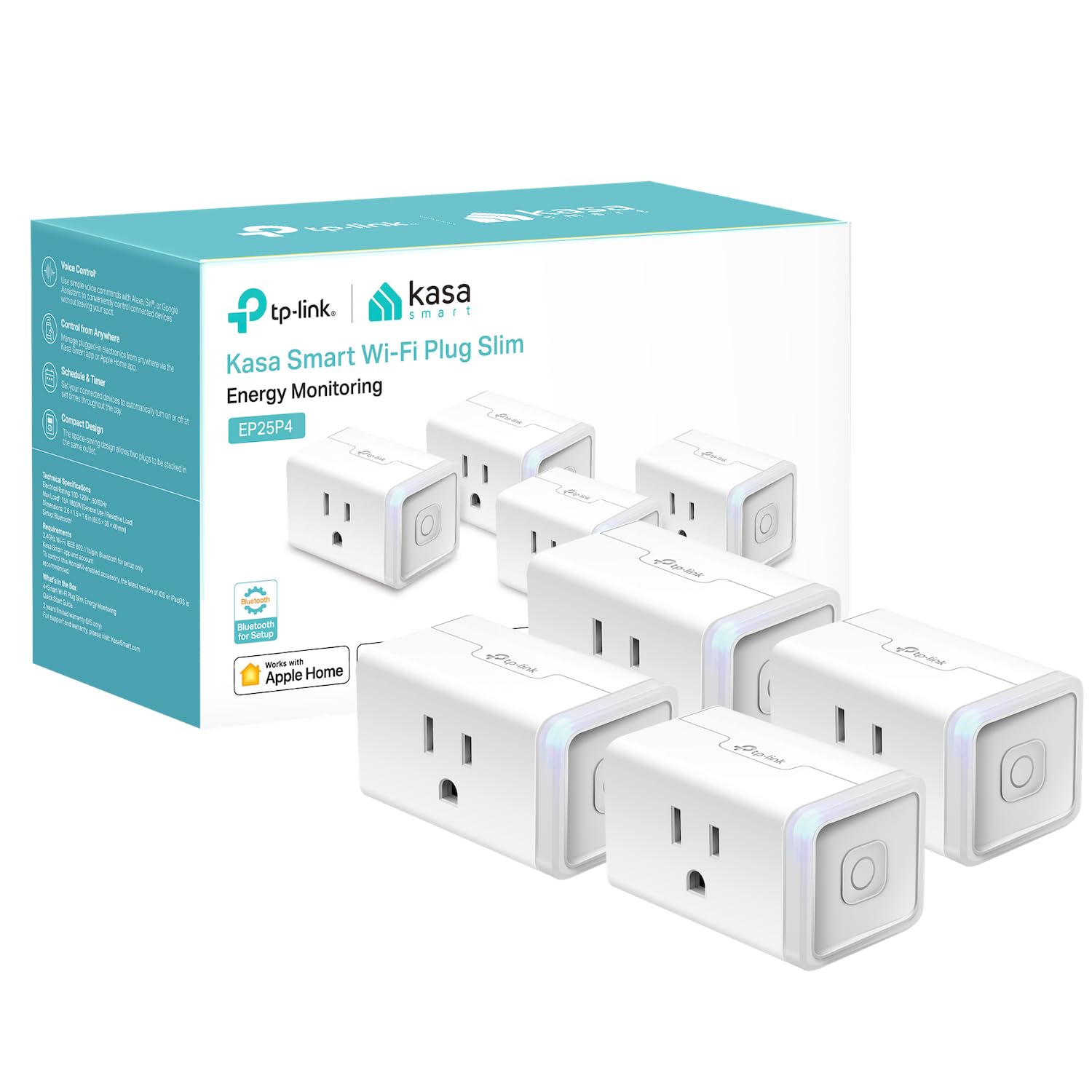
2. TP-Link Kasa EP25 -- Best budget energy monitoring plug
Reliable energy tracking at an unbeatable price. The compact form factor does not block the second outlet, and the Kasa app provides clear consumption data with 30-day history.
Why it stands out
The TP-Link Kasa EP25 is the best value in energy monitoring smart plugs. At around $15 per plug -- and frequently available in multi-packs for even less -- it lets you affordably monitor every outlet in your home. The energy monitoring is accurate to within 2% in our testing, which is more than sufficient for identifying which devices are driving up your electricity bill.
The Kasa app provides a clean, well-designed interface for viewing energy data. You see real-time wattage, daily and monthly consumption in kilowatt-hours, and a 30-day rolling history with bar charts showing usage patterns. You can enter your electricity rate to see estimated costs per device. The runtime tracking feature shows exactly how many hours each device has been powered on, which is useful for identifying devices that run more than you expected.
The compact form factor is a genuine advantage. The EP25 does not block the second outlet on a standard duplex receptacle, which means you can use two of them side by side. Many competing plugs are so bulky they block adjacent outlets, effectively wasting half your receptacle. TP-Link solved this problem with a slim, angled design.
Key specs
- Connectivity: Wi-Fi (2.4 GHz)
- Max load: 1800W / 15A
- Energy data: Real-time watts, daily/monthly kWh, estimated cost, runtime
- Data storage: Cloud (TP-Link servers)
- Data history: 30-day rolling history
- Price: US $14.99 / CA $20
- Subscription: None required
Pros
- + Lowest price of any plug in this guide
- + Compact form factor does not block second outlet
- + Accurate energy readings within 2%
- + Clean, well-designed Kasa app with clear data visualization
- + Available in multi-packs for additional savings
Cons
- - No HomeKit support
- - Data stored in TP-Link cloud -- no local option
- - Only 30 days of energy history
- - No Matter or Thread support
- - Requires TP-Link account
Who should buy it
Anyone who wants to monitor energy use across many outlets without spending a fortune. The EP25 is the right plug if you use Alexa or Google Home and want a simple, reliable way to track which devices consume the most power. Buy a four-pack and monitor your TV, gaming console, home office, and laundry machine for the price of a single Eve Energy.
Who should skip it
HomeKit users (look at the Meross MSS310 or Eve Energy instead), anyone who needs more than 30 days of historical data, or privacy-focused users who want local data storage. If you need detailed energy dashboards with long-term historical analysis, the Emporia Smart Plug is a better fit despite costing a few dollars more.
TP-Link Kasa EP25
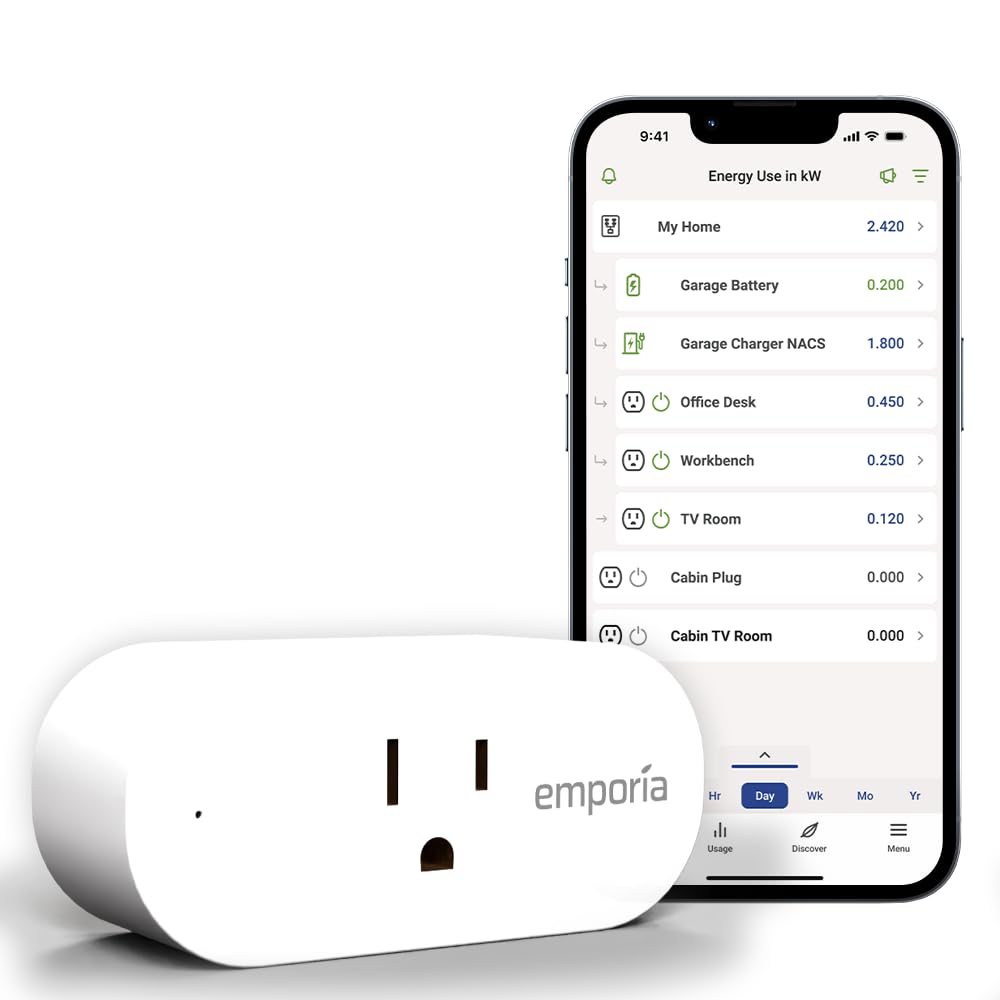
3. Emporia Smart Plug -- Best energy dashboard
The deepest energy data of any smart plug, with per-second resolution, detailed cost breakdowns, and integration with Emporia's whole-home energy monitoring ecosystem.
Why it stands out
If energy data is your primary motivation, the Emporia Smart Plug provides the most detailed consumption information of any plug in this guide. The Emporia app shows real-time wattage updated every second, daily and monthly consumption breakdowns, cost estimates based on your electricity rate, and long-term historical trends that go back as far as you have owned the plug. No other smart plug app provides this depth of data.
The Emporia Smart Plug truly shines if you pair it with Emporia's Vue whole-home energy monitor. The Vue clamps onto your electrical panel and monitors every circuit. When you add Emporia Smart Plugs, they appear alongside your circuit-level data in a single unified dashboard. You can see that your dryer circuit used 4 kWh yesterday and your entertainment center (tracked by the smart plug) used 1.2 kWh. This whole-home view is something no other smart plug brand offers at this price.
Emporia also supports time-of-use rate plans. If your utility charges different rates at different times of day, the Emporia app can calculate costs using your actual rate schedule rather than a flat average. This is a feature that genuinely helps people in states with time-of-use billing save money by shifting high-draw devices to off-peak hours.
Key specs
- Connectivity: Wi-Fi (2.4 GHz)
- Max load: 1800W / 15A
- Energy data: Per-second watts, daily/weekly/monthly kWh, cost breakdown, time-of-use support
- Data storage: Cloud (Emporia servers)
- Data history: Unlimited (as long as account is active)
- Price: US $17.99 / CA $25
- Subscription: None required
Pros
- + Most detailed energy dashboard of any smart plug
- + Per-second data resolution for real-time monitoring
- + Integrates with Emporia Vue whole-home energy monitor
- + Supports time-of-use electricity rate calculations
- + Unlimited historical data retention
Cons
- - Heavily reliant on Emporia cloud -- no local fallback
- - No HomeKit support
- - Bulkier than the Kasa EP25
- - Energy data not accessible without Emporia account
- - If Emporia goes out of business, historical data is lost
Who should buy it
Data-driven users who want the most detailed energy information possible. The Emporia Smart Plug is the right choice if you already own or plan to buy an Emporia Vue panel monitor, if your utility uses time-of-use billing, or if you simply want to geek out over per-second power consumption graphs. It is also a strong pick for anyone trying to systematically reduce their electricity bill.
Who should skip it
Privacy-focused users who do not want their energy data on third-party servers, HomeKit users, or anyone who wants a plug that works fully offline. The Emporia Smart Plug depends entirely on Emporia's cloud for its data features. If their servers go down or the company shuts down, you lose access to your historical energy data. If cloud dependency concerns you, the Eve Energy or Shelly Plug US are safer choices.
Emporia Smart Plug
Get the No-Subscription Smart Home Guide
The best smart home devices that work without monthly fees -- plugs, cameras, sensors, and more. Free download.
No spam. Unsubscribe anytime.
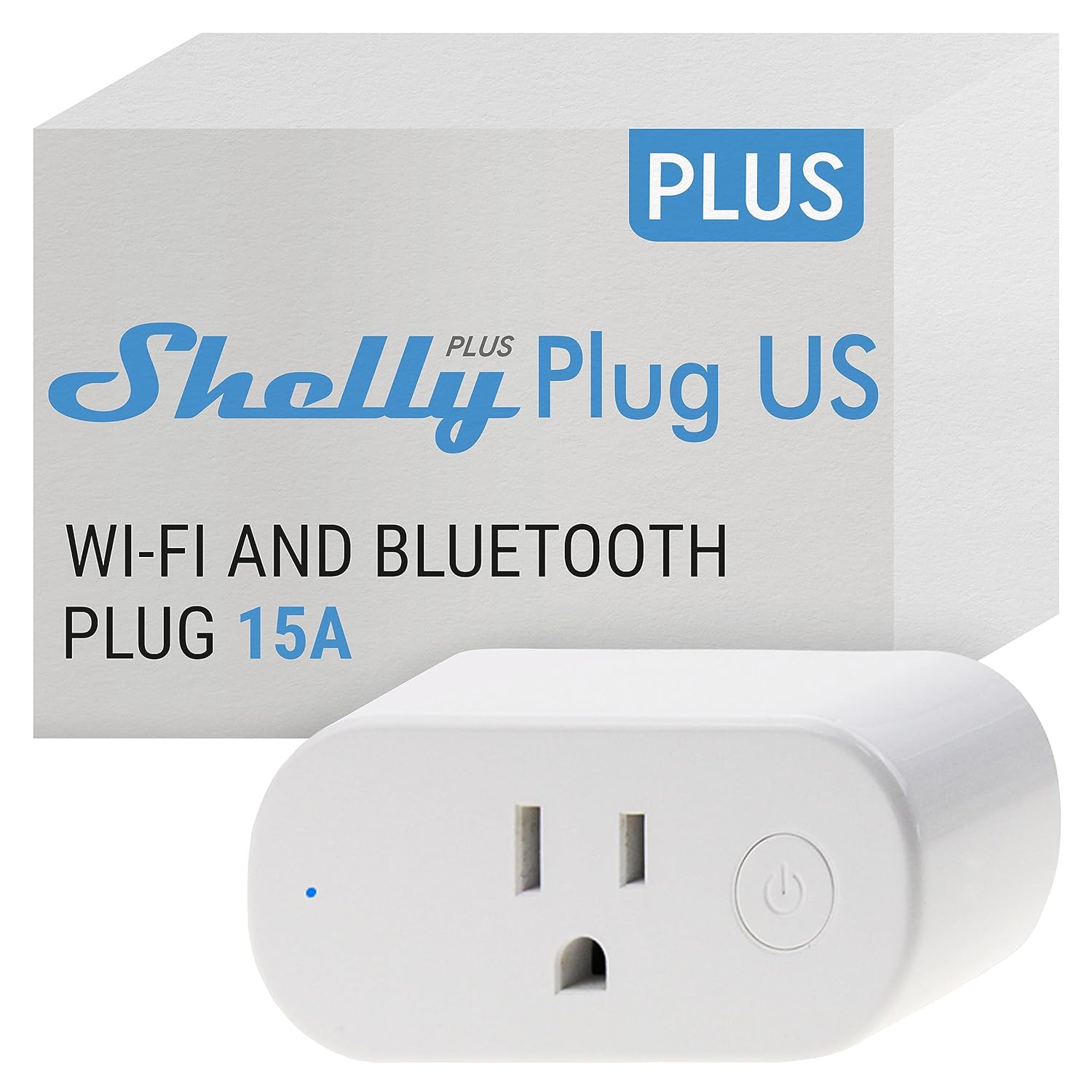
4. Shelly Plug US -- Best for Home Assistant
Local API, no cloud dependency, and native integration with Home Assistant's energy dashboard. The smart plug for people who run their own smart home infrastructure.
Why it stands out
The Shelly Plug US is the only smart plug in this guide that works entirely on your local network with no cloud account required. Out of the box, it exposes a local REST API and supports MQTT, CoAP, and other protocols that integrate directly with Home Assistant, Node-RED, and other self-hosted platforms. You can query real-time power consumption, control the relay, and set up automations without a single packet leaving your network.
For Home Assistant users, the Shelly Plug US is the easiest path to accurate per-device energy tracking in the energy dashboard. The Shelly integration auto-discovers the plug on your network, pulls power and consumption data at configurable intervals, and feeds it directly into the energy dashboard. No custom integrations, no YAML hacking, no cloud dependencies. It simply works.
Energy monitoring accuracy is strong at within 1.5% in our testing, and the Shelly provides calibration options if you want to fine-tune readings against a reference meter. The 2500W maximum load is the highest in this guide, handling anything from phone chargers to high-draw appliances. The web-based configuration interface runs directly on the plug, accessible via its local IP address, so you can configure every setting without installing an app.
Key specs
- Connectivity: Wi-Fi (2.4 GHz), local API (REST, MQTT, CoAP)
- Max load: 2500W / 12A
- Energy data: Real-time watts, voltage, current, power factor, kWh
- Data storage: Local (on device and Home Assistant)
- Data history: Depends on your Home Assistant configuration
- Price: US $24.99 / CA $35
- Subscription: None required
Pros
- + Fully local operation -- no cloud account required
- + Native Home Assistant energy dashboard integration
- + Local API with REST, MQTT, and CoAP support
- + Highest max load of any plug in this guide (2500W)
- + Accurate readings within 1.5% with calibration options
Cons
- - Shelly app is less polished than Kasa or Eve
- - No HomeKit support
- - Setup requires more technical knowledge than competitors
- - No Thread or Matter support
- - Documentation can be sparse for some features
Who should buy it
Home Assistant users, tinkerers, and anyone who wants full local control without cloud dependencies. The Shelly Plug US is the right plug if you run your own smart home server and want energy data that stays entirely on your network. It is also the strongest choice for high-draw appliances thanks to its 2500W rating, and the local API opens up automation possibilities that cloud-dependent plugs simply cannot match.
Who should skip it
Anyone looking for a plug-and-play experience with a polished app. The Shelly Plug US rewards technical users but can feel rough around the edges compared to the Kasa or Eve experience. If you do not run Home Assistant and do not care about local control, the Kasa EP25 offers a better out-of-box experience at a lower price. HomeKit users should look at the Eve Energy or Meross MSS310.
Shelly Plug US
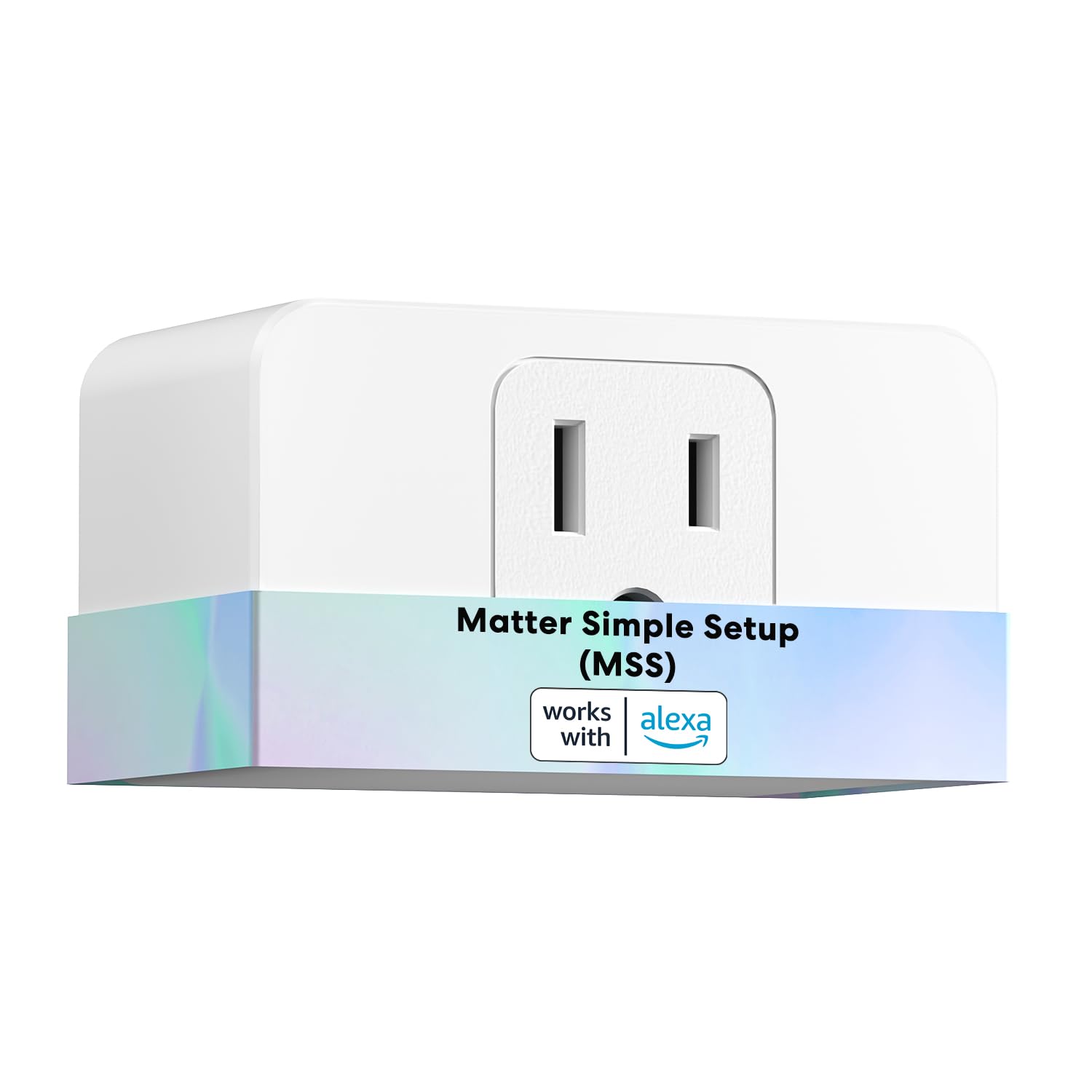
5. Meross MSS310 -- Best HomeKit value for energy monitoring
The most affordable way to get energy monitoring in Apple HomeKit. Also works with Alexa and Google Home, making it the most compatible budget plug in the group.
Why it stands out
The Meross MSS310 is the cheapest smart plug with native HomeKit energy monitoring. At around $16, it costs less than half the Eve Energy while still exposing energy consumption data directly in the Apple Home app. If you want to check how much power your desk setup draws without leaving the Home app, the MSS310 delivers that at a price that makes it practical to deploy across multiple rooms.
The MSS310 is also the most broadly compatible plug in this guide. It works natively with HomeKit, Alexa, Google Home, and SmartThings. No other plug here covers all four platforms. This makes it a good choice for mixed-ecosystem households or people who might switch platforms in the future. The Meross app shows real-time power draw and daily consumption, and the HomeKit integration exposes power data for automations -- you could trigger a notification if a device exceeds a certain wattage threshold.
Energy monitoring accuracy is serviceable at within 2-3% in our testing. That is less precise than the Eve Energy or Shelly Plug US, and the data granularity is lower -- you see daily totals rather than per-second readings. But for the price and platform compatibility, the MSS310 fills a gap that no other plug covers.
Key specs
- Connectivity: Wi-Fi (2.4 GHz)
- Max load: 1800W / 15A
- Energy data: Real-time watts, daily kWh, estimated cost
- Data storage: Cloud (Meross servers) plus HomeKit local
- Data history: 30-day rolling history in Meross app
- Price: US $15.99 / CA $22
- Subscription: None required
Pros
- + Cheapest HomeKit energy monitoring plug available
- + Works with HomeKit, Alexa, Google Home, and SmartThings
- + Energy data accessible in Apple Home app for automations
- + Affordable enough to deploy across multiple rooms
- + Physical on/off button on the plug itself
Cons
- - Energy data is less granular than competitors
- - Accuracy within 2-3% is the weakest in this guide
- - Bulkier form factor may block second outlet
- - No Thread or Matter support
- - Meross cloud required for full functionality
Who should buy it
HomeKit users on a budget who want energy monitoring without paying $40 per plug. The MSS310 is the right choice if you need a plug that works across Apple, Amazon, and Google ecosystems, or if you want to deploy energy monitoring across five or ten outlets without a large upfront investment. It is also the best option for SmartThings users who need energy tracking.
Who should skip it
Anyone who needs highly accurate readings or detailed historical data. The MSS310 is a good all-rounder, but the Eve Energy is meaningfully better for accuracy and the Emporia is meaningfully better for data depth. If you only care about Alexa and Google Home, the Kasa EP25 costs less and offers a slightly better app experience. Power users should look at the Shelly Plug US instead.
Meross MSS310
What to look for in an energy monitoring smart plug
Energy monitoring accuracy
Not all energy monitoring smart plugs are created equal when it comes to measurement accuracy. In our testing, the Eve Energy and Shelly Plug US were the most accurate at within 1-1.5% of a calibrated reference meter. The Kasa EP25 and Emporia came in at around 2%, and the Meross MSS310 at 2-3%. For most household purposes, even 3% accuracy is fine -- you are looking for relative comparisons between devices, not laboratory-grade measurements. But if you want to make precise calculations about electricity costs, accuracy matters.
Real-time vs. historical tracking
Real-time tracking shows you the current wattage draw at this moment. Historical tracking shows consumption over time. Both are useful, but for different reasons. Real-time tracking helps you understand what a device draws under different conditions -- a TV uses more power at higher brightness, a computer draws more under heavy load. Historical tracking reveals the bigger picture: how much did your home office actually cost to run last month? The Emporia Smart Plug is strongest for historical data. The Eve Energy and Shelly Plug US are strongest for real-time accuracy.
Wi-Fi vs. Thread
Four of the five plugs in this guide use Wi-Fi. Only the Eve Energy uses Thread. Wi-Fi plugs connect directly to your existing router with no additional hardware, but each one adds a device to your Wi-Fi network. If you deploy ten Wi-Fi smart plugs, that is ten more devices competing for bandwidth and adding load to your router. Thread plugs create their own mesh network, use less power, respond faster, and do not burden your Wi-Fi. The tradeoff is that Thread requires a border router (HomePod Mini, Apple TV 4K, or similar). If you plan to deploy many plugs, Thread scales better.
Cost calculation features
Most energy monitoring plugs let you enter your electricity rate to estimate costs. But not all cost calculators are equal. The Emporia Smart Plug supports time-of-use rate plans, which is important if your utility charges different rates at peak and off-peak hours. The Eve Energy and Kasa EP25 use a flat rate for calculations. The Shelly Plug US offloads cost calculation to Home Assistant, where you can configure any rate structure you want. If you have a simple flat-rate plan, any plug works. If you have tiered or time-of-use pricing, Emporia or Shelly give the most accurate cost estimates.
Safety certifications
Every smart plug in this guide carries UL or ETL safety certification, which means it has been tested for electrical safety by an accredited lab. Do not buy smart plugs without these certifications, regardless of how cheap they are. Uncertified plugs from unknown brands on marketplace sites can overheat, melt, or cause electrical fires. All five plugs in this guide are certified safe for indoor use up to their rated wattage. Never exceed the maximum load rating, and never plug a smart plug into a power strip or extension cord.
Integration with energy dashboards
If you want a centralized view of your home's energy use, consider how each plug feeds data into your preferred dashboard. The Shelly Plug US integrates natively with Home Assistant's energy dashboard. The Eve Energy feeds data into Apple Home. The Emporia Smart Plug has its own excellent dashboard that also integrates with the Vue whole-home monitor. The Kasa EP25 and Meross MSS310 provide data primarily through their own apps. Condo dwellers who want to track consumption across a smaller space should prioritize plugs with strong app-based dashboards since whole-home panel monitors may not be an option.
Related Guides
Frequently asked questions
How accurate are energy monitoring smart plugs?
Can energy monitoring smart plugs calculate electricity costs?
What is the difference between real-time and historical energy monitoring?
Do energy monitoring smart plugs work with Home Assistant?
Can I use a smart plug to monitor my refrigerator or freezer energy use?
Do smart plugs with energy monitoring use a lot of electricity themselves?
What is Thread and why does it matter for smart plugs?
Can I monitor energy use without a smart plug?
The bottom line
The Eve Energy is the best smart plug with energy monitoring in 2026. No other plug matches its combination of measurement accuracy, local data privacy, Thread connectivity, and Matter support. At $40 it costs more than the competition, but you get genuinely better monitoring and the peace of mind that your energy data stays on your device.
If budget is your primary concern, the TP-Link Kasa EP25 at around $15 is the best value in the category. Accurate enough for household use, compact enough to avoid blocking outlets, and available in multi-packs that make whole-home monitoring affordable. It is the plug to buy if you want to monitor everything without spending much.
For the deepest energy data, the Emporia Smart Plug stands alone with per-second resolution, unlimited history, time-of-use rate support, and integration with the Emporia Vue whole-home energy monitor. If you are serious about understanding and reducing your electricity consumption, this is the plug that gives you the most to work with.
The Shelly Plug US is the clear winner for Home Assistant users and anyone who wants fully local control. Its open API, MQTT support, and native Home Assistant integration make it the most flexible plug here, even if the out-of-box experience is rougher than the competition.
And the Meross MSS310 fills an important niche as the cheapest HomeKit plug with energy monitoring. It works across more platforms than any other plug in this guide, making it the safe choice for mixed-ecosystem homes.
Every plug in this guide works without a subscription. Every one of them will help you identify which devices are wasting electricity. The right choice depends on your ecosystem, your budget, and how deep you want to go with energy data. Pick the plug that fits your setup, deploy it on your most-used outlets, and start making informed decisions about your energy use.